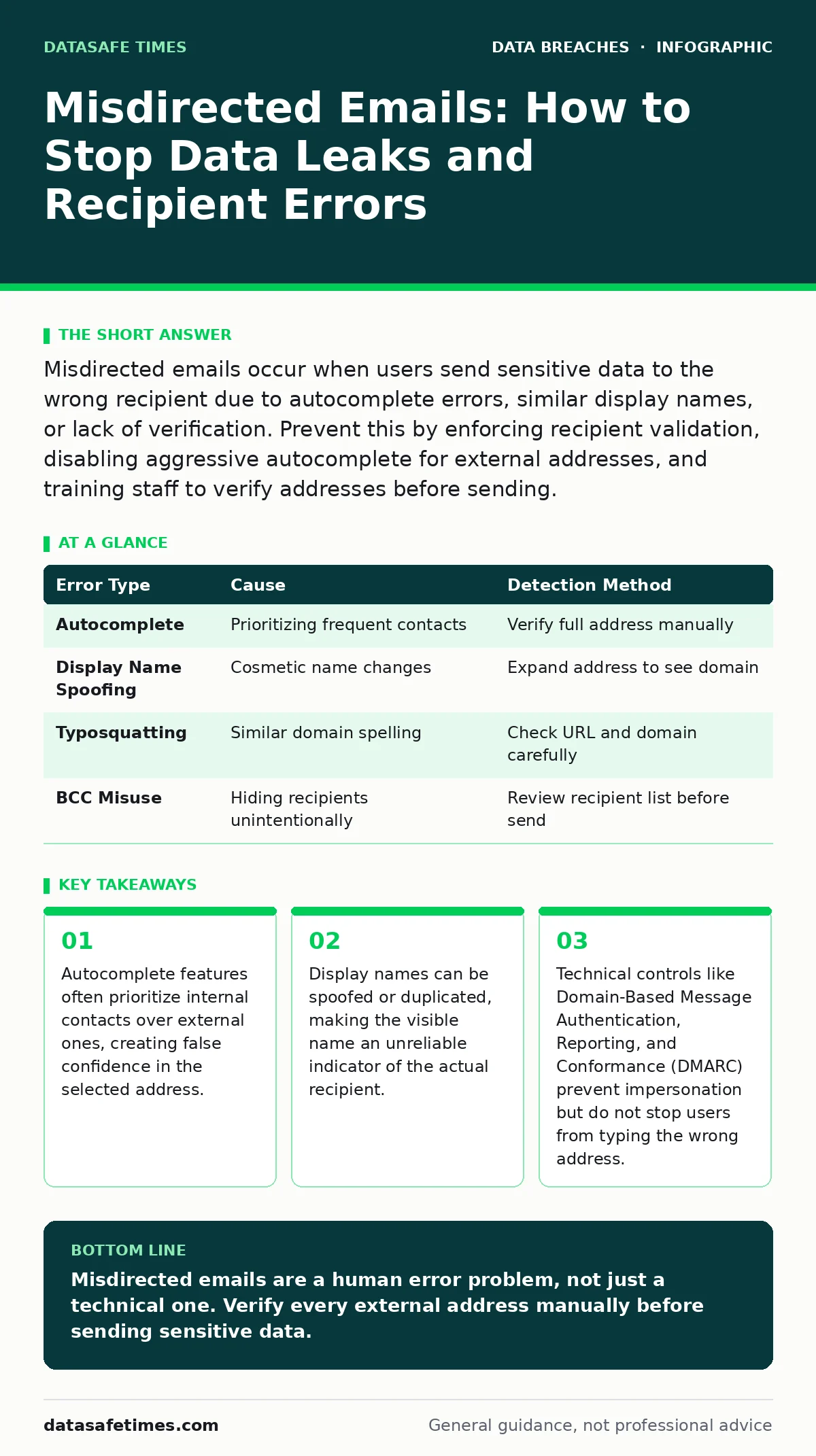
Misdirected emails occur when users send sensitive data to the wrong recipient due to autocomplete errors, similar display names, or lack of verification. Prevent this by enforcing recipient validation, disabling aggressive autocomplete for external addresses, and training staff to verify addresses before sending.
Why do experienced developers make sending errors?
Cognitive load and interface design flaws cause even skilled professionals to send data to the wrong address. When you focus on the content of the message, your brain automates the addressing process, relying on muscle memory rather than active verification. This automation fails when the interface presents ambiguous choices, such as two contacts with identical display names but different domains. The error is not a lack of care; it is a predictable failure of human attention in complex digital environments.
How does email autocomplete contribute to leaks?
Autocomplete suggests addresses based on past interactions, often prioritizing internal colleagues over external partners. Suppose you are emailing a vendor named "Alex Johnson." Your system suggests "Alex Johnson (Internal)" because you email that person daily. If you press Enter without verifying the domain, the email goes to your colleague, who may forward it inadvertently or leave it visible on a shared drive. This feature saves keystrokes but introduces a single point of failure where a split-second decision determines data exposure.
Can display names be trusted for verification?
Display names are cosmetic and easily manipulated, making them unreliable for identifying the true recipient. An attacker or a confused user can set their display name to match a trusted colleague or partner. The actual email address hidden behind that name is the only source of truth. Relying on the visible name is like trusting a label on a package without checking the shipping address. You must expand the address field to see the full domain before sending any sensitive information.
What is the difference between internal and external routing?
Internal emails often bypass strict security checks, moving quickly between servers within the same organization. External emails must traverse the public internet, passing through spam filters, firewalls, and authentication checks. This difference in speed and visibility creates a psychological trap: internal emails feel "safe" because they arrive instantly, leading users to lower their guard. However, internal recipients can still forward messages externally or access them from unsecured devices, propagating the leak.
How do similar domain names cause confusion?
Typosquatting involves registering domains that look nearly identical to legitimate ones, such as swapping a letter or changing the top-level domain. Imagine sending a contract to "company.com" but accidentally typing "conpany.com." The email may reach a malicious actor or an unrelated business that forwards it to the correct recipient, creating a trail of exposure. This error is particularly dangerous because the message appears to have been sent successfully, providing no immediate feedback to the sender.
| Error Type | Cause | Detection Method |
|---|---|---|
| Autocomplete | Prioritizing frequent contacts | Verify full address manually |
| Display Name Spoofing | Cosmetic name changes | Expand address to see domain |
| Typosquatting | Similar domain spelling | Check URL and domain carefully |
| BCC Misuse | Hiding recipients unintentionally | Review recipient list before send |
See also: How DKIM Works: The Cryptographic Mechanics Behind Email Verification
Why doesn't DMARC prevent misdirected emails?
Domain-Based Message Authentication, Reporting, and Conformance (DMARC) verifies that an email comes from an authorized server for a specific domain. It prevents attackers from sending emails that appear to come from your organization, but it does not stop you from sending an email to the wrong person. DMARC is a gatekeeper at the destination, not a guardrail at the source. You can still type the wrong address, and the email will pass DMARC checks if the recipient's server accepts it. This is why DMARC is often discussed alongside data breaches, as it addresses impersonation rather than user error.
How does the BCC field create hidden leaks?
The Blind Carbon Copy (BCC) field hides recipients from each other, which is useful for mass emails but risky for sensitive data. If you accidentally include a sensitive attachment and BCC an internal group, those recipients may not realize the data is confidential. They might forward the email or store it in an unsecured location. The sender sees only their own address and the BCC list, creating a false sense of privacy. Always treat BCC recipients as potential external parties when handling sensitive information.
What is the role of email encryption in this context?
Encryption protects data in transit and at rest, ensuring that only the intended recipient can read the message. However, encryption does not prevent the email from being sent to the wrong person in the first place. If you encrypt an email and send it to the wrong address, the recipient still receives the encrypted payload. They may attempt to decrypt it, forward it, or store it insecurely. Encryption is a lock on the door, but it does not stop you from handing the key to the wrong person. This is why encryption is often paired with database security practices, as both protect data but do not control access decisions.
How can organizations reduce misdirected email risks?
Organizations should implement technical controls that force verification before sending. This includes disabling autocomplete for external addresses, requiring confirmation for emails with attachments, and training staff to verify domains manually. Additionally, clear policies on data handling can reduce the impact of errors. For example, marking sensitive documents with watermarks or using secure file transfer protocols instead of email attachments can limit exposure. These measures complement employee offboarding security by ensuring that data access is controlled throughout the employee lifecycle, not just at departure.
What should you do if you send a misdirected email?
Act immediately to contain the damage. First, attempt to recall the message if your email system supports it, though this rarely works for external recipients. Next, contact the unintended recipient to request deletion and confirmation. Then, notify your security team to assess the sensitivity of the data and determine if further action is needed. Document the incident for future review and adjust your sending habits to prevent recurrence. This process mirrors the response to leaked source code, where speed and transparency are critical to minimizing harm.
Key takeaways
- Autocomplete features often prioritize internal contacts over external ones, creating false confidence in the selected address.
- Display names can be spoofed or duplicated, making the visible name an unreliable indicator of the actual recipient.
- Technical controls like Domain-Based Message Authentication, Reporting, and Conformance (DMARC) prevent impersonation but do not stop users from typing the wrong address.
Misdirected emails are a human error problem, not just a technical one. Verify every external address manually before sending sensitive data.
Frequently asked questions
Can I trust the "From" field in an email?
No, the "From" field can be spoofed. Always verify the sender's address and use authentication protocols like DMARC and SPF to detect impersonation.
How do I stop autocomplete from suggesting wrong contacts?
Clear your email client's cache and disable autocomplete for external domains. Force manual entry to ensure you select the correct recipient.
Is it safe to send sensitive data via email?
Email is not inherently secure for sensitive data. Use encrypted email services or secure file transfer protocols to protect data in transit.
What is the difference between BCC and CC?
CC (Carbon Copy) shows all recipients, while BCC (Blind Carbon Copy) hides them. BCC is riskier for sensitive data as recipients may not realize the context.
How this guide was produced: written by the DataSafe Times editorial team with AI assistance, checked against the public references listed below, and reviewed when the facts change. See our editorial policy or report an error.