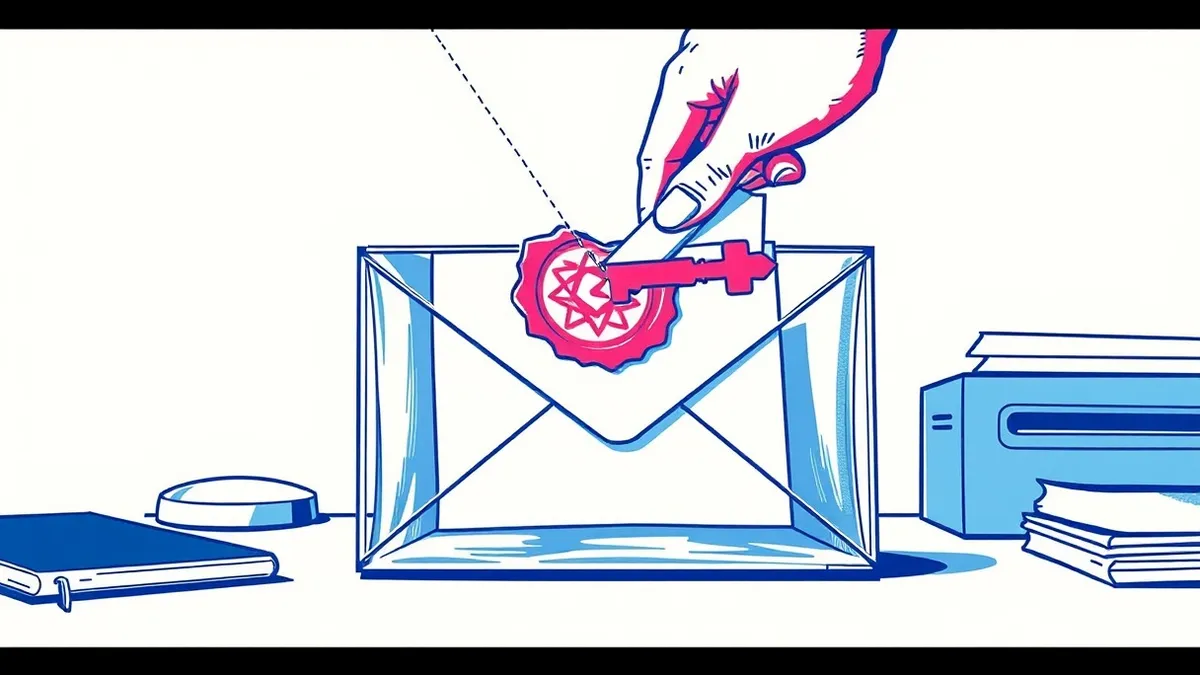
DKIM uses public-key cryptography to sign email headers and body. The sender’s server adds a digital signature to the message. The receiver retrieves the public key from DNS, verifies the signature against the received content, and confirms the message has not been altered since it left the originating server.
The Problem of Email Mutability
Email is not a sealed letter. It is a series of text blocks passed between servers. Each server can read, modify, or append data to the message. This mutability creates a trust gap. You cannot know if the message you received is the same message the sender intended, or if an intermediate server altered it. DKIM addresses this by allowing the sender to cryptographically sign the message. The receiver then checks that signature. If the message changed in transit, the check fails.
This mechanism relies on asymmetric cryptography. The sender holds a private key, which remains secret. They publish a corresponding public key in their Domain Name System records. Anyone can read the public key to verify a signature, but only the holder of the private key can create a valid signature. This ensures that if a signature is valid, the message originated from someone who possessed that private key.
### Stage 1: Key Generation and Publication
The process begins before any email is sent. The organization controlling a domain generates a pair of cryptographic keys. The private key stays on the outgoing mail server. It is used to create digital signatures. The public key is published in the DNS records for that domain. Specifically, it is stored in a TXT record with a specific selector name.
This publication step is critical. If the public key is not in DNS, receivers cannot verify the signature. The selector acts as a handle, allowing the domain owner to rotate keys without breaking existing signatures. You can have multiple selectors active at once. This allows for a smooth transition when you replace an old key with a new one. The DNS record must be accessible to any mail server on the internet.
### Stage 2: Canonicalization
Before signing, the email must be prepared. Email formats are messy. Different servers format headers differently. Some add extra spaces, others change line breaks. If the receiver formats the message differently than the sender, the signature check will fail, even if the content is identical. Canonicalization solves this.
Canonicalization is the process of converting the email into a standard, predictable format. The sender applies a canonicalization algorithm to the headers and the body. This strips out unnecessary whitespace, lowercases header names, and orders headers consistently. The result is a normalized version of the email. This normalized version is what gets signed. The receiver must apply the same canonicalization algorithm to the received email before checking the signature. If the algorithms do not match, verification fails.
### Stage 3: Signing and Header Injection
The mail transfer agent calculates a cryptographic hash of the canonicalized email content. It uses a hash function like SHA-256. This hash is a fixed-length string that represents the content. If you change a single character in the email, the hash changes completely. The sender then encrypts this hash with their private key. This encrypted hash is the digital signature.
The sender inserts this signature into the email headers. It adds a new header field, usually named DKIM-Signature. This header contains the signature, the list of signed headers, the canonicalization method used, and the selector. The signature is placed at the top of the header stack. This ensures that it is the last thing added before the email leaves the server. Any subsequent modifications to the email body or other headers will no longer match the signature.
### Stage 4: Transmission and Modification
The email travels across the internet. It passes through multiple mail transfer agents. These servers may modify the message. They might add tracking pixels, inject legal disclaimers, or rewrite URLs for security scanning. These modifications are often necessary for corporate security or marketing. However, they are fatal to DKIM.
If a server modifies any part of the email that was included in the signature, the hash changes. The receiver will calculate a different hash than the sender did. The signature verification will fail. This is a common point of failure. Many organizations assume DKIM protects the entire email. It does not. It protects only the specific headers and body content that were signed. If an intermediate server adds a footer, and that footer is not part of the signed set, the signature remains valid. If the server modifies a signed header, the signature breaks.
See also: Misdirected Emails: How to Stop Data Leaks and Recipient Errors · Encrypted Cloud Storage: How Zero-Knowledge Architecture Protects Files
### Stage 5: Retrieval and Verification
The receiving mail server extracts the DKIM-Signature header. It reads the selector and the domain name. It queries the DNS for the public key associated with that selector and domain. If no key is found, verification fails. If a key is found, the receiver extracts the signature and decrypts it using the public key. This reveals the original hash calculated by the sender.
The receiver then canonicalizes the received email using the method specified in the signature header. It calculates a new hash of this canonicalized content. It compares this new hash with the decrypted hash from the signature. If they match exactly, the signature is valid. This proves that the email content has not changed since it was signed. It also proves that the signer possessed the private key corresponding to the published public key.
### Stage 6: Result Interpretation
A valid signature means two things. First, the message integrity is intact. Second, the message came from a server that held the private key. It does not mean the message is safe. It does not mean the sender is who they claim to be in the display name. It does not mean the sender has permission to send email on behalf of that domain.
This is where DKIM is often misunderstood. A hacker can generate their own key pair. They can publish a public key for a domain they control. They can send a signed email from that domain. The signature will be valid. DKIM does not validate the identity of the person behind the keyboard. It only validates the cryptographic link between the message and the domain’s private key. For identity verification, you need other mechanisms. See how MFA fatigue attacks exploit the assumption that a valid session equals a trusted user, a similar gap in trust.
Limits and Trade-offs
DKIM has inherent limits. It is vulnerable to key theft. If an attacker compromises the mail server and steals the private key, they can send forged emails with valid signatures. There is no way for the receiver to detect this. The signature will be mathematically correct. This is why key rotation is necessary. You must periodically generate new keys and publish them in DNS.
Another limit is the header bloat. Each DKIM signature adds a long header. If you sign with multiple keys or if intermediate servers add their own signatures, the headers grow. This can hit size limits in some mail systems. Also, DKIM does not protect against all forms of spoofing. An attacker can send an unsigned email with a forged "From" address. DKIM only protects signed emails. To enforce that all emails from a domain must be signed, you need DMARC. To prevent unauthorized use of your domain in the "From" address, you need SPF.
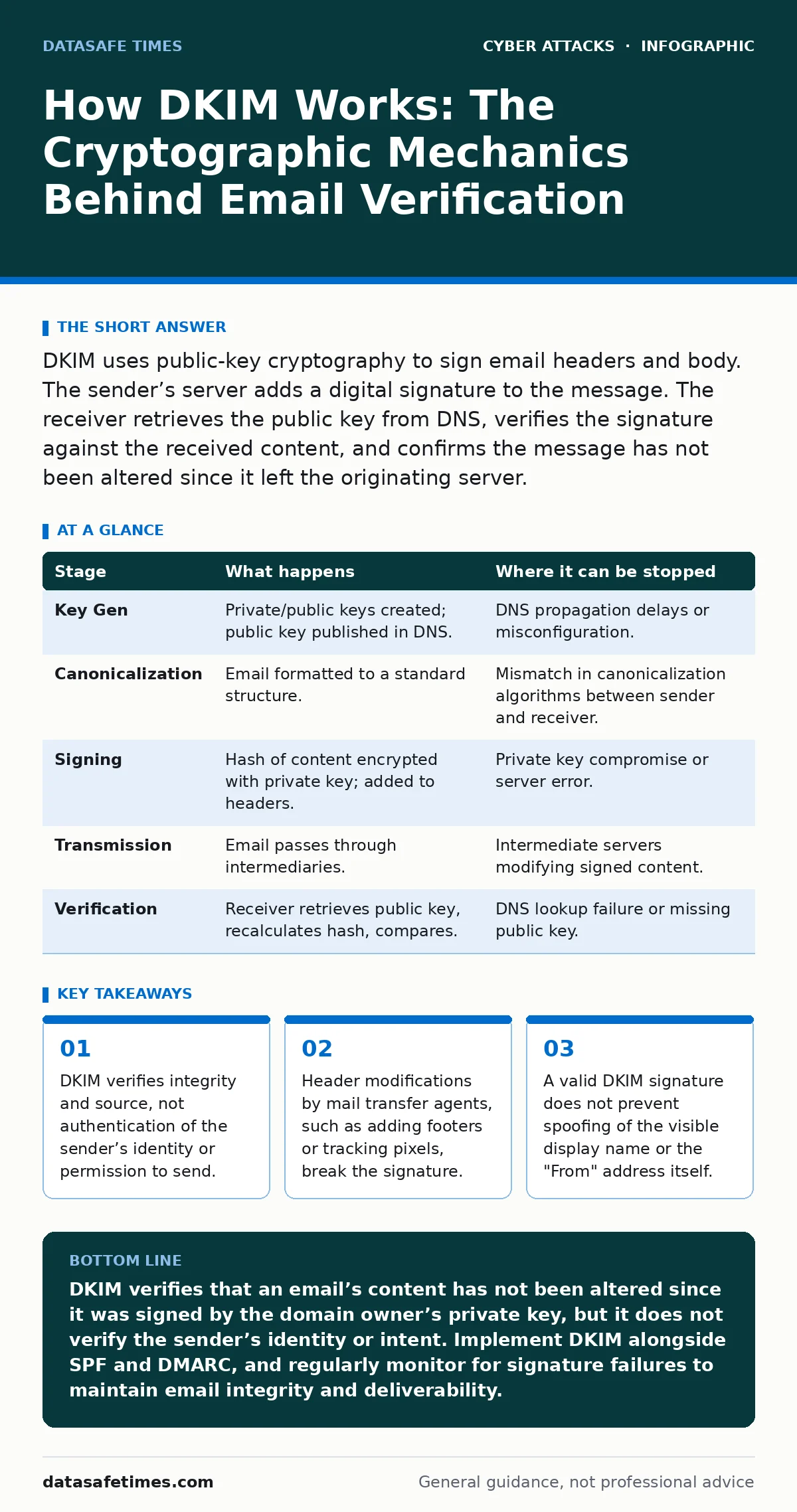
| Stage | What happens | Where it can be stopped |
|---|---|---|
| Key Gen | Private/public keys created; public key published in DNS. | DNS propagation delays or misconfiguration. |
| Canonicalization | Email formatted to a standard structure. | Mismatch in canonicalization algorithms between sender and receiver. |
| Signing | Hash of content encrypted with private key; added to headers. | Private key compromise or server error. |
| Transmission | Email passes through intermediaries. | Intermediate servers modifying signed content. |
| Verification | Receiver retrieves public key, recalculates hash, compares. | DNS lookup failure or missing public key. |
The trade-off is control versus compatibility. The more headers you sign, the more protection you get. But the more likely it is that an intermediate server will break the signature. You must choose which headers to sign. Usually, you sign the essential headers like Date, From, Subject, and To. You leave out headers that are likely to be modified, like Received or Message-ID.
The Hidden Cost of Trust
Implementing DKIM requires operational discipline. You must manage keys. You must ensure your DNS records are accurate. You must monitor for signature failures. If your mail server software updates and changes how it formats headers, your signatures may break. You must test these changes.
Furthermore, DKIM creates a false sense of security. Users see a "verified" badge and assume the email is safe. Attackers know this. They may send unsigned emails to bypass DKIM checks, relying on users who ignore the lack of verification. Or they may use a compromised server to send signed emails. The technical verification passes, but the human trust is violated. This is why technical controls must be paired with user training. See how formjacking inserts malicious code into legitimate pages, trusting the technical integrity of the site while compromising the user experience.
Final Considerations
DKIM is a foundational technology. It solves the problem of email integrity. It does not solve the problem of email authentication or authorization. You must understand what it does and what it does not do. It is a piece of a larger puzzle. When combined with SPF and DMARC, it provides a strong layer of defense. But it is not a silver bullet.
You must also consider the impact on deliverability. If your signatures break, your emails may be marked as spam. This can have business consequences. Regular testing and monitoring are necessary. Do not set and forget. Email infrastructure changes. Your signatures must adapt. See how botnet attacks can overwhelm mail servers, causing delays that might affect signature timestamps or processing.
Key takeaways
- DKIM verifies integrity and source, not authentication of the sender’s identity or permission to send.
- Header modifications by mail transfer agents, such as adding footers or tracking pixels, break the signature.
- A valid DKIM signature does not prevent spoofing of the visible display name or the "From" address itself.
DKIM verifies that an email’s content has not been altered since it was signed by the domain owner’s private key, but it does not verify the sender’s identity or intent. Implement DKIM alongside SPF and DMARC, and regularly monitor for signature failures to maintain email integrity and deliverability.
Frequently asked questions
Does DKIM prevent email spoofing?
DKIM prevents content tampering and proves the message came from a server with the private key, but it does not stop attackers from forging the visible "From" name or using a different, valid key pair.
Why does my DKIM signature fail when I add a footer?
If the footer is added after the signature is created, the content changes. The receiver calculates a different hash, causing the verification to fail because the signed content no longer matches the received content.
Can I use DKIM without SPF or DMARC?
Yes, DKIM works independently. However, without SPF and DMARC, you lack mechanisms to verify the sending server’s authorization and to instruct receivers how to handle unsigned or failed messages.
How often should I rotate DKIM keys?
You should rotate keys periodically, such as annually, or immediately if you suspect a compromise. Use a new selector for the new key and keep both active during the transition period to avoid breaking existing signatures.
How this guide was produced: written by the DataSafe Times editorial team with AI assistance, checked against the public references listed below, and reviewed when the facts change. See our editorial policy or report an error.