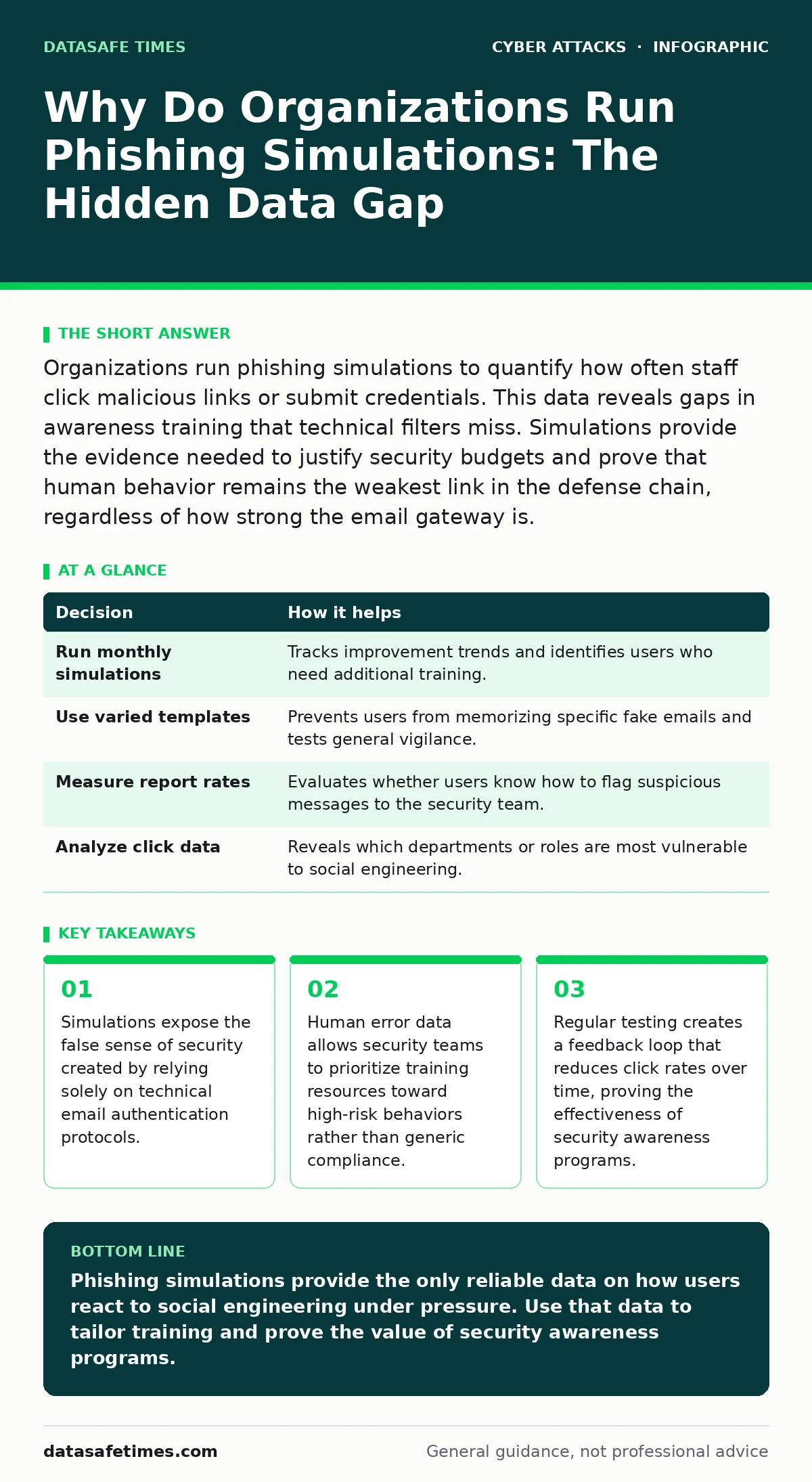
Organizations run phishing simulations to quantify how often staff click malicious links or submit credentials. This data reveals gaps in awareness training that technical filters miss. Simulations provide the evidence needed to justify security budgets and prove that human behavior remains the weakest link in the defense chain, regardless of how strong the email gateway is.
The Limits of Technical Email Authentication
Technical controls like DKIM and SPF verify that an email comes from a legitimate server. They do not verify the intent of the sender. An attacker can register a domain that looks similar to a trusted brand and send a message that passes all authentication checks. The email arrives in the inbox because the protocol accepts it. The recipient must still decide whether to trust the content. Phishing simulations test that decision-making process. They reveal whether users understand that a valid signature does not equal a safe message. Without this human layer of verification, technical controls are incomplete.
Why Do Organizations Run Phishing Simulations
Organizations run phishing simulations to generate measurable data on human vulnerability. The primary reason is to identify the gap between technical protection and actual user behavior. Security teams need to know if their awareness training is working. Simulations provide a controlled environment to test this. The second reason is to satisfy compliance requirements.
Many regulatory frameworks require proof of ongoing security education. Simulations create an audit trail of testing and remediation. The third reason is to reduce the cost of incident response. Preventing a single breach is cheaper than investigating one. Simulations shift the focus from reaction to prevention by highlighting risky behaviors before attackers exploit them.
| Decision | How it helps |
|---|---|
| Run monthly simulations | Tracks improvement trends and identifies users who need additional training. |
| Use varied templates | Prevents users from memorizing specific fake emails and tests general vigilance. |
| Measure report rates | Evaluates whether users know how to flag suspicious messages to the security team. |
| Analyze click data | Reveals which departments or roles are most vulnerable to social engineering. |
The Cost of Assuming User Vigilance
Assuming users will spot phishing attempts is a dangerous strategy. Attackers use psychological pressure to bypass logical thinking. They create urgency, fear, or curiosity. These emotions override caution. A user might ignore a suspicious subject line if the sender appears to be their boss. Simulations replicate this pressure. They show how quickly users abandon security protocols when stressed.
Without testing, organizations believe their users are more cautious than they actually are. This false confidence leads to larger breaches. When a real attack occurs, the lack of practiced response slows down containment. The organization suffers data loss and reputational damage because it never measured its human risk factor.
What Goes Wrong Without Simulation Data
Without simulation data, security teams operate in the dark. They cannot tell if a training module improved behavior. They might spend thousands on a course that has no impact. They might ignore a high-risk department that actually performs well. The lack of data leads to wasted resources. It also hides the true attack surface. Attackers target the path of least resistance. If a security team does not know which users are likely to click, attackers will find them. The organization remains vulnerable to the same tactics year after year. Incident response plans become theoretical because they were never tested against real human reactions. The gap between policy and practice widens.
Interpreting Simulation Results for Action
Raw click rates are not enough. You must analyze the context. Did the user click because of a bad subject line or a convincing logo? Did they enter credentials or just open the link? These details matter. They guide the next training step. If users fail to check the URL, training must focus on browser address bars. If they fail to verify the sender, training must focus on email headers. This targeted approach is more effective than generic advice. It addresses specific weaknesses. You should also look at report rates. A low click rate with a low report rate is not good. It means users are ignoring suspicious emails rather than flagging them. This is a passive risk that can grow.
See also: Misdirected Emails: How to Stop Data Leaks and Recipient Errors
Integrating Simulations with Other Defenses
Simulations do not replace technical controls. They complement them. You must use them alongside account lockout policies to limit damage from stolen credentials. You should also consider the risk of insider threats, as simulations can reveal who might be coerced or manipulated. While phishing is the most common entry point, it often works in tandem with vishing or callback phishing to verify stolen data.
Understanding these multi-vector attacks helps you design better simulations. For instance, a simulation might mimic an email that urges a call to a fake number. This tests the user’s ability to recognize coordinated attacks. It also highlights the need for hardware security keys, which protect accounts even if credentials are compromised.
The Long-Term Value of Human Testing
The value of simulations lies in the trend, not the single result. One bad month does not mean failure. One good month does not mean safety. You need to track performance over quarters and years. This long-term view shows whether your security culture is improving. It proves to leadership that investment in training yields results. It also helps you adjust the difficulty of simulations. As users improve, you must make the tests harder to keep them sharp. This continuous adaptation ensures that your human defense evolves alongside attacker tactics. It creates a resilient organization where users are the first line of defense, not the weakest link.
Key takeaways
- Simulations expose the false sense of security created by relying solely on technical email authentication protocols.
- Human error data allows security teams to prioritize training resources toward high-risk behaviors rather than generic compliance.
- Regular testing creates a feedback loop that reduces click rates over time, proving the effectiveness of security awareness programs.
Phishing simulations provide the only reliable data on how users react to social engineering under pressure. Use that data to tailor training and prove the value of security awareness programs.
Frequently asked questions
How often should we run phishing simulations?
Run simulations monthly for the first year to establish a baseline and build habits. After that, quarterly testing is often sufficient to maintain awareness without causing fatigue.
Should we tell users when a simulation is coming?
Do not announce the exact date or time. Announcing the campaign reduces its effectiveness. Users must react to the message as if it were real. Surprise is necessary to test genuine behavior.
What if a user clicks on a simulation link?
Provide immediate, constructive feedback. Explain why the message was suspicious and what to look for next time. Avoid punitive measures that discourage reporting of real threats.
Do simulations protect against romance scams?
Simulations focus on corporate communication and credential theft. They do not typically cover personal relationships. Address romance scams through separate awareness content that explains the emotional manipulation tactics used by attackers.
How this guide was produced: written by the DataSafe Times editorial team with AI assistance, checked against the public references listed below, and reviewed when the facts change. See our editorial policy or report an error.