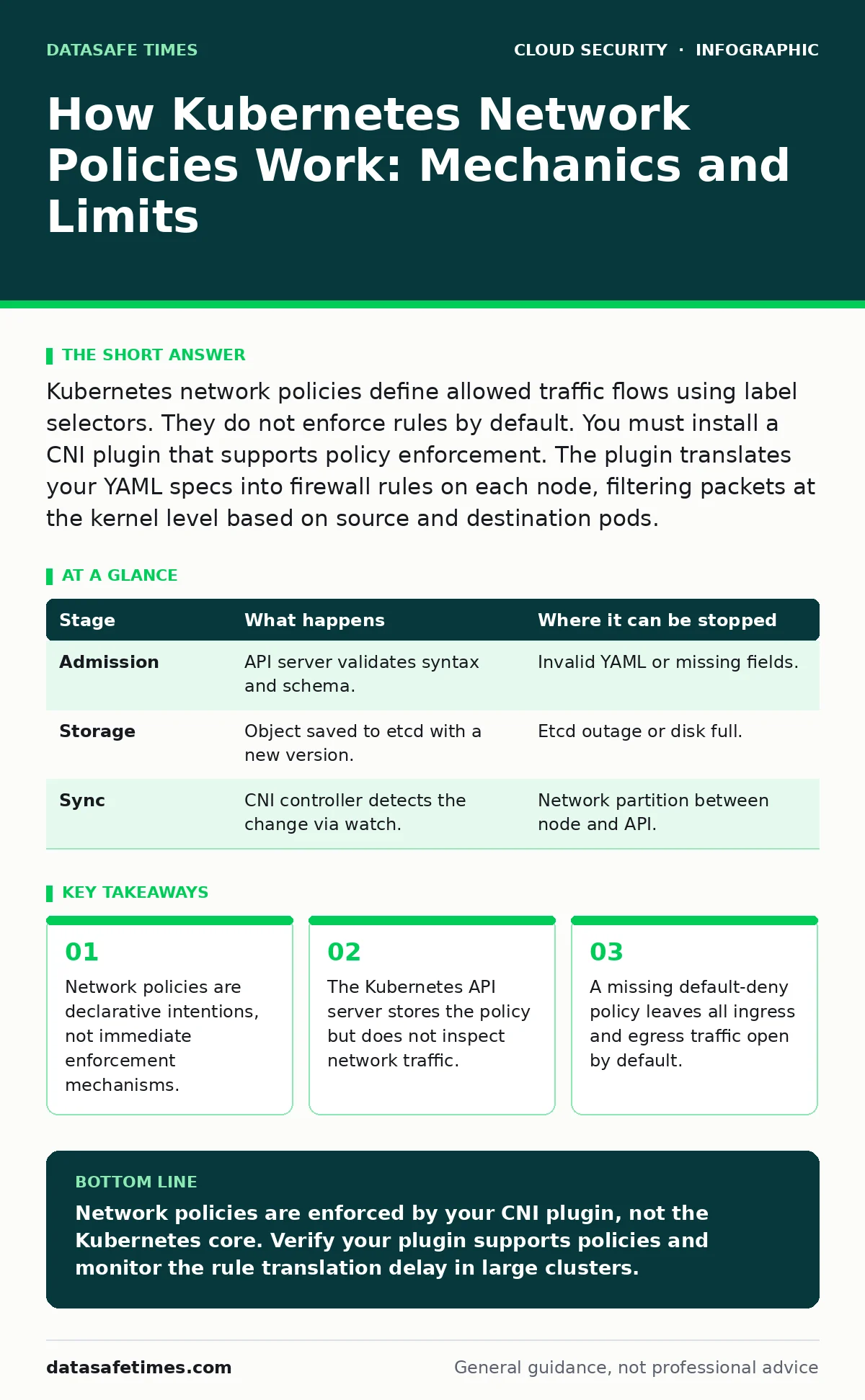
Kubernetes network policies define allowed traffic flows using label selectors. They do not enforce rules by default. You must install a CNI plugin that supports policy enforcement. The plugin translates your YAML specs into firewall rules on each node, filtering packets at the kernel level based on source and destination pods.
The Declarative Contract
You write a NetworkPolicy resource as a YAML manifest. This document defines who can talk to whom. You specify a pod selector, which identifies the target pods. You then list ingress or egress rules, defining allowed sources or destinations. These rules use label selectors, port numbers, and IP blocks.
The Kubernetes API server accepts this manifest. It validates the syntax and stores the object in etcd. At this point, no traffic is blocked. The cluster has merely recorded your intention. If you stop here, the network remains completely open. The API server does not have a network interface. It cannot see packets. It only manages state.
Stage 1: Policy Admission and Storage
When you apply the policy, the admission controllers check for required fields. The system ensures the pod selector is valid. It checks that the ingress and egress rules reference existing namespaces or valid label keys. If the structure is incorrect, the API rejects the request.
If valid, the object is persisted. The resource version increments. Other components in the control plane watch for changes to NetworkPolicy objects. They do not process the traffic themselves. They merely note that a new rule exists. This separation of concerns is fundamental. The control plane manages configuration. The data plane handles the bits.
| Stage | What happens | Where it can be stopped |
|---|---|---|
| Admission | API server validates syntax and schema. | Invalid YAML or missing fields. |
| Storage | Object saved to etcd with a new version. | Etcd outage or disk full. |
| Sync | CNI controller detects the change via watch. | Network partition between node and API. |
Stage 2: Controller Detection
A controller runs within your cluster, usually as part of your CNI plugin. This controller watches the API server for NetworkPolicy changes. It maintains a cache of current policies. When you add or modify a policy, the controller receives an event.
The controller compares the new state with its cache. It calculates the delta. It does not apply the rule immediately to the network. Instead, it prepares the necessary configuration changes for each node. This step is asynchronous. There is a delay between applying the YAML and the rule taking effect. This delay can range from seconds to minutes, depending on the plugin and cluster size.
Stage 3: Rule Translation
The controller translates the high-level Kubernetes labels into low-level network rules. This is the most complex stage. Kubernetes does not understand IP addresses or MAC addresses. It understands labels. The controller must resolve pod labels to their current IP addresses.
It queries the node status to find which pods run where. It maps the pod selector to a list of IP ranges. It then generates the specific commands for the underlying firewall technology. Most plugins use Linux iptables or nftables. Some use eBPF programs. The output is a set of kernel-level rules that match packet headers.
Stage 4: Node-Level Enforcement
The controller sends the generated rules to the relevant nodes. Each node has an agent that applies these rules to the local kernel. The agent modifies the iptables chains or eBPF maps. This happens on every node where the target pods run.
The enforcement is local. The node filters traffic for pods running on that specific machine. It does not coordinate with other nodes in real-time for every packet. It relies on the centralized controller to keep the rules consistent. If a node loses connection to the API server, it continues to enforce the last known rules. It does not revert to an open state automatically, unless configured to do so.
See also: Cloud Attack Surface Explained: Mapping Your Hidden Exposure · SAML vs OAuth: Differences, Use Cases, and Where They Overlap
Stage 5: Packet Inspection
When a packet arrives at a pod, the kernel checks the rules. It looks at the source IP, destination IP, and port. It compares these values against the generated iptables or eBPF rules. If the packet matches an allow rule, it passes. If it matches a deny rule, or if no rule matches and a default-deny is active, the packet is dropped.
This inspection happens at high speed. It occurs in the kernel network stack, before the application receives the data. The application is unaware of the filtering. It only sees the connections that were allowed. This transparency is a feature. It prevents applications from needing custom security logic. However, it also means you cannot debug dropped packets easily from the application logs.
The Hidden Cost of Dynamic Mapping
There is a hidden cost to this architecture. Every time a pod starts, stops, or moves, the controller must update the rules. This creates a burst of configuration changes. In large clusters with many policies and frequent pod churn, this can cause performance issues.
The controller must recalculate rules for every affected policy. If you have a policy that allows traffic from all pods in a namespace, and you have ten such policies, adding one pod requires updating ten rule sets. This can lead to latency spikes in the network plane. You may see brief periods where traffic is allowed that should be denied, or vice versa, during the update window.
Limits of the Mechanism
Network policies do not protect against all threats. They operate at Layer 3 and Layer 4 of the OSI model. They filter based on IP and port. They do not inspect the payload. They cannot block malicious SQL queries or XSS attacks within allowed HTTP traffic.
They also do not enforce egress by default. If you only define ingress rules, pods can send traffic anywhere. You must explicitly define egress rules to restrict outbound connections. Furthermore, policies do not apply to services that use host networking. If a pod runs with hostNetwork: true, it bypasses the pod network stack entirely. The policies do not apply to its traffic.
Debugging the Silence
When traffic is blocked, you often see nothing. The connection simply hangs. This makes debugging difficult. You cannot rely on application logs. You must inspect the network rules on the node.
You can use tools to view the generated iptables rules. Look for the chains created by your CNI plugin. Check if the IP addresses of your source pods are present in the allow lists. If they are missing, the controller has not updated the rules. If they are present, check the order of the rules. A later deny rule may override an earlier allow rule, depending on the implementation.
Summary of Mechanics
The process is a chain of trust. You trust the API server to store the intent. You trust the controller to translate it correctly. You trust the node agent to apply it. You trust the kernel to enforce it. A break in any link leaves your cluster exposed. The mechanism is powerful but indirect. It requires understanding the underlying CNI implementation to troubleshoot effectively.
Key takeaways
- Network policies are declarative intentions, not immediate enforcement mechanisms.
- The Kubernetes API server stores the policy but does not inspect network traffic.
- A missing default-deny policy leaves all ingress and egress traffic open by default.
Network policies are enforced by your CNI plugin, not the Kubernetes core. Verify your plugin supports policies and monitor the rule translation delay in large clusters.
Frequently asked questions
Do network policies block traffic by default?
No. By default, all traffic is allowed. You must create a policy that selects your pods and defines empty ingress or egress rules to achieve a default-deny state.
Why is my traffic still allowed after adding a deny rule?
Check if you have a broader allow rule that matches the traffic. Rules are often evaluated in a specific order. Also, ensure the policy selects the correct pods via labels.
How this guide was produced: written by the DataSafe Times editorial team with AI assistance, checked against the public references listed below, and reviewed when the facts change. See our editorial policy or report an error.