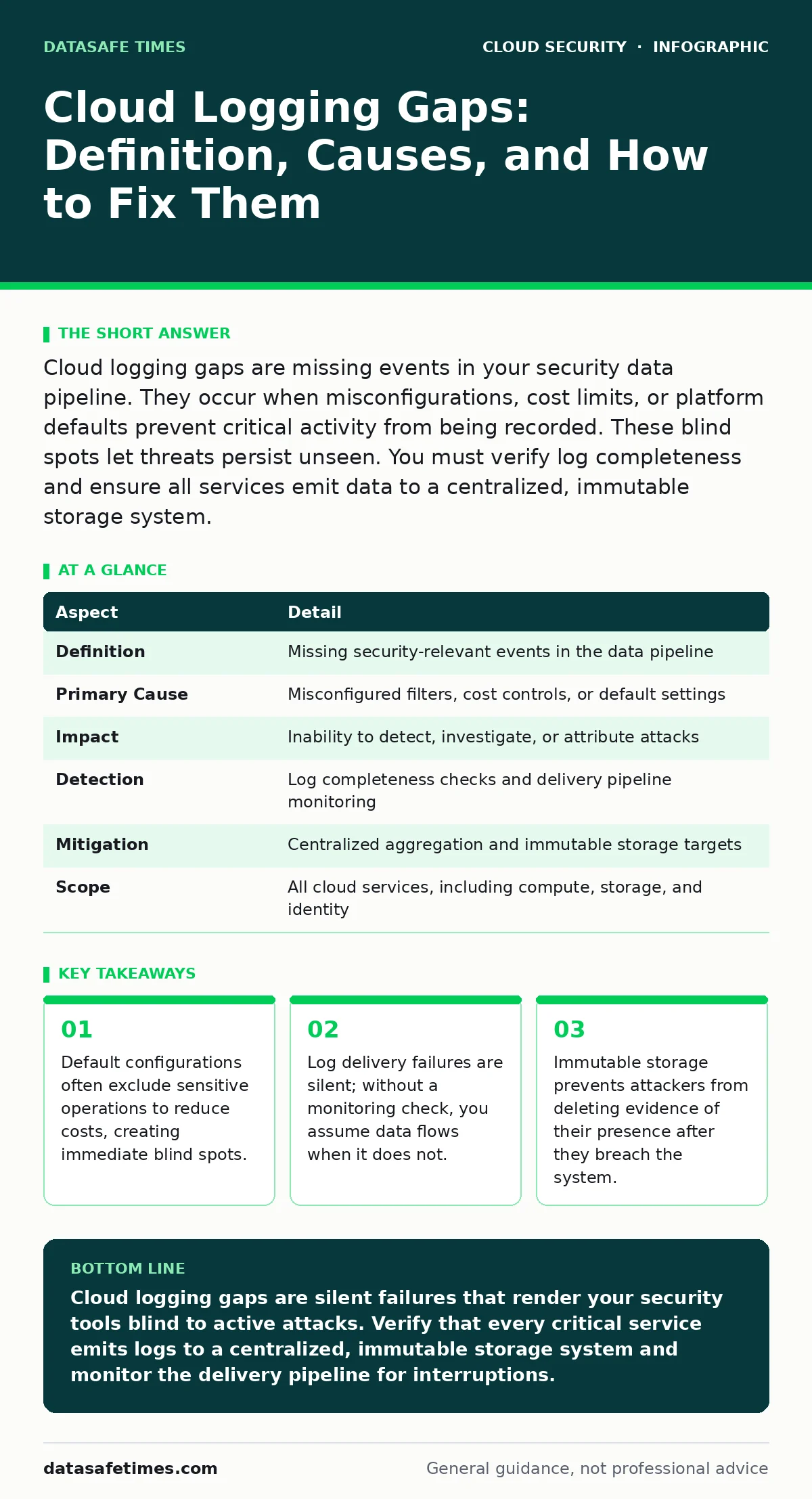
Cloud logging gaps are missing events in your security data pipeline. They occur when misconfigurations, cost limits, or platform defaults prevent critical activity from being recorded. These blind spots let threats persist unseen. You must verify log completeness and ensure all services emit data to a centralized, immutable storage system.
Imagine watching a movie with random scenes cut out. You see the beginning and the end, but the middle is missing. You cannot understand why the character changed sides or how they escaped. Cloud logging gaps create this exact scenario for your security team. You have data from before the breach and after the incident, but the critical actions that caused the compromise never made it into your logs.
| Aspect | Detail |
|---|---|
| Definition | Missing security-relevant events in the data pipeline |
| Primary Cause | Misconfigured filters, cost controls, or default settings |
| Impact | Inability to detect, investigate, or attribute attacks |
| Detection | Log completeness checks and delivery pipeline monitoring |
| Mitigation | Centralized aggregation and immutable storage targets |
| Scope | All cloud services, including compute, storage, and identity |
What Cloud Logging Gaps Actually Are
Cloud logging gaps are the absence of expected security events in your recorded data. These are not just missing files. They are specific actions that the cloud platform should record but did not. A gap exists when an event occurs, such as a permission change or a network rule modification, but the log entry never reaches your analysis tool.
The gap can happen at three points. First, the cloud service might not generate the log entry at all. Second, the entry might be generated but filtered out by a retention or cost policy. Third, the entry might reach the storage bucket but fail to be ingested by your security information and event management system. Each point represents a failure in the chain of custody for your security data.
How These Blind Spots Form
Default configurations are the most common source of these gaps. Cloud providers often disable detailed logging for new resources to save customers money. If you do not explicitly enable logging for every service, you create a blind spot from day one. This is a core part of the shared responsibility model. The provider secures the infrastructure, but you must configure the logging for your specific workloads.
Another cause is log filtering. Many organizations set filters to ignore "noise," such as successful API calls. Attackers know this. They perform hundreds of successful, benign-looking calls to map your environment. Then they execute one malicious command. If your filter drops the successful calls, you lose the context that proves the attacker was present and exploring your system before the strike.
Who Faces the Greatest Risk
Every organization using cloud infrastructure faces this risk. The impact depends on how much trust you place in automated alerts. If your security operations center relies solely on alerts, gaps in logging mean no alerts will fire. You will have no idea an attack is happening.
Small teams often suffer more. They lack the bandwidth to audit logging configurations for every new service. Large enterprises suffer from complexity. They have hundreds of services across multiple regions. A gap in one region can go unnoticed for months because the team assumes the global policy applies everywhere. It usually does not.
Common Forms of Missing Data
Not all logs are missing in the same way. Understanding the form helps you find the gap.
- Identity and Access Management Gaps: These are the most dangerous. If you do not log failed login attempts or permission changes, you cannot see who is trying to get in or who has changed the rules to let them in. See our guide on MFA for cloud accounts to understand why identity events are the primary indicator of compromise.
- Network Traffic Gaps: Virtual Private Clouds often have flow logging disabled by default. Without this, you cannot see lateral movement. An attacker jumps from server A to server B, but no log records the connection. You must read our guide on virtual private clouds to understand how to monitor traffic between isolated segments.
- Storage Access Gaps: Cloud storage buckets rarely log every read operation by default due to volume. If an attacker exfiltrates data, you might not see the read event. You only see the bucket size change, which is too late.
- Compute Metadata Gaps: Instances often do not log internal processes unless configured to do so. An attacker running a command inside a container leaves no trace if the host logging is misconfigured.
What People Usually Get Wrong
Many teams believe that turning on logging is enough. It is not. You must also verify that the logs are flowing. A common mistake is assuming the cloud provider’s dashboard shows all events. It often shows a sample or aggregates data. Your security tool needs raw, unfiltered data.
Another error is storing logs in the same cloud account as the workload. If an attacker gains admin access, they can delete the logs. They can erase the evidence of their presence. You must send logs to a separate, immutable storage system. This is a key principle of cloud security posture management (CSPM). Your posture is weak if your evidence can be destroyed by the attacker.
Teams also ignore the cost of logging everything. They try to log every single event and hit rate limits. The system drops the excess. Now you have gaps caused by volume. You need a strategy that balances completeness with capacity.
See also: Cloud Attack Surface Explained: Mapping Your Hidden Exposure · SAML vs OAuth: Differences, Use Cases, and Where They Overlap
How to Reduce the Risk of Gaps
You cannot prevent all gaps, but you can minimize them. Start with a baseline. Define exactly which events you must capture for every service. This usually includes identity changes, network rule changes, and data access. Do not rely on memory. Write it down.
- Enable logging at creation. Use infrastructure as code to ensure every new resource has logging enabled. This is a form of shift-left security. You catch the gap before the resource is even live.
- Centralize collection. Send all logs to a single, secure destination. Do not leave them scattered across individual services. This makes monitoring easier.
- Monitor the pipeline. Set up alerts for when log delivery stops. If your security tool stops receiving data, you need to know immediately. This is more important than alerting on a single suspicious event.
- Use immutable storage. Once a log is written, it cannot be changed or deleted. This protects your evidence from tampering.
The Hidden Cost of Silent Failures
The worst part of logging gaps is that they are silent. Your security dashboard looks green. Your alerts are quiet. You feel safe. In reality, an attacker could be moving through your network, exfiltrating data, and establishing persistence. They are hiding in the gaps you created.
This is why cloud network segmentation is vital. If logging fails, segmentation limits how far an attacker can go. If they cannot jump between segments, they cannot reach your most critical data. But segmentation does not replace logging. It only contains the damage.
Building a Complete Picture
You must treat logging as a critical security control, not an operational afterthought. Review your configurations regularly. Attackers adapt, and so do cloud platforms. New services bring new logging options. New options bring new gaps if you do not configure them.
Integrate logging checks into your deployment pipeline. If a service does not emit logs, block its deployment. This forces the team to fix the gap before it goes live. It is slower than fixing it later, but it is much cheaper than a breach.
See our guide on cloud audit logs for details on how to structure these records for forensic analysis. Also, review cloud attack surface management to ensure you are logging all entry points. The goal is not just to see what happened. The goal is to see everything that happened, so you can distinguish between noise and threat.
Key takeaways
- Default configurations often exclude sensitive operations to reduce costs, creating immediate blind spots.
- Log delivery failures are silent; without a monitoring check, you assume data flows when it does not.
- Immutable storage prevents attackers from deleting evidence of their presence after they breach the system.
Cloud logging gaps are silent failures that render your security tools blind to active attacks. Verify that every critical service emits logs to a centralized, immutable storage system and monitor the delivery pipeline for interruptions.
Frequently asked questions
How do I know if I have logging gaps?
Compare your expected event types against the data your security tool receives. If a service that generates high-volume traffic shows zero events, you have a gap.
Can I log everything to avoid gaps?
Logging everything is expensive and often hits rate limits, causing new gaps. Focus on high-value security events like identity changes and network modifications.
Does enabling logging in the console fix the gap?
Only if the data actually reaches your analysis tool. Console settings often differ from pipeline configurations. Verify the end-to-end flow.
Who is responsible for fixing these gaps?
The customer is responsible for configuration under the shared responsibility model. The provider ensures the platform can log, but you must enable and route the data.
How this guide was produced: written by the DataSafe Times editorial team with AI assistance, checked against the public references listed below, and reviewed when the facts change. See our editorial policy or report an error.