
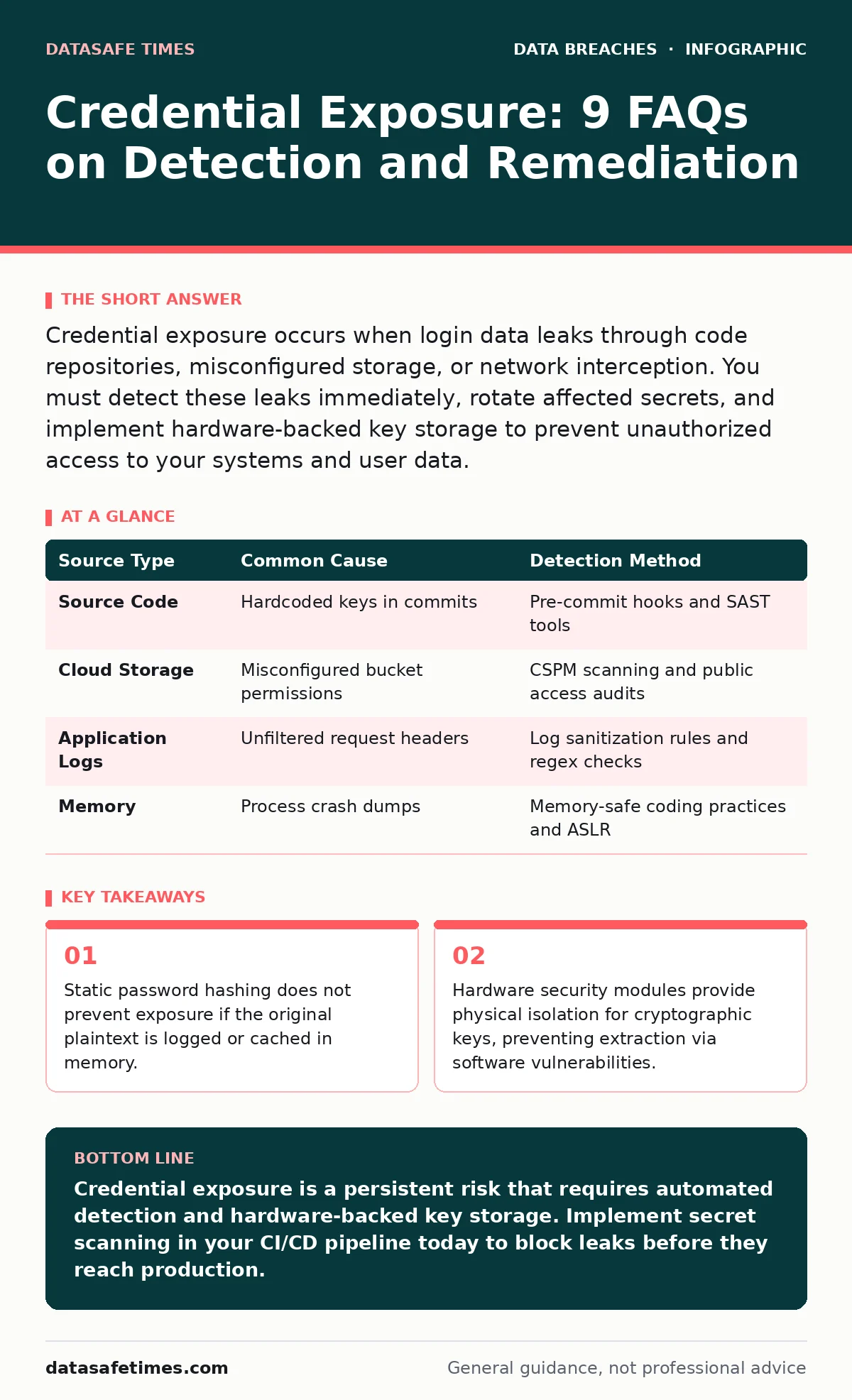
Credential exposure occurs when login data leaks through code repositories, misconfigured storage, or network interception. You must detect these leaks immediately, rotate affected secrets, and implement hardware-backed key storage to prevent unauthorized access to your systems and user data.
What is credential exposure?
Credential exposure is the unintended disclosure of authentication data, including passwords, API keys, and private certificates. This data allows attackers to impersonate valid users or services without needing to bypass traditional authentication barriers. Exposure often happens through misconfigured cloud storage buckets, unencrypted database backups, or accidental inclusion of secrets in version control history.
The risk extends beyond immediate login access. Attackers use exposed credentials to pivot into deeper network segments, escalate privileges, and exfiltrate sensitive records. Understanding this threat requires looking beyond simple password theft. It involves any data that grants trust or identity to a system component.
How does credential exposure differ from identity theft?
Credential exposure is the leak of technical authentication tokens, while identity theft is the misuse of personal identifying information for fraud. When credentials leak, the immediate threat is system access. When personal data leaks, the threat is financial or reputational damage to the individual. These events often overlap but require different containment strategies. Credential exposure demands immediate rotation and access revocation. Identity theft requires credit monitoring and legal notification processes. You should treat them as distinct incidents in your incident response plan. Confusing the two leads to delayed technical remediation.
Where do credentials usually leak from?
Credentials leak from development environments, configuration files, and logging systems. Developers often hardcode API keys directly into source code for convenience. These keys remain in the git history even after removal. Cloud storage buckets with public read permissions expose backup files containing database dumps. Application logs frequently capture request headers, including authorization tokens, if logging is not filtered. Memory dumps from crashed processes can also reveal cached credentials. Each of these sources requires specific detection methods. Relying on a single security control leaves blind spots. You must audit each potential exfiltration path independently.
| Source Type | Common Cause | Detection Method |
|---|---|---|
| Source Code | Hardcoded keys in commits | Pre-commit hooks and SAST tools |
| Cloud Storage | Misconfigured bucket permissions | CSPM scanning and public access audits |
| Application Logs | Unfiltered request headers | Log sanitization rules and regex checks |
| Memory | Process crash dumps | Memory-safe coding practices and ASLR |
Can encrypted credentials still be exposed?
Encryption protects data at rest but does not prevent exposure of the decryption keys. If an attacker obtains both the encrypted credential store and the key management service access, they can decrypt the data. This is known as a "key compromise" scenario. Encryption adds a layer of defense but creates a dependency on key security. You must store keys in a hardware security module or a dedicated key management service. Never store keys in the same environment as the encrypted data. Separation of duties ensures that gaining access to the data store does not automatically grant decryption capability.
Why do hash collisions not fix exposure?
Hashing transforms passwords into fixed-length strings, but it does not protect against exposure of the hash itself. Attackers use rainbow tables and brute-force attacks to reverse weak hashes. If the hashing algorithm is slow or lacks a unique salt, reversal becomes feasible. Exposure of the hash is functionally equivalent to exposure of the password for offline attacks. You must use adaptive hashing algorithms with high computational cost. This forces attackers to spend significant time and resources per guess. However, if the original plaintext is logged elsewhere, the hash provides no additional protection.
How do you detect leaked credentials in code?
Automated secret scanning tools analyze source code for patterns matching known credential formats. These tools run during the commit phase, blocking pushes that contain sensitive data. They identify API keys, private keys, and passwords before they enter the repository. Manual code reviews rarely catch these leaks due to volume and fatigue. You should integrate scanning into your CI/CD pipeline. Configure the tool to fail the build if secrets are detected. This enforces a security gate that developers cannot bypass. Regular audits of historical commits are also necessary, as older leaks may have been missed.
What is the role of hardware security modules?
Hardware security modules are physical devices that generate, store, and manage cryptographic keys. They provide a tamper-resistant environment for key operations. Keys never leave the HSM in plaintext, preventing extraction via memory scraping or software vulnerabilities. This isolation is critical for protecting root certificates and master keys. You should use HSMs for any credential that controls high-privilege access. Software-based key storage is vulnerable to OS-level attacks. Hardware boundaries add a significant barrier to credential theft.
How do you remediate exposed credentials?
Remediation requires immediate rotation of the exposed credential and revocation of all derived tokens. You must identify all systems using the credential and update their configurations. This process is often manual and error-prone. Automated secret management tools can help distribute new credentials securely. After rotation, you must audit access logs to determine if the credential was used maliciously. If usage occurred, you must initiate a full incident response. This includes checking for data exfiltration and backdoors. Speed is critical to limit the window of unauthorized access.
Does multi-factor authentication stop credential exposure?
Multi-factor authentication adds a second verification step, reducing the impact of a leaked password. However, it does not prevent the exposure of API keys or service accounts. Many automated services do not support MFA. Attackers target these non-interactive credentials to bypass MFA protections. You must apply MFA to all human-accessible accounts. For service accounts, use short-lived tokens and strict scope limitations. MFA is a mitigation strategy, not a prevention method. It assumes the primary credential is already compromised.
What is the long-term cost of exposure?
The long-term cost includes loss of trust, regulatory fines, and increased insurance premiums. Even if no data is stolen, the breach of trust damages your reputation. Customers may leave due to perceived insecurity. Regulatory bodies impose fines for failing to protect authentication data. Insurance costs rise as your risk profile increases. You must invest in continuous monitoring and automated rotation to reduce these costs. Proactive security measures are cheaper than reactive remediation. The hidden cost is the engineering time spent on manual rotations and audits.
Key takeaways
- Static password hashing does not prevent exposure if the original plaintext is logged or cached in memory.
- Hardware security modules provide physical isolation for cryptographic keys, preventing extraction via software vulnerabilities.
Credential exposure is a persistent risk that requires automated detection and hardware-backed key storage. Implement secret scanning in your CI/CD pipeline today to block leaks before they reach production.
Frequently asked questions
How do I know if my credentials are exposed?
Check paste sites, dark web forums, and use automated scanning tools on your code repositories and cloud storage buckets.
Should I rotate credentials if I suspect a leak?
Yes, always rotate credentials if there is any suspicion of exposure, even if you cannot confirm a breach.
Can I recover from a credential leak without downtime?
You can minimize downtime by using automated secret management tools that distribute new credentials without manual intervention.
Is it safe to store credentials in environment variables?
Environment variables are not secure against memory scraping or process inspection; use dedicated secret management services instead.
How this guide was produced: written by the DataSafe Times editorial team with AI assistance, checked against the public references listed below, and reviewed when the facts change. See our editorial policy or report an error.