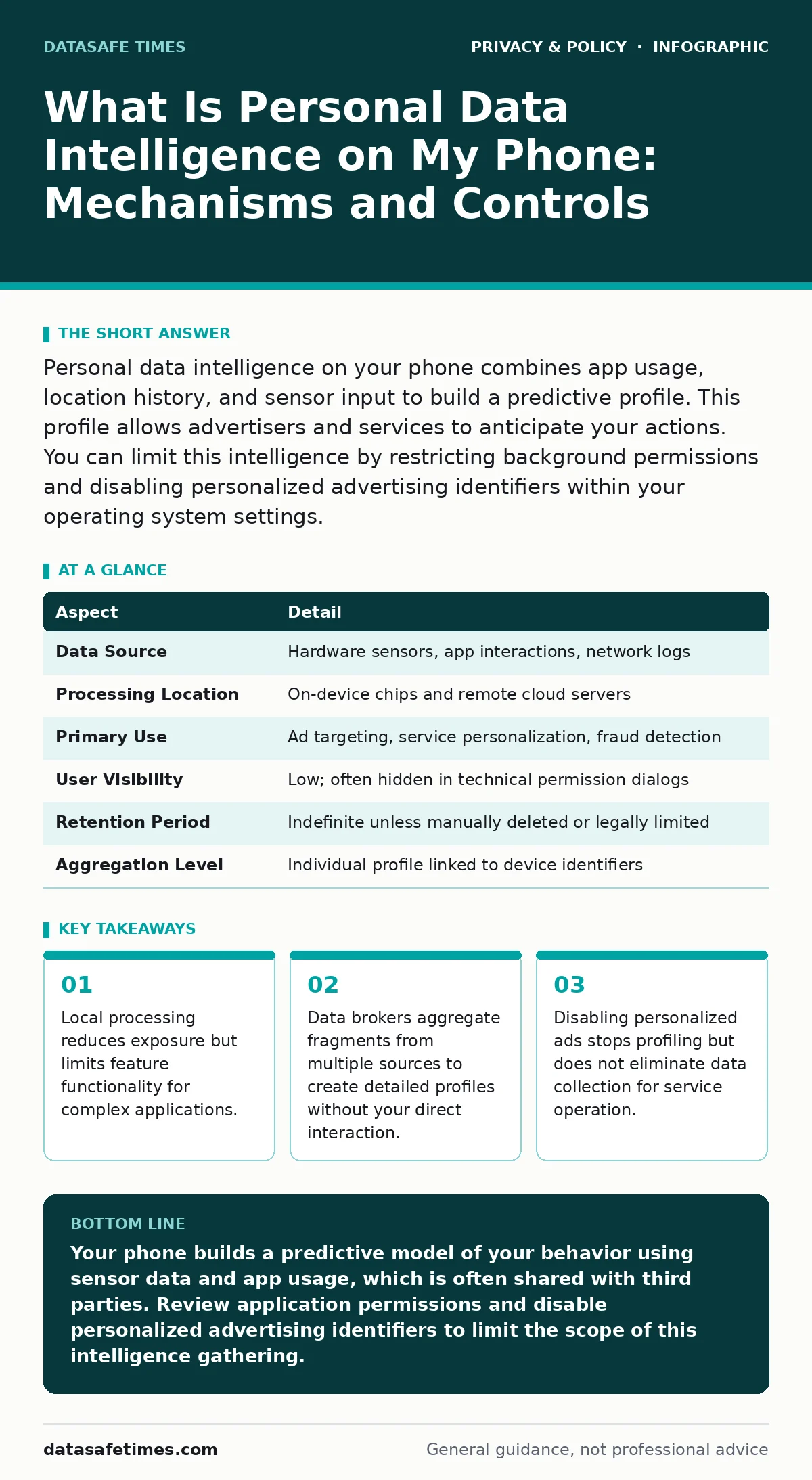
Personal data intelligence on your phone combines app usage, location history, and sensor input to build a predictive profile. This profile allows advertisers and services to anticipate your actions. You can limit this intelligence by restricting background permissions and disabling personalized advertising identifiers within your operating system settings.
Everyday Analogy for Digital Profiling
Imagine a librarian who notes which books you pull from the shelf, how long you hold them, and which sections you avoid. Over months, this librarian predicts what you will borrow next. Your phone performs this analysis continuously. It tracks which apps you open, how long you remain in each interface, and where you move during the day. This accumulation of behavioral signals forms the basis of personal data intelligence on my phone. The system does not require you to hand over documents. It observes patterns in your routine interactions to construct a model of your preferences and habits.
Understanding the Mechanics of Data Collection
Personal data intelligence relies on three primary mechanisms: direct input, inferred behavior, and device telemetry. Direct input includes information you type into forms or select in settings. Inferred behavior covers actions the system interprets from your usage, such as inferring your profession from the apps you install.
Device telemetry involves hardware sensors reporting battery levels, location coordinates, and motion data. These streams merge into a unified profile. The operating system often processes this data locally to improve performance. However, many applications transmit raw telemetry to external servers for aggregation. This transmission creates a copy of your habits that exists outside your control.
| Aspect | Detail |
|---|---|
| Data Source | Hardware sensors, app interactions, network logs |
| Processing Location | On-device chips and remote cloud servers |
| Primary Use | Ad targeting, service personalization, fraud detection |
| User Visibility | Low; often hidden in technical permission dialogs |
| Retention Period | Indefinite unless manually deleted or legally limited |
| Aggregation Level | Individual profile linked to device identifiers |
Who Collects and Uses This Intelligence
These providers sell aggregated insights to marketers and data brokers. Mobile operating system vendors also collect telemetry to improve system stability and feature recommendations. Government agencies may request this data through legal processes. The distinction between service improvement and commercial exploitation is often blurred.
When an application requests access to your contacts or location, it may claim this is necessary for core functionality. In reality, the data feeds a broader intelligence model used for targeted advertising. Understanding this chain of custody helps you assess the risk of each permission grant. You interact with the app, but the intelligence serves multiple downstream consumers.
What People Usually Get Wrong
Many users believe that deleting an application removes all associated data. This assumption is incorrect. While the local cache is cleared, the server-side profile often remains intact. The advertising identifier linked to your device persists even after app removal. Another common misconception is that private browsing modes stop all tracking.
These modes only prevent local history storage on the device. They do not hide your activity from the network or the servers you visit. Users also assume that opting out of personalized advertising stops data collection. It only limits how that data is used for ad targeting. The underlying intelligence model continues to update with your behavioral signals.
How Local and Cloud Processing Interact
Modern smartphones use on-device machine learning to process sensitive data locally. This approach keeps raw information on your hardware, reducing exposure to network interception. Features like photo recognition or voice typing often run on dedicated neural engines. However, complex queries or large datasets still require cloud processing.
When your device cannot handle the computation locally, it sends anonymized data to remote servers. This hybrid model offers a trade-off between privacy and capability. You gain advanced features but accept that some data leaves your device. Understanding which tasks run locally versus in the cloud helps you manage your exposure. You can often disable cloud-based features to keep processing on-device.
Practical Steps to Limit Intelligence Gathering
You can reduce the amount of personal data intelligence on my phone by adjusting system settings. Start by reviewing application permissions. Revoke access to location, microphone, and camera for apps that do not strictly require them. Disable personalized advertising identifiers in your operating system settings. This action breaks the link between your device and targeted ad profiles.
Use applications that support encrypted messaging apps to ensure your communications remain private. These protocols prevent network providers from inspecting your content. Additionally, consider using DNS over HTTPS to encrypt your domain name requests. This prevents local network observers from seeing which websites you visit. Regularly audit your application usage and remove unused software to minimize data sources.
The Role of Policy and Frameworks
Legal frameworks like the General Data Protection Regulation in Europe establish rules for data handling. Concepts such as legitimate interest under the GDPR allow companies to process data without explicit consent if they have a valid business reason. This legal basis often supports behavioral advertising. In other regions, digital privacy rights may be less defined, leaving users with fewer protections.
Understanding these policy differences helps you anticipate how your data is treated. Software developers must comply with these regulations, but enforcement varies. You remain the primary defender of your data by exercising the controls available to you. Policy sets the floor, but your settings determine the ceiling of your privacy.
Long-Term Management of Digital Footprints
Personal data intelligence accumulates over time. A single app install adds a new layer to your profile. Regular maintenance is required to keep this footprint manageable. Schedule quarterly reviews of your application permissions and installed software. Remove applications you no longer use to stop data transmission. Update your operating system regularly to benefit from improved privacy features.
Manufacturers often introduce new controls for background activity and data sharing. Stay informed about changes in how your device handles data. The goal is not to eliminate all data collection, which is often impossible, but to ensure you understand and control the flow. Proactive management reduces the risk of unwanted profiling.
Key takeaways
- Local processing reduces exposure but limits feature functionality for complex applications.
- Data brokers aggregate fragments from multiple sources to create detailed profiles without your direct interaction.
- Disabling personalized ads stops profiling but does not eliminate data collection for service operation.
Your phone builds a predictive model of your behavior using sensor data and app usage, which is often shared with third parties. Review application permissions and disable personalized advertising identifiers to limit the scope of this intelligence gathering.
Frequently asked questions
Does turning off location services stop all tracking?
No, some applications may infer location from Wi-Fi networks or cell tower connections. Additionally, data already collected remains on remote servers.
Can I see the data collected about me?
Many platforms provide data export tools that allow you to download your stored information. Check the privacy settings of your operating system and major applications.
Is it safe to use public Wi-Fi for sensitive tasks?
Public networks pose significant risks as data can be intercepted by others on the same network. Use encrypted messaging apps and avoid accessing sensitive accounts on unsecured connections.
Do privacy-focused browsers prevent all tracking?
Privacy browsers reduce tracking by blocking known trackers and scripts. They do not prevent the website you visit from seeing your activity or collecting data directly.
How this guide was produced: written by the DataSafe Times editorial team with AI assistance, checked against the public references listed below, and reviewed when the facts change. See our editorial policy or report an error.