
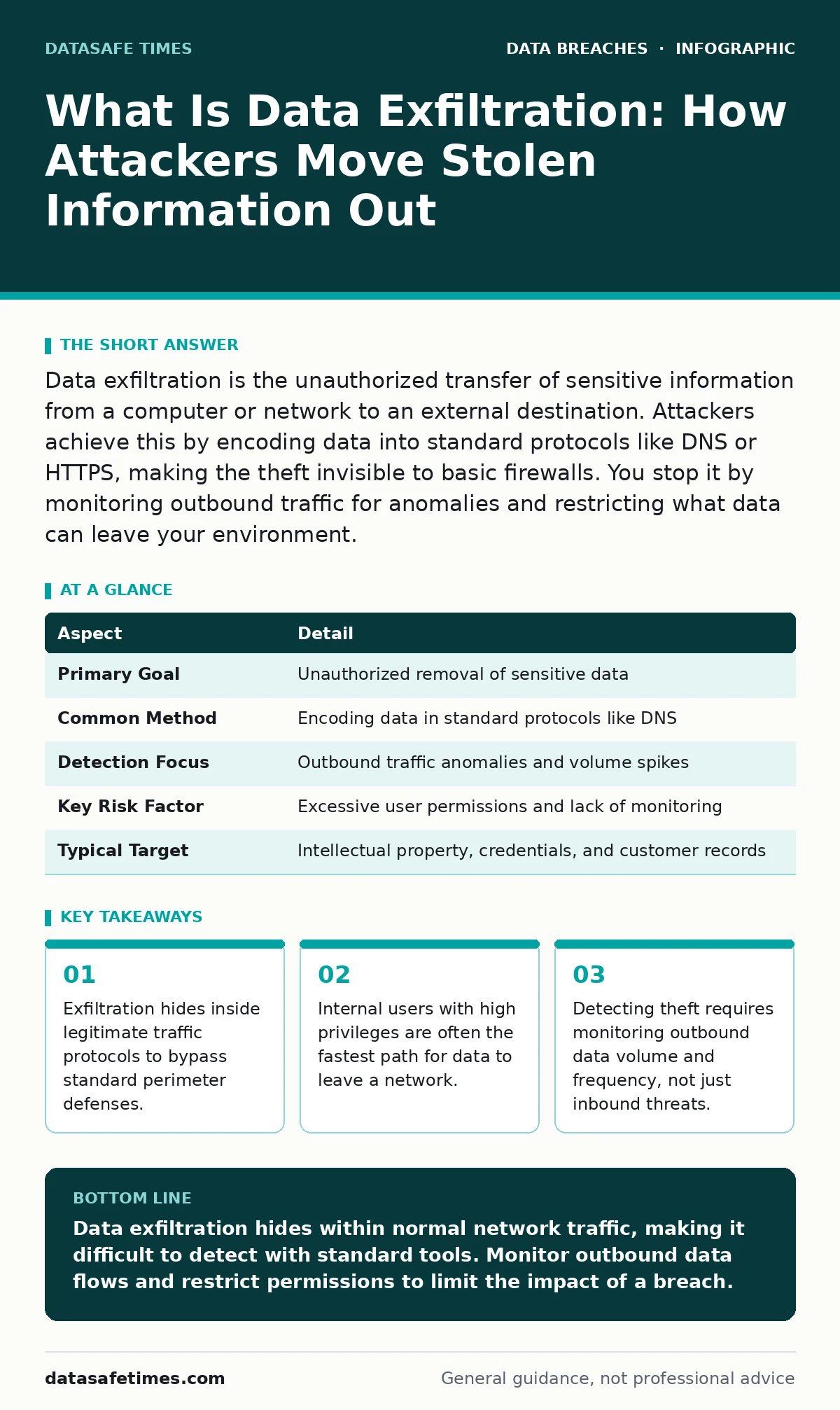
Data exfiltration is the unauthorized transfer of sensitive information from a computer or network to an external destination. Attackers achieve this by encoding data into standard protocols like DNS or HTTPS, making the theft invisible to basic firewalls. You stop it by monitoring outbound traffic for anomalies and restricting what data can leave your environment.
What Is Data Exfiltration
Data exfiltration is the process of moving data out of a secure environment without authorization. It is the final stage of most cyberattacks, occurring after an adversary has gained initial access and escalated privileges. The thief does not just copy files; they must transport them across network boundaries to a location they control.
This movement is rarely a simple file transfer. Attackers encode stolen information into standard communication protocols. They might hide database records inside Domain Name System queries or embed sensitive documents within HTTP headers. This technique makes the theft look like normal user activity. Your firewall sees a web request, not a data leak.
The goal is stealth, not speed. A rapid transfer of large files triggers alarms. A slow, steady drip of information over weeks or months often goes unnoticed. This method allows attackers to steal everything they need before anyone realizes the network is compromised.
| Aspect | Detail |
|---|---|
| Primary Goal | Unauthorized removal of sensitive data |
| Common Method | Encoding data in standard protocols like DNS |
| Detection Focus | Outbound traffic anomalies and volume spikes |
| Key Risk Factor | Excessive user permissions and lack of monitoring |
| Typical Target | Intellectual property, credentials, and customer records |
How Data Exfiltration Works in Practice
The technical mechanism relies on the fact that security tools are designed to let legitimate traffic out. Your organization needs to send emails, browse the web, and update software. Attackers exploit this necessity. They use the same channels you use for business, but they change the payload.
Imagine an attacker has compromised a server. They cannot simply send a zip file of stolen logs to an external IP address. That action would be blocked by an egress filter. Instead, they break the data into small chunks. They encode each chunk into a DNS query for a domain they control. The local DNS server forwards the query to the internet. The attacker’s server receives the query, extracts the hidden data, and responds with a standard DNS answer.
This process repeats thousands of times. To a network administrator, it looks like normal name resolution. The volume of traffic is low. The protocol is allowed. The data leaves the building one byte at a time. This method bypasses tools that only inspect inbound traffic for malware signatures.
Who Is Affected by Data Theft
Data exfiltration affects any organization that stores digital information. However, the impact varies based on the value of the data and the speed of detection. Software development teams face unique risks because their repositories contain source code, build scripts, and deployment credentials. These assets are high-value targets for industrial espionage.
Small businesses are often targeted because they lack advanced monitoring capabilities. They may have basic antivirus software but no visibility into outbound data flows. An attacker can move freely in these environments. Large enterprises have more tools, but they also have more complexity. Shadow IT and cloud services create additional exit points that are hard to monitor.
Individuals are also affected when their personal data is stolen from corporate systems. This can lead to identity theft and fraud. The damage is not just financial. It includes reputational harm and loss of customer trust. Once data is out, you cannot put it back.
Common Misconceptions About Data Leaks
Many organizations believe that blocking all outbound traffic solves the problem. This approach is impractical. Business operations require connectivity to cloud services, APIs, and remote offices. Blocking everything breaks productivity. The solution is not to stop all traffic, but to understand what traffic is allowed and what is not.
Another common mistake is focusing only on inbound threats. Firewalls are excellent at stopping hackers from getting in. They are less effective at stopping data from getting out. You need separate controls for egress. This includes inspecting outbound packets and validating that the data leaving matches the business purpose of the connection.
People also assume that encryption protects against exfiltration. Encryption protects data in transit from eavesdropping. It does not prevent an attacker from stealing the encrypted data. If an attacker has access to the endpoint, they can capture data before it is encrypted or steal the encryption keys themselves. See our guide on database security for more on protecting data at rest and in use.
Detecting Unauthorized Data Movement
Detection requires a shift in perspective. You must monitor what leaves your network, not just what enters. Start by establishing a baseline of normal outbound traffic. How much data does your application usually send out? What are the typical destinations? Deviations from this baseline are suspicious.
Look for unusual volumes of data sent to a single destination. A user who normally sends 10 megabytes of email per day suddenly sending 1 gigabyte is a red flag. Check for data sent to unfamiliar domains or IP addresses. New domains that receive large amounts of data are often used for command and control or exfiltration.
Inspect the content of outbound traffic where possible. Use Data Loss Prevention tools to scan for sensitive patterns like credit card numbers or social security numbers. If these patterns appear in outbound traffic, block the transfer and alert the security team. This requires visibility into the payload, which means decrypting TLS traffic at the perimeter.
See also: How Sandboxing Works: The Mechanics of Isolated Execution · Botnet Attack Myths Debunked: What Operators Actually Do
Preventing Data Exfiltration
Prevention starts with limiting access. Users should only have the permissions they need to do their jobs. This is the principle of least privilege. If a user cannot access the sensitive data, they cannot exfiltrate it, even if their account is compromised. Implement role-based access control to enforce these limits consistently.
Restrict outbound connections to known and trusted destinations. Use allowlists for critical services. If your application only needs to talk to a specific API, block all other outbound traffic from that server. This reduces the attack surface. An attacker cannot use a random port or protocol to send data out if the firewall blocks it.
Educate users about the risks of shadow IT. Employees often use personal cloud storage or messaging apps for work. These services bypass corporate security controls. Provide approved alternatives that offer similar convenience with better security. Monitor for the use of unauthorized applications and block them at the network level.
Responding to a Suspected Breach
When you suspect data exfiltration, act quickly but methodically. First, isolate the affected systems. Disconnect them from the network to stop the flow of data. Do not power them off, as this destroys volatile memory evidence. Preserve the state for digital forensics analysis.
Identify the scope of the breach. What data was accessed? How long has the attacker been present? Review logs from firewalls, proxies, and endpoints. Look for the initial entry point and the methods used to move data. This information helps you understand the attacker’s goals and capabilities.
Notify affected parties as required by law and policy. Customers, employees, and partners have a right to know if their data was compromised. Provide clear guidance on what steps they should take to protect themselves. This may include changing passwords or monitoring credit reports. Transparency builds trust, even in difficult situations.
The Role of Insider Threats
Not all exfiltration comes from external hackers. Insiders with legitimate access can steal data intentionally or accidentally. A disgruntled employee may copy files before leaving the company. A careless employee may upload sensitive documents to a public website. These actions are hard to distinguish from normal work.
Monitor for unusual access patterns. An employee accessing files outside their normal scope or at unusual times is suspicious. Downloading large amounts of data to removable media is another red flag. Implement controls on removable media and cloud uploads. Log all access to sensitive data and review these logs regularly.
See our guide on insider data theft for specific strategies to mitigate this risk. Combining technical controls with behavioral monitoring provides the best defense. You cannot prevent all insider threats, but you can detect them quickly and limit the damage.
Key takeaways
- Exfiltration hides inside legitimate traffic protocols to bypass standard perimeter defenses.
- Internal users with high privileges are often the fastest path for data to leave a network.
- Detecting theft requires monitoring outbound data volume and frequency, not just inbound threats.
Data exfiltration hides within normal network traffic, making it difficult to detect with standard tools. Monitor outbound data flows and restrict permissions to limit the impact of a breach.
Frequently asked questions
Can I stop data exfiltration with a firewall?
A standard firewall can block known bad IPs, but it cannot see encoded data inside allowed protocols. You need deep packet inspection and behavioral analysis to catch hidden exfiltration.
How do I know if my DNS traffic is being used for exfiltration?
Look for high volumes of TXT queries or queries to new, obscure domains. Normal DNS traffic is predictable. Exfiltration traffic is chaotic and frequent.
Does encrypting my network stop data theft?
No. Encryption protects data from eavesdropping, not from being stolen by someone with access to the endpoint or the network. The attacker can capture data before encryption or steal the keys.
What is the difference between data leakage and exfiltration?
Leakage is often accidental, like sending an email to the wrong person. Exfiltration is intentional and malicious, involving the covert transfer of data to an attacker.
How this guide was produced: written by the DataSafe Times editorial team with AI assistance, checked against the public references listed below, and reviewed when the facts change. See our editorial policy or report an error.