
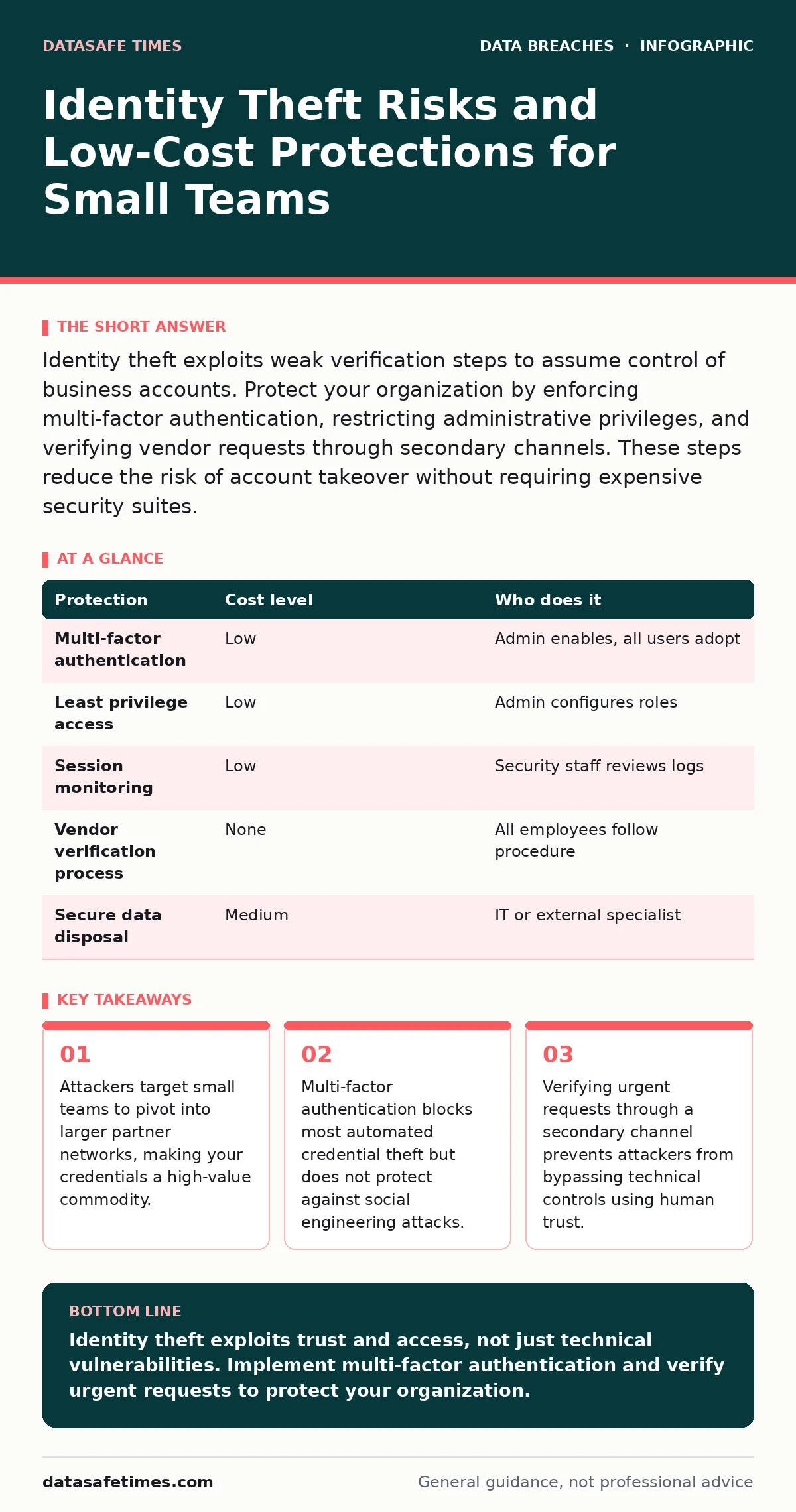
Identity theft exploits weak verification steps to assume control of business accounts. Protect your organization by enforcing multi-factor authentication, restricting administrative privileges, and verifying vendor requests through secondary channels. These steps reduce the risk of account takeover without requiring expensive security suites.
The Value of Your Access Keys
Small organizations often believe they are too small to be primary targets for identity theft. This assumption is incorrect. Attackers do not always seek the data you store; they seek the access you hold. Your organization likely holds vendor credentials, partner portal access, or administrative rights to shared systems.
These credentials act as keys to larger ecosystems. A compromised account in your small team can serve as a foothold for attackers moving laterally into a larger partner’s network. The value of your identity is defined by your connections, not your size.
Identity theft in this context means an attacker assumes your digital persona to perform actions you authorized. They use your login to reset passwords, approve transactions, or exfiltrate data. This is distinct from simple data breaches where files are stolen. Here, the attacker becomes you.
Why Standard Perimeters Fail
Traditional security focuses on perimeter defenses like firewalls. These tools inspect traffic entering and leaving your network. They are effective at blocking known malicious signatures. They are less effective at stopping a legitimate user logging in with stolen credentials.
If an attacker possesses a valid username and password, the firewall sees a valid session. The system assumes the user is authorized. This is the core weakness of password-only authentication. It relies on the secrecy of the password, which is difficult to maintain.
Passwords are often reused across services. If a breach occurs on a public forum where you hold an account, attackers will try those credentials on your work email. This is known as credential stuffing. Your small business becomes a victim of a breach that happened elsewhere.
Low-Cost Protections That Work
You do not need expensive hardware security modules to reduce risk. Several low-cost measures address the most common attack vectors. These controls focus on verification rather than prevention.
Multi-factor authentication (MFA) requires a second form of proof beyond a password. This could be a code from an app, a hardware token, or a biometric scan. MFA prevents attackers from accessing accounts even if they have the password. It is the single most effective control against account takeover.
Least privilege access ensures users only have the permissions necessary for their role. If a marketing employee does not need access to financial records, they should not have it. This limits the damage if their account is compromised. An attacker gains access to marketing tools, not the bank account.
Regularly reviewing active sessions helps identify anomalies. Most cloud services provide logs showing where and when accounts are accessed. A login from a country you do not operate in is a strong indicator of compromise. You should investigate such events immediately.
| Protection | Cost level | Who does it |
|---|---|---|
| Multi-factor authentication | Low | Admin enables, all users adopt |
| Least privilege access | Low | Admin configures roles |
| Session monitoring | Low | Security staff reviews logs |
| Vendor verification process | None | All employees follow procedure |
| Secure data disposal | Medium | IT or external specialist |
The Hidden Cost of Convenience
Convenience often undermines security. Single sign-on (SSO) allows users to access multiple services with one login. This improves user experience but creates a single point of failure. If the SSO provider is compromised, all connected services are at risk.
Auto-login features on shared devices are a significant risk. They bypass authentication entirely for a period. If an attacker gains physical access to an unlocked device, they have full access to the user’s session. You should disable auto-login on any device that leaves your secure office.
Phishing remains a primary vector for identity theft. Attackers craft emails that mimic trusted sources. They rely on urgency and fear to bypass critical thinking. Technical controls cannot fully stop a user from voluntarily handing over credentials to a convincing fake site.
Training users to recognize phishing is difficult. Attackers constantly refine their techniques. They can clone login pages perfectly. The only reliable defense is skepticism. You must assume that any urgent request for credentials or data is suspicious until verified.
What to Ask an IT Provider
Your IT provider plays a critical role in maintaining your security posture. You need to understand what they monitor and how they respond to incidents. Do not assume they are watching everything. Ask specific questions to clarify their scope.
- How do you detect unauthorized access attempts in real time?
- What is the process for revoking access when an employee leaves?
- Do you monitor logs for unusual geographic login patterns?
- How do you verify the identity of users requesting sensitive data changes?
- What is your response time for a reported account compromise?
A provider who cannot answer these questions clearly is likely not monitoring your environment actively. They may be focusing only on keeping systems online. Availability is important, but security requires active monitoring and rapid response.
See also: Insider Threat Mistakes That Expose Your Data and How to Fix Them · Role Based Access Control vs ACL: The Structural Difference
Managing Third-Party Risks
Your security is only as strong as your weakest partner. Third-party data breaches often originate from vendors with less rigorous security practices. If a vendor holds your customer data, their compromise is your liability.
You must assess the security posture of your key vendors. Do not rely on their marketing materials. Ask for evidence of their security controls. Look for certifications that indicate regular audits. Ensure their contracts include clauses for breach notification and liability.
Regularly review which vendors have access to your systems. Remove access for vendors who are no longer active. Stale permissions are a common source of unauthorized access. An old contractor may still have access to your file servers, creating an open door for attackers.
This process is part of broader database security practices. Ensuring that only necessary data is shared with vendors reduces the impact if they are compromised. Minimize the data footprint you expose to external parties.
Responding to Suspected Theft
If you suspect identity theft, act quickly. Delay allows attackers to deepen their access and cause more damage. The first step is to disconnect the affected system from the network. This prevents lateral movement to other systems.
Change all passwords associated with the compromised account. Do not use the same password on other services. Enable MFA if it was not already active. Review recent activity for unauthorized actions, such as new devices or data exports.
Notify affected parties immediately. If customer data was exposed, legal obligations may require disclosure. Transparency builds trust, even in difficult circumstances. Document every step you take. This record is vital for post-incident analysis and regulatory compliance.
Consider the implications for employee offboarding security. If the theft involves a former employee, ensure their access was fully revoked. Sometimes attackers use old credentials that were never disabled. Regular audits of user accounts prevent this gap.
Building a Resilient Culture
Technical controls are necessary but insufficient. Your team’s behavior determines the effectiveness of your security measures. You must foster a culture where security is a shared responsibility. Encourage employees to report suspicious activity without fear of blame.
Regularly test your incident response plan. Simulate a breach to see how your team reacts. Identify gaps in communication and decision-making. Update the plan based on lessons learned. A plan that has never been tested is likely to fail under pressure.
Stay informed about emerging threats. The tactics used by attackers evolve constantly. New vulnerabilities are discovered regularly. You must adapt your defenses accordingly. Ignorance is not a defense. Awareness is your first line of protection.
Key takeaways
- Attackers target small teams to pivot into larger partner networks, making your credentials a high-value commodity.
- Multi-factor authentication blocks most automated credential theft but does not protect against social engineering attacks.
- Verifying urgent requests through a secondary channel prevents attackers from bypassing technical controls using human trust.
Identity theft exploits trust and access, not just technical vulnerabilities. Implement multi-factor authentication and verify urgent requests to protect your organization.
Frequently asked questions
Does multi-factor authentication prevent all identity theft?
No, MFA prevents unauthorized access with stolen passwords but does not stop social engineering attacks where a user is tricked into revealing the second factor.
How often should I review user access permissions?
You should review permissions quarterly or whenever an employee changes roles, ensuring they only have the access necessary for their current duties.
What is the first step if an employee reports a phishing email?
Isolate the affected device from the network to prevent potential malware spread, then reset the user’s credentials and check for unauthorized activity.
Can a small business afford professional security monitoring?
Yes, many managed service providers offer basic monitoring and incident response as part of their standard IT support packages, making it accessible for small teams.
How this guide was produced: written by the DataSafe Times editorial team with AI assistance, checked against the public references listed below, and reviewed when the facts change. See our editorial policy or report an error.