Remote access trojans exploit gaps in remote administration protocols, unpatched software, and poor credential storage. You must disable unused remote services, enforce strict application allowlisting, and isolate administrative accounts to prevent persistent backdoor access.
Mistake 1: Leaving Remote Management Ports Open to the Internet
Remote access trojans often scan for open ports associated with remote desktop or terminal services. Imagine you host a development server that requires occasional remote maintenance. If the remote desktop port faces the public internet without strict network filtering, automated scanning tools will find it within minutes. The attacker then attempts brute-force login or exploits known vulnerabilities in the remote access software itself.
Why it hurts:
Exposing remote management interfaces directly to the internet eliminates the protective layer of your network perimeter. Attackers do not need to trick a user into clicking a link. They connect directly to the service that grants administrative control. This bypasses email security filters and endpoint detection systems that rely on user interaction. The consequence is immediate, unauthorized access to the system’s core functions.
The fix:
Restrict remote access to specific, trusted IP addresses using firewall rules. Deploy a virtual private network to create an encrypted tunnel for remote connections. This ensures that only authenticated users on authorized networks can initiate a remote session. Monitor logs for connection attempts from unexpected geographic locations or IP ranges. Disable remote management features entirely on systems that do not require them for daily operations.
Mistake 2: Storing Credentials in Plaintext Configuration Files
Developers often embed database passwords or API keys directly into source code or configuration files for convenience. This practice is common in local development environments but frequently persists when code moves to production. A remote access trojan that gains initial access to the file system can read these files. It extracts the credentials and uses them to move laterally within the network or access external services.
Why it hurts:
Plaintext credentials act as a master key for the attacker. Once the trojan reads the configuration file, it can access any system or database that trusts those credentials. This allows the malware to escalate privileges without needing to exploit additional vulnerabilities. The attacker gains persistent access even if you remove the initial trojan executable. The compromise spreads silently through legitimate authentication mechanisms.
The fix:
Use dedicated secret management services or environment variables to store sensitive credentials. Encrypt configuration files at rest and restrict file permissions so only the application process can read them. Rotate credentials regularly to limit the window of exposure if a leak occurs. Integrate secret scanning tools into your continuous integration pipeline to detect accidental commits of sensitive data. This prevents credentials from ever appearing in version control history.
Mistake 3: Running Applications with Excessive Privileges
System services and applications often run with administrative or root privileges to simplify installation and configuration. This design choice creates a significant security risk. If a remote access trojan exploits a vulnerability in a privileged application, it inherits those high-level permissions. The malware can then modify system files, install persistent backdoors, and disable security controls without restriction.
Why it hurts:
Excessive privileges remove the safety net of least privilege. The trojan operates with the same authority as the system administrator. It can create new user accounts, modify firewall rules, and intercept network traffic. This makes containment nearly impossible because the attacker controls the underlying operating system. The damage extends beyond the compromised application to the entire host and connected network segments.
The fix:
Run applications with the minimum privileges required to perform their function. Use service accounts with restricted permissions instead of administrative accounts. Implement mandatory access controls to confine processes to specific directories and resources. Regularly audit running processes to identify applications that do not need elevated rights. This limits the impact of a successful exploit to the specific application context.
Mistake 4: Failing to Patch Remote Access Software
Remote access tools receive frequent security updates to address newly discovered vulnerabilities. Many organizations delay applying these patches due to fear of disrupting operations. This delay leaves known entry points open for exploitation. Attackers actively target unpatched remote access software because it provides a direct path to the network. The longer the delay, the higher the likelihood of compromise.
Why it hurts:
Unpatched software contains known weaknesses that attackers can exploit with publicly available tools. There is no need for sophisticated hacking techniques. The trojan simply sends a crafted packet that triggers the vulnerability. This results in code execution or authentication bypass. The consequence is a reliable, automated method for gaining access without user interaction. The risk persists until the patch is applied.
The fix:
Establish a regular patching schedule for all remote access components. Test patches in a staging environment before deploying to production. Use automated patch management tools to ensure timely updates. Monitor vendor security advisories for critical vulnerabilities requiring immediate attention. Prioritize patching for systems that face external networks or handle sensitive data. This reduces the window of exposure to known threats.
Mistake 5: Ignoring Application Allowlisting Policies
Many organizations rely solely on signature-based antivirus software to block malware. This approach fails against new or customized remote access trojans that lack known signatures. Without application allowlisting, any executable that passes the antivirus check can run. Attackers exploit this gap by using living-off-the-land binaries or unsigned scripts to execute malicious code.
Why it hurts:
Signature-based detection is reactive. It blocks known threats but allows unknown ones to execute. A remote access trojan can be modified slightly to evade detection. Once executed, it establishes a command-and-control channel. The system remains infected despite passing security scans. This allows the attacker to maintain persistent access and exfiltrate data over time. The defense relies on the attacker’s behavior being recognized.
The fix:
Implement application allowlisting to restrict execution to approved software. This blocks unauthorized executables, scripts, and binaries from running. Define rules based on file hash, publisher signature, or file path. Regularly update the allowlist to include legitimate software updates. This prevents remote access trojans from executing, regardless of their signature status. It shifts the security model from blocking bad software to running only good software.
See also: Mac Malware Prevention Checklist for Secure Development Environments · Is Malware and Virus the Same? A Technical Breakdown
Mistake 6: Neglecting Log Monitoring for Remote Sessions
Remote access generates detailed logs of connection attempts, commands executed, and data transferred. Many organizations collect these logs but do not monitor them in real time. A remote access trojan can operate silently for months if its activity goes unnoticed. Delayed detection allows the attacker to deepen their foothold and expand their reach. The longer the trojan remains active, the more data it can steal.
Why it hurts:
Lack of real-time monitoring means you react to breaches after significant damage occurs. The trojan can modify system files, create backdoors, and exfiltrate data without immediate detection. By the time you notice performance issues or unusual network traffic, the attacker has already established persistence. This delays containment and increases the cost of remediation. The visibility gap allows the malware to operate with impunity.
The fix:
Deploy extended detection and response (XDR) solutions to correlate events across endpoints and networks. Set up alerts for anomalous remote access patterns, such as logins at unusual hours or from new locations. Monitor for excessive data transfers or command execution patterns typical of remote access trojans. Review logs regularly to identify trends and potential threats. This enables rapid detection and response to unauthorized access attempts.
Mistake 7: Overlooking Mac Malware Capabilities
Organizations often assume Mac operating systems are immune to remote access trojans. This assumption leads to weaker security controls on macOS devices. Attackers exploit this gap by targeting Mac users with specialized malware. These trojans can bypass default security settings and establish persistent access. The lack of scrutiny allows the malware to operate undetected for extended periods.
Why it hurts:
Assuming immunity creates a blind spot in your security posture. Mac malware is designed to exploit specific vulnerabilities in macOS. It can leverage legitimate system tools to perform malicious actions. The trojan can access sensitive data and move laterally within the network. The consequence is a compromised device that serves as a bridge to other systems. The assumption of safety prevents proper defense implementation.
The fix:
Apply the same security controls to Mac devices as you do to Windows systems. Enforce application allowlisting, regular patching, and strong authentication. Monitor Mac devices for suspicious activity and integrate them into your central security management. Educate users about the risks of Mac malware. This ensures consistent protection across all operating systems in your environment.
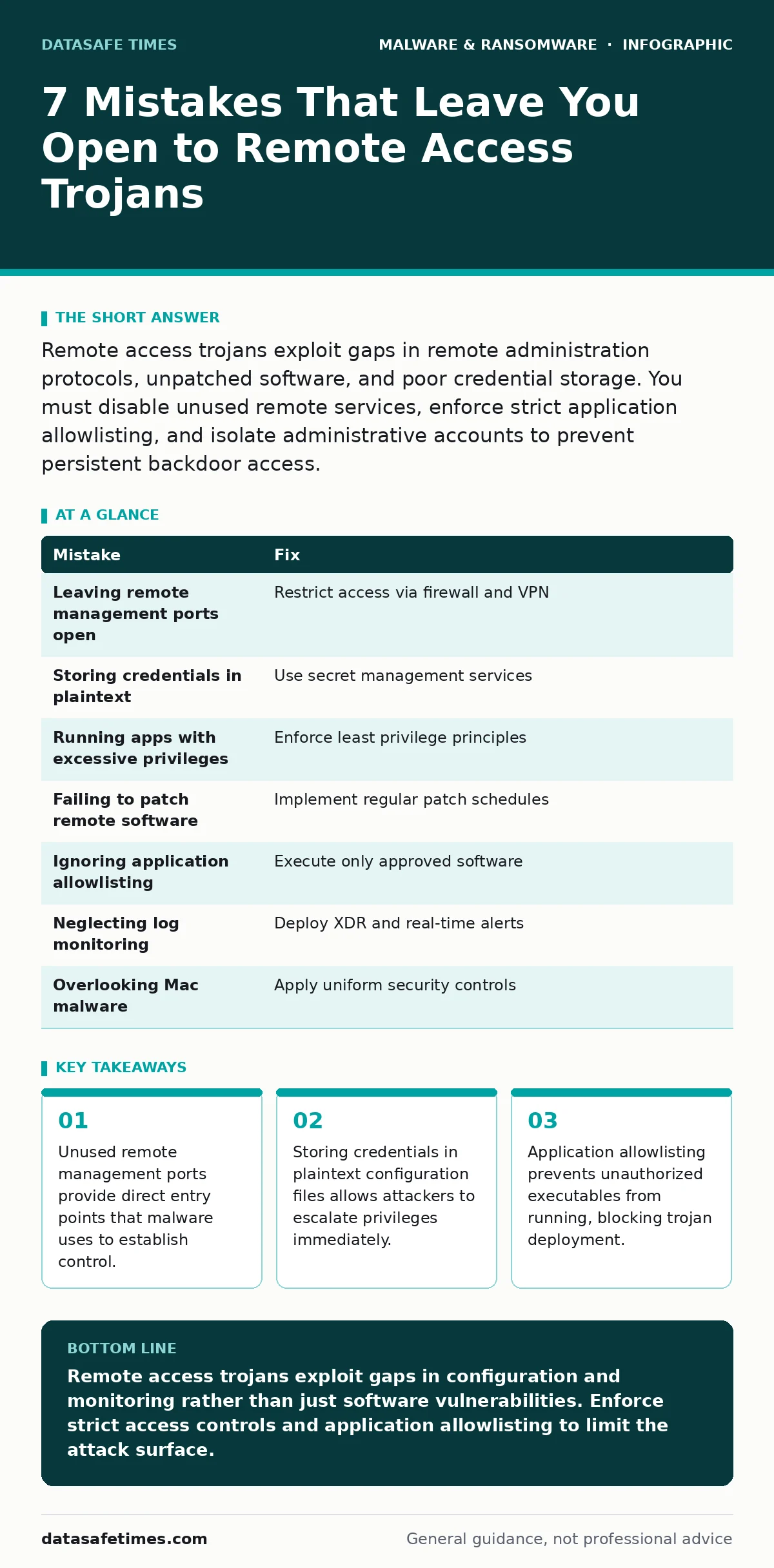
| Mistake | Fix |
|---|---|
| Leaving remote management ports open | Restrict access via firewall and VPN |
| Storing credentials in plaintext | Use secret management services |
| Running apps with excessive privileges | Enforce least privilege principles |
| Failing to patch remote software | Implement regular patch schedules |
| Ignoring application allowlisting | Execute only approved software |
| Neglecting log monitoring | Deploy XDR and real-time alerts |
| Overlooking Mac malware | Apply uniform security controls |
Key takeaways
- Unused remote management ports provide direct entry points that malware uses to establish control.
- Storing credentials in plaintext configuration files allows attackers to escalate privileges immediately.
- Application allowlisting prevents unauthorized executables from running, blocking trojan deployment.
Remote access trojans exploit gaps in configuration and monitoring rather than just software vulnerabilities. Enforce strict access controls and application allowlisting to limit the attack surface.
Frequently asked questions
How do remote access trojans differ from standard malware?
Remote access trojans focus on establishing persistent, interactive control over a system, allowing attackers to execute commands in real time, whereas standard malware may only perform specific automated actions.
Can application allowlisting block legitimate software updates?
Yes, if the allowlist is not updated promptly. You must maintain a process for rapidly approving new software versions to avoid blocking critical updates while maintaining security.
Do remote access trojans always require user interaction?
No, many trojans exploit unpatched vulnerabilities in remote services that face the internet, allowing automated tools to gain access without any user clicking a link or opening an attachment.
How often should you review remote access logs?
You should monitor logs in real time using automated tools. Manual review should occur at least weekly to identify anomalies that automated systems might miss, ensuring early detection of unauthorized activity.
How this guide was produced: written by the DataSafe Times editorial team with AI assistance, checked against the public references listed below, and reviewed when the facts change. See our editorial policy or report an error.