
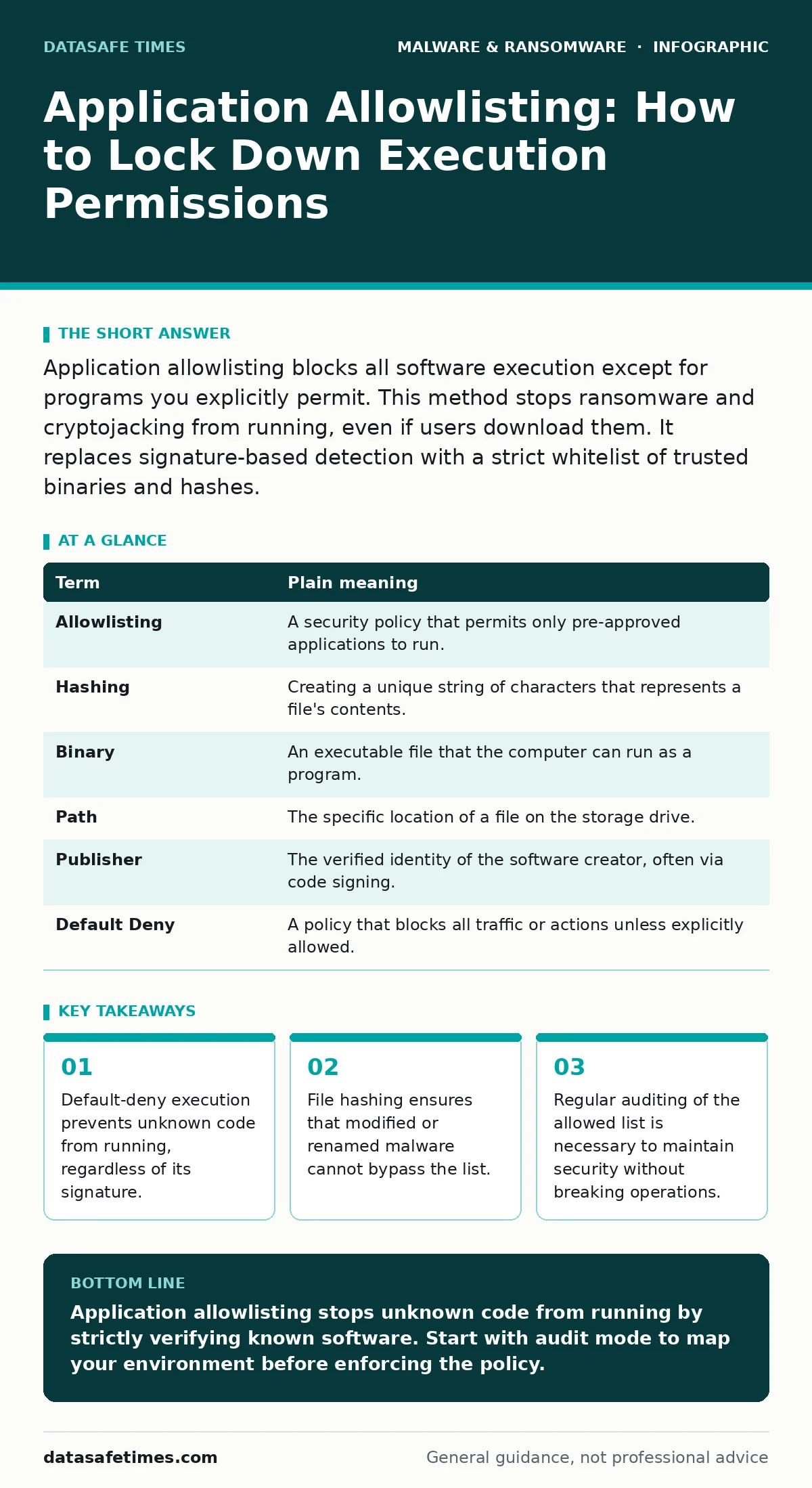
Application allowlisting blocks all software execution except for programs you explicitly permit. This method stops ransomware and cryptojacking from running, even if users download them. It replaces signature-based detection with a strict whitelist of trusted binaries and hashes.
The Club With a Strict Guest List
Imagine a private club that does not check for bad behavior at the door. Instead, it only admits people whose names appear on a single, printed list. If your name is not on that paper, you cannot enter, no matter how well you dress or how politely you ask. This is the core logic of application allowlisting. It does not care if a file is malicious. It only cares if the file is authorized.
Most security tools try to identify what is bad. They look for known threats. Allowlisting does the opposite. It identifies what is good and blocks everything else. This approach removes the guesswork from execution control. You do not need to know every new virus. You only need to know every program your systems require.
Why Signature Detection Fails Here
Traditional antivirus software relies on signatures. A signature is a unique digital fingerprint of a known threat. When a new virus appears, it has no signature yet. It can run freely until researchers create a detection rule. This delay creates a window of vulnerability. Ransomware often exploits this gap.
Allowlisting closes that gap. It does not wait for a threat to be identified. It blocks execution immediately if the file is not on the approved list. This is particularly effective against fileless malware or scripts that do not drop traditional executables. The mechanism is simple: if the hash does not match, the process does not start.
| Term | Plain meaning |
|---|---|
| Allowlisting | A security policy that permits only pre-approved applications to run. |
| Hashing | Creating a unique string of characters that represents a file's contents. |
| Binary | An executable file that the computer can run as a program. |
| Path | The specific location of a file on the storage drive. |
| Publisher | The verified identity of the software creator, often via code signing. |
| Default Deny | A policy that blocks all traffic or actions unless explicitly allowed. |
The Mechanics of Verification
You cannot rely on file names. A hacker can rename a malicious script to "calculator.exe". The system must look deeper. It uses cryptographic hashing. When you add a program to your allowlist, the system records its hash. If an attacker changes even one byte of that file, the hash changes completely. The system sees a mismatch and blocks execution.
This also stops polymorphic malware. Polymorphic code changes its appearance every time it replicates to avoid detection. Since the hash changes with the code, the allowlist rejects the new variant. The system does not care about the file name or the icon. It cares only about the mathematical proof of the file's identity.
The Hidden Cost of Rigidity
The biggest challenge with allowlisting is not technical. It is operational. If you block everything by default, your business stops. You must identify every utility, every driver, and every helper application. This requires deep knowledge of your environment. A missed dependency can break a critical workflow.
Suppose a developer needs to run a new debugging tool. If that tool is not on the list, it fails. The developer must request an exception. This adds friction. It slows down rapid experimentation. You must balance security with agility. Too strict, and productivity drops. Too loose, and the policy becomes meaningless.
Managing Exceptions and Updates
Software updates change hashes. When a program updates, its binary changes. If your allowlist is static, the update fails. You must have a process for re-authorizing updated versions. Some systems use publisher-based allowlisting to handle this. If you trust the publisher, you allow all their signed code. This reduces maintenance but increases risk if the publisher is compromised.
Regular audits are necessary. Remove tools that are no longer used. Review exceptions that were added temporarily. If an exception stays in place for months, it becomes a permanent hole in your defense. Treat temporary access as a high-risk activity. Document why it was needed and when it will be removed.
See also: XDR Best Practices: Aligning Data Sources for Real Threat Visibility · How Sandboxing Works: The Mechanics of Isolated Execution
A First Practical Step
You do not need to lock down your entire network today. Start with a single, non-critical machine. Install the allowlisting tool in "audit mode". This mode logs what would be blocked but does not actually stop execution. Run the system for a week. Review the logs. Identify false positives.
Next, move to "enforce mode" for a specific subset of users. Choose a group that uses standard software. Monitor their experience. Fix any broken workflows before expanding. This gradual approach prevents widespread disruption. It allows you to refine your list without causing panic.
- Install the allowlisting agent in audit mode on a test machine.
- Review the logs to identify all legitimate software executions.
- Add the identified software to the allowlist and switch to enforce mode.
Integration with Broader Strategies
Allowlisting is not a standalone solution. It works best when combined with other controls. It reduces the need for constant monitoring. However, it does not protect data at rest. You still need offline backups to recover from data loss. It does not prevent phishing. You still need user training.
Think of allowlisting as the foundation. It stops the initial execution. Other layers handle the aftermath. A strong disaster recovery plan ensures you can restore services if the allowlist fails. Business continuity planning ensures operations continue during an incident. These elements work together to create a resilient environment.
Key takeaways
- Default-deny execution prevents unknown code from running, regardless of its signature.
- File hashing ensures that modified or renamed malware cannot bypass the list.
- Regular auditing of the allowed list is necessary to maintain security without breaking operations.
Application allowlisting stops unknown code from running by strictly verifying known software. Start with audit mode to map your environment before enforcing the policy.
Frequently asked questions
Does allowlisting stop all malware?
It stops malware from executing. It does not prevent malware from being downloaded or stored on the disk.
How do I handle software updates?
Use publisher-based allowlisting or update your hash list whenever software is updated to ensure continued functionality.
Is allowlisting suitable for developers?
It requires careful management of exceptions. Developers need a streamlined process for adding new tools to avoid blocking their work.
What is the difference between whitelisting and allowlisting?
They are the same concept. Allowlisting is the modern term that avoids the negative connotation of "white".
How this guide was produced: written by the DataSafe Times editorial team with AI assistance, checked against the public references listed below, and reviewed when the facts change. See our editorial policy or report an error.