
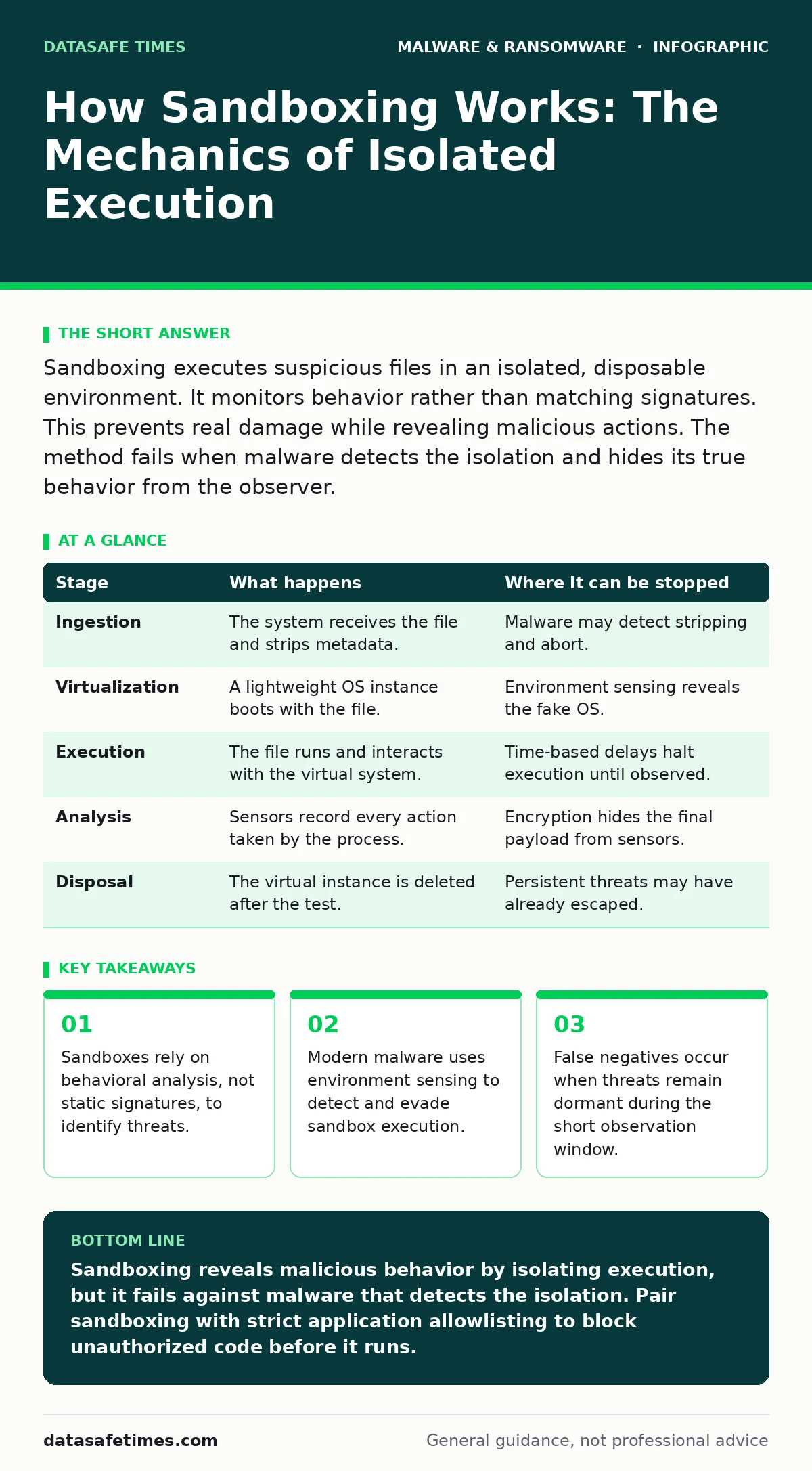
Sandboxing executes suspicious files in an isolated, disposable environment. It monitors behavior rather than matching signatures. This prevents real damage while revealing malicious actions. The method fails when malware detects the isolation and hides its true behavior from the observer.
The Principle of Isolated Execution
Sandboxing creates a controlled environment that mimics a real operating system. You place a suspicious file inside this boundary. The system allows the file to run, but it cannot touch your actual hardware or data. This separation ensures that if the file is malicious, the damage stays contained. The core value lies in observing behavior rather than inspecting code structure.
Traditional signature-based tools compare file hashes against known databases. Sandboxing goes further by asking what the file does. It watches for registry changes, network connections, and file modifications. This approach catches new threats that have never been seen before. It also catches modified versions of known threats.
| Stage | What happens | Where it can be stopped |
|---|---|---|
| Ingestion | The system receives the file and strips metadata. | Malware may detect stripping and abort. |
| Virtualization | A lightweight OS instance boots with the file. | Environment sensing reveals the fake OS. |
| Execution | The file runs and interacts with the virtual system. | Time-based delays halt execution until observed. |
| Analysis | Sensors record every action taken by the process. | Encryption hides the final payload from sensors. |
| Disposal | The virtual instance is deleted after the test. | Persistent threats may have already escaped. |
Stage 1: Ingestion and Pre-Processing
The process begins when a security tool intercepts a file. This might happen at an email gateway, a web proxy, or on an endpoint. The system does not run the file immediately. First, it performs basic checks. It verifies the file type and checks for obvious compression or encryption.
If the file is a container, such as a ZIP archive, the sandbox extracts the contents. This allows the system to inspect nested files. Some tools strip metadata from documents to prevent interference. This step is critical for reducing noise. It ensures the sandbox focuses on executable code rather than formatting data.
Imagine a user receives a PDF with an embedded script. The sandbox extracts the script before running the PDF. This prevents the sandbox from analyzing the PDF viewer instead of the malicious code. However, some malware checks if its container has been modified. If the extraction process alters the file structure, the malware may refuse to run.
Stage 2: Virtualization and Environment Setup
The sandbox provisions a lightweight virtual machine. This machine runs a copy of the operating system. It contains no user data, no sensitive credentials, and no critical applications. The network connection is often simulated or restricted. This ensures that any network traffic generated by the malware stays within the lab.
The virtual machine starts from a known clean state. This is usually a snapshot taken before any tests began. If the malware crashes the system, the sandbox reverts to the snapshot. This resilience allows for aggressive testing. It lets the system run unstable or destructive code without fear of permanent damage to the host infrastructure.
Stage 3: Execution and Behavioral Monitoring
The suspicious file is launched inside the virtual machine. Specialized sensors run alongside the process. These sensors hook into system calls. They record every attempt to read a file, write to the registry, or open a network socket. This creates a detailed trace of the program’s activity.
The sandbox looks for specific indicators of compromise. These include creating temporary files, modifying startup keys, or connecting to known command-and-control servers. The system does not need to know the malware’s name. It only needs to see that the behavior matches malicious patterns. This allows detection of zero-day exploits that have no prior signature.
Stage 4: Analysis and Disposal
After the execution window closes, the sandbox stops the virtual machine. It compares the recorded behavior against a threat intelligence database. If the behavior matches known malware families, the file is flagged as malicious. The system generates a report detailing the actions taken. This report helps security teams understand the threat.
The virtual machine is then destroyed. All changes made during the test are discarded. This ensures no residual code remains in the testing environment. The next test starts with a fresh, clean system. This disposability is key to maintaining the integrity of the analysis process. It prevents cross-contamination between different samples.
See also: Malware Payloads: How Execution Works and What It Costs · What Is Data Exfiltration: How Attackers Move Stolen Information Out
The Limits of Observation
Sandboxing is not a perfect shield. Advanced malware developers know how sandboxes work. They build detection mechanisms into their code. These mechanisms check for signs of virtualization. They look for specific hardware IDs, driver names, or mouse movements. If the malware detects it is in a sandbox, it may behave harmlessly. It might simply exit or display a benign interface.
This evasion technique creates false negatives. The sandbox reports the file as clean because it saw no malicious activity. In reality, the file is dangerous. This is a significant limitation. It means that sandboxing must be combined with other security measures. It cannot stand alone as the primary defense against sophisticated attacks.
Integrating with Broader Security
Sandboxing works best as part of a layered defense. It feeds data into broader security platforms. For instance, extended detection and response (XDR) systems can use sandbox results to correlate events across endpoints. If a file is flagged in the sandbox, the XDR can search for similar files on other devices.
This integration improves response times. It allows security teams to block threats across the entire network. It also helps in identifying the source of the infection. Sandboxing provides the deep analysis needed to understand complex threats. Other tools provide the scale and context. Together, they create a more effective security posture.
Handling Evasive Techniques
To counter evasion, sandboxes use various tricks. They delay execution to mimic human interaction. They simulate mouse clicks and keyboard inputs. Some sandboxes run the file multiple times in different configurations. This increases the chance of triggering the malicious payload.
However, these techniques have limits. They add complexity and cost. They also increase the time required for analysis. There is always a trade-off between detection accuracy and performance. You must balance the depth of analysis with the need for speed. In high-volume environments, deep sandboxing may not be feasible for every file.
The Future of Dynamic Analysis
As malware becomes more sophisticated, sandboxing techniques evolve. Machine learning helps identify subtle behavioral patterns. It reduces the reliance on predefined rules. This allows sandboxes to detect new types of threats more effectively.
Despite these advances, the core challenge remains. Malware will always try to hide. Sandboxing must constantly adapt to new evasion techniques. It must remain dynamic and flexible. Static defenses will always be bypassed. Only continuous observation and analysis can keep pace with evolving threats.
Practical Implementation Considerations
Implementing sandboxing requires careful planning. You must decide which files to send for analysis. Sending every file can overwhelm the system. Sending too few files leaves gaps in coverage. A balanced approach uses risk-based filtering. High-risk files, such as executables from unknown sources, get priority.
You must also consider the cost. Sandboxing consumes computational resources. It requires dedicated hardware or cloud services. The cost scales with the volume of files. You must budget for this resource usage. Ensure your infrastructure can handle the load during peak times.
Key takeaways
- Sandboxes rely on behavioral analysis, not static signatures, to identify threats.
- Modern malware uses environment sensing to detect and evade sandbox execution.
- False negatives occur when threats remain dormant during the short observation window.
Sandboxing reveals malicious behavior by isolating execution, but it fails against malware that detects the isolation. Pair sandboxing with strict application allowlisting to block unauthorized code before it runs.
Frequently asked questions
Does sandboxing protect against ransomware?
Sandboxing can detect ransomware by observing its encryption behavior. It prevents the ransomware from affecting real data during the test. However, it does not stop ransomware that bypasses the sandbox entirely.
Can malware escape from a sandbox?
Well-configured sandboxes prevent escape by using strict network and system isolation. However, vulnerabilities in the virtualization software can allow escape. Regular updates to the sandbox software are necessary to patch these holes.
How long does sandbox analysis take?
Analysis times vary from seconds to minutes. Complex files or those requiring human interaction take longer. High-volume environments may experience delays. Prioritize critical files to ensure timely results.
Is sandboxing effective against mobile malware?
Yes, mobile sandboxes emulate smartphone environments. They analyze apps for malicious permissions and behavior. This helps detect mobile malware that targets specific device features.
How this guide was produced: written by the DataSafe Times editorial team with AI assistance, checked against the public references listed below, and reviewed when the facts change. See our editorial policy or report an error.