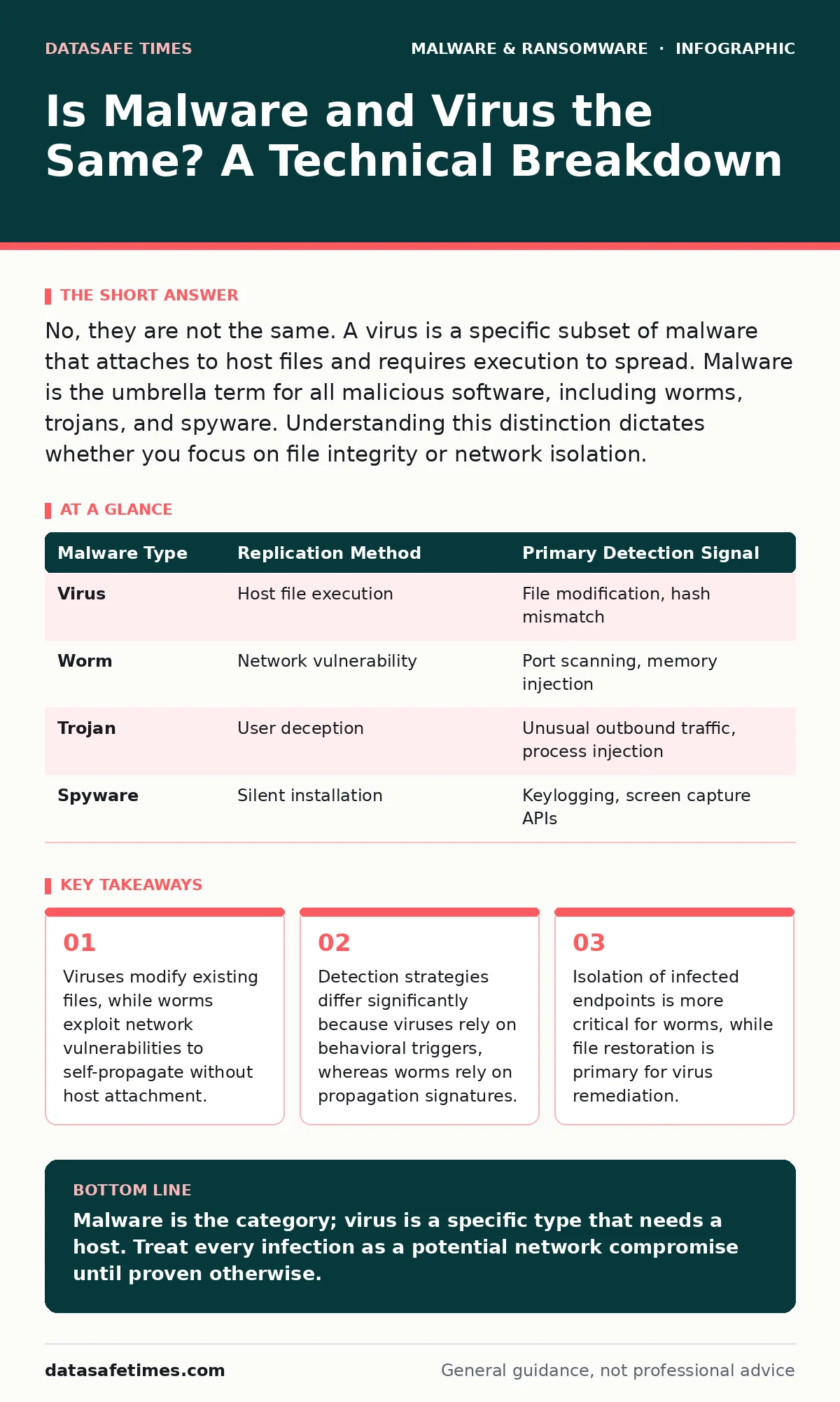
No, they are not the same. A virus is a specific subset of malware that attaches to host files and requires execution to spread. Malware is the umbrella term for all malicious software, including worms, trojans, and spyware. Understanding this distinction dictates whether you focus on file integrity or network isolation.
Is malware and virus the same?
Malware and virus are not the same. Malware is the broad category encompassing all malicious software, including viruses, worms, trojans, ransomware, and spyware. A virus is a specific type of malware that requires a host program to execute and replicate. When you ask if they are the same, you are asking if the category equals the item. The answer is no. This distinction matters because the remediation steps for a virus often differ from those for a worm or a remote access trojan.
What defines a computer virus?
A computer virus is code that inserts itself into other programs or documents. It remains dormant until the host file is executed by a user or the system. Once activated, the virus replicates by modifying other computer code, data, or documents. This replication relies on human interaction or scheduled system tasks that run the infected file. The virus does not have independent existence; it is a parasite. If the host file is deleted or never run, the virus does not spread. This dependency on execution is the defining characteristic that separates viruses from other malware types.
How do worms differ from viruses?
Worms are standalone programs that replicate across networks without needing a host file. They exploit vulnerabilities in operating systems or network services to move from one machine to another. Unlike viruses, worms do not require user interaction to spread. They scan for open ports and known vulnerabilities, then inject their code directly into memory. This autonomy allows worms to propagate exponentially faster than viruses. The hidden cost of a worm is network bandwidth saturation. The replication traffic can cripple internal communications before any payload executes.
Why do trojans hide in plain sight?
Trojans disguise themselves as legitimate software to trick users into installing them. They do not replicate like viruses or worms. Instead, they create backdoors for attackers to access the system. A trojan might appear as a useful utility or a game update. Once installed, it grants remote control to the attacker. The danger lies in the initial trust. Because trojans do not self-replicate, they do not trigger traditional signature-based alerts that look for rapid file copying. You must analyze the binary behavior, not just the file name. See our guide on remote access trojans for deeper analysis of backdoor mechanisms.
What happens when malware executes?
Execution triggers the payload, which is the actual malicious function. The payload varies by malware type. A virus might delete files or corrupt data. A trojan might install keyloggers. Ransomware encrypts data. The delivery method is separate from the payload. A single carrier file can contain multiple payloads. Understanding the payload helps you prioritize response. If the payload is data exfiltration, you must isolate the network. If the payload is encryption, you must focus on backup restoration. Refer to the section on malware payloads to understand common destructive functions.
See also: Malware Payloads: How Execution Works and What It Costs · XDR Best Practices: Aligning Data Sources for Real Threat Visibility
How do detection methods vary?
Detection methods depend on the malware behavior. Signature-based detection works well for known viruses because the code is consistent. It compares file hashes against a database of known bad files. However, this fails against polymorphic viruses that change their code structure. Behavioral detection monitors system calls and resource usage. It looks for anomalies like rapid file encryption or unexpected network connections. Behavioral analysis catches worms and trojans that do not match known signatures. It has a higher false-positive rate but provides broader coverage. Extended detection and response (XDR) platforms correlate these signals across endpoints and networks.
| Malware Type | Replication Method | Primary Detection Signal |
|---|---|---|
| Virus | Host file execution | File modification, hash mismatch |
| Worm | Network vulnerability | Port scanning, memory injection |
| Trojan | User deception | Unusual outbound traffic, process injection |
| Spyware | Silent installation | Keylogging, screen capture APIs |
What is the impact on recovery?
Recovery strategies must align with the infection type. For viruses, file restoration from backup is often sufficient if the backup was clean. You must verify the backup integrity before restoring. For worms, you must patch the vulnerability that allowed entry. Restoring files without patching leads to immediate reinfection. For trojans, you must assume the attacker has persistent access. Reimaging the system is often safer than cleaning it. This ties into your recovery point objective. If your backups are too old, you lose data. If they are too frequent, you might restore infected files. Balance frequency with verification.
How do you prevent future infections?
Prevention requires layered defenses. Update operating systems and applications to patch known vulnerabilities. This stops worms from exploiting unpatched holes. Use application whitelisting to allow only approved software to run. This stops trojans and viruses from executing unauthorized code. Segment networks to limit lateral movement. If a worm enters one segment, it cannot reach others. Educate users to recognize social engineering attempts. This reduces the risk of trojan installation. Implement disaster recovery plans that include regular testing. A plan on paper fails during a crisis. Test your backups and restoration procedures regularly.
What about fake security tools?
Fake antivirus software is a type of trojan. It claims to scan for malware but actually installs more malware. It displays fake alerts to scare users into paying for a useless license. These tools often disable real security software. They are designed to look like legitimate security products. The interface is polished, but the backend is malicious. Do not trust unsolicited security alerts. Verify the vendor through official channels. Check our guide on fake antivirus software to identify common scams and deceptive interfaces.
How does this affect business continuity?
Business continuity planning must account for different malware types. A virus outbreak might require mass file restoration. A worm outbreak might require network segmentation and patching. A trojan outbreak might require credential resets and access audits. Each scenario has different downtime implications. Your business continuity planning document should outline specific response teams for each type. Assign roles for technical remediation and communication. Define thresholds for declaring a disaster. Ensure that extended detection and response (XDR) logs are preserved for forensic analysis.
Key takeaways
- Viruses modify existing files, while worms exploit network vulnerabilities to self-propagate without host attachment.
- Detection strategies differ significantly because viruses rely on behavioral triggers, whereas worms rely on propagation signatures.
- Isolation of infected endpoints is more critical for worms, while file restoration is primary for virus remediation.
Malware is the category; virus is a specific type that needs a host. Treat every infection as a potential network compromise until proven otherwise.
Frequently asked questions
Can a single file be both a virus and a trojan?
Yes. A file can disguise itself as legitimate software (trojan) and contain code that replicates into other files (virus). This is known as a polymorphic trojan-virus hybrid.
Do antivirus programs detect all malware?
No. Traditional antivirus relies on signatures. It misses zero-day exploits, fileless malware, and heavily obfuscated code. Behavioral analysis and endpoint detection are needed for broader coverage.
Is removing the internet enough to stop a worm?
It stops new infections from external sources, but not internal spread. Worms can move across local networks. You must isolate the infected segment and patch the vulnerability.
How often should I update my malware definitions?
Continuously. Malware variants are created daily. Manual updates leave windows of vulnerability. Automated, real-time updates are necessary for signature-based protection.
How this guide was produced: written by the DataSafe Times editorial team with AI assistance, checked against the public references listed below, and reviewed when the facts change. See our editorial policy or report an error.