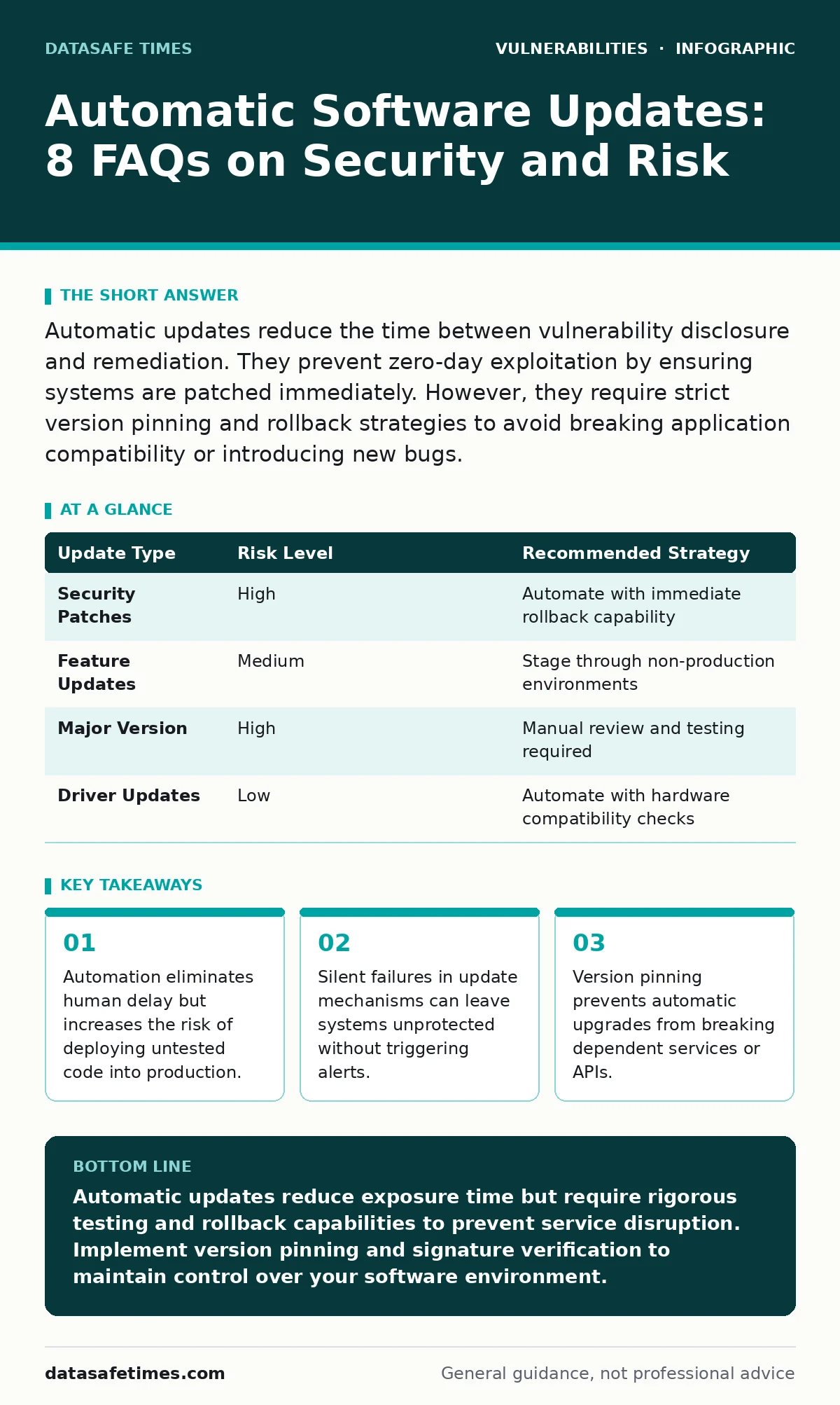
Automatic updates reduce the time between vulnerability disclosure and remediation. They prevent zero-day exploitation by ensuring systems are patched immediately. However, they require strict version pinning and rollback strategies to avoid breaking application compatibility or introducing new bugs.
Do automatic updates actually improve security posture?
Yes, they reduce the window of exposure between a vulnerability disclosure and its remediation. When a flaw is published, attackers often begin scanning for vulnerable systems within hours. Manual patching cycles typically take days or weeks, leaving a gap where exploitation is possible. Automation closes this gap by applying fixes as soon as they are available from the vendor.
However, speed is not the same as safety. An update applied blindly may contain a bug that crashes your service or opens a new attack vector. The security gain comes from consistency, not just speed. You must verify that the update process itself is secure and that the source of the update is authenticated.
Can automatic updates break my application?
They can, especially if the update changes behavior rather than just fixing a bug. Many applications depend on specific library versions or API structures. A major version update in a dependency might remove a function your code relies on. This is known as a breaking change.
Imagine your web server depends on a specific cryptographic library. An automatic update swaps in a newer version that deprecates an older algorithm your legacy clients still use. The server crashes or rejects valid connections. To prevent this, use version pinning to lock dependencies to specific minor versions. Allow only patch-level updates automatically.
What happens if an update fails silently?
Silent failure is the most dangerous outcome of automated patching. The system believes it is up to date, but the patch did not apply correctly due to permission errors, disk space issues, or conflicting processes. You remain vulnerable, but your monitoring tools report everything is healthy.
This creates a false sense of security. You might assume you are protected against a known exploit, but the underlying binary remains unchanged. Regular integrity checks and hash verification of critical binaries are necessary. Compare the installed version against the expected version in your configuration management database.
How do I handle updates for critical infrastructure?
Critical systems require a staged rollout rather than immediate global application. Apply updates to a non-production environment first. Monitor for errors, performance degradation, or unexpected behavior. Only after a stable period should the update propagate to production servers.
This approach balances speed with stability. It allows you to catch breaking changes before they affect users. For highly sensitive systems, consider manual approval gates for major version updates. Reserve full automation for minor security patches in non-critical services.
Do automatic updates protect against all vulnerabilities?
No, updates only fix known issues in the software code. They do not protect against misconfigurations, logical flaws, or social engineering attacks. A perfectly patched server can still be compromised if an administrator clicks a phishing link or if the application has an unvalidated input field.
Furthermore, some vulnerabilities exist in the update mechanism itself. If an attacker can intercept or spoof the update feed, they can push malicious code to your systems. This is why secure boot and code signing are vital. The update channel must be as secure as the software it delivers.
| Update Type | Risk Level | Recommended Strategy |
|---|---|---|
| Security Patches | High | Automate with immediate rollback capability |
| Feature Updates | Medium | Stage through non-production environments |
| Major Version | High | Manual review and testing required |
| Driver Updates | Low | Automate with hardware compatibility checks |
See also: TOCTOU Myths: Why Standard Fixes Fail in Concurrent Code · Exploitability vs Severity: Why High Scores Often Mislead Developers
What is the risk of supply chain attacks via updates?
The update pipeline is a trusted path that attackers target. If they compromise the build server or the distribution channel, they can insert malware into legitimate updates. This bypasses traditional endpoint security because the code appears to come from a trusted source.
To mitigate this, verify digital signatures for every package. Ensure that the private keys used for signing are stored in hardware security modules. Do not trust the network path alone. Implement a zero-trust model where every update is validated before execution, regardless of its source.
How does this relate to firmware vulnerabilities?
Firmware updates are often handled separately from operating system patches. Firmware controls the hardware initialization and low-level functions. If firmware is not updated, a vulnerability in the BIOS or UEFI can persist even after the OS is patched.
Automatic firmware updates are less common due to the high risk of bricking hardware. A failed firmware update can render a device unusable. Suppose a server motherboard receives a corrupted firmware image. It may fail to boot, requiring physical intervention. Test firmware updates in isolated labs before deploying them to production hardware.
Can I automate updates for open-source dependencies?
Yes, but you must manage the complexity of transitive dependencies. Open-source projects often depend on other libraries, which depend on others. Updating one package might trigger a cascade of updates across your entire dependency tree.
This can introduce unexpected conflicts or vulnerabilities from lower-level packages. Use tools that analyze the entire dependency graph. Pin major versions and allow automatic updates only for security patches within the same major version. This limits the scope of change while still addressing critical flaws.
Does automation help with compliance requirements?
It helps by providing an audit trail of when patches were applied. Compliance frameworks often require evidence that systems are kept up to date. Automated systems log every action, creating a verifiable record.
However, automation does not replace the need for policy. You must define which systems are exempt from automatic updates and why. Document these exceptions. Without clear policy, automation can lead to inconsistent states that fail audits.
How do I verify the integrity of an update?
Use cryptographic hashes and digital signatures. Before applying an update, the system should calculate the hash of the downloaded file and compare it to the expected hash provided by the vendor. If they do not match, the update is rejected.
Digital signatures go a step further by proving the identity of the signer. This ensures that the update came from the legitimate vendor and was not altered in transit. Implement strict validation rules that prevent unsigned or mismatched packages from being installed.
Key takeaways
- Automation eliminates human delay but increases the risk of deploying untested code into production.
- Silent failures in update mechanisms can leave systems unprotected without triggering alerts.
- Version pinning prevents automatic upgrades from breaking dependent services or APIs.
Automatic updates reduce exposure time but require rigorous testing and rollback capabilities to prevent service disruption. Implement version pinning and signature verification to maintain control over your software environment.
Frequently asked questions
Should I turn off automatic updates for production servers?
Do not turn them off entirely. Instead, configure them to download updates but require manual approval or a staged rollout. This balances security with stability.
How do I handle updates for legacy systems?
Isolate legacy systems from the network. If updates are unavailable, use application-level controls to mitigate risks. Consider replacing the system if it cannot be secured.
Can automatic updates cause downtime?
They can if the update requires a reboot or breaks compatibility. Schedule updates during maintenance windows and test them in non-production environments first.
What is the difference between patching and upgrading?
Patching fixes specific vulnerabilities or bugs without changing major functionality. Upgrading introduces new features and potentially breaking changes. Automate patches; test upgrades.
How this guide was produced: written by the DataSafe Times editorial team with AI assistance, checked against the public references listed below, and reviewed when the facts change. See our editorial policy or report an error.