
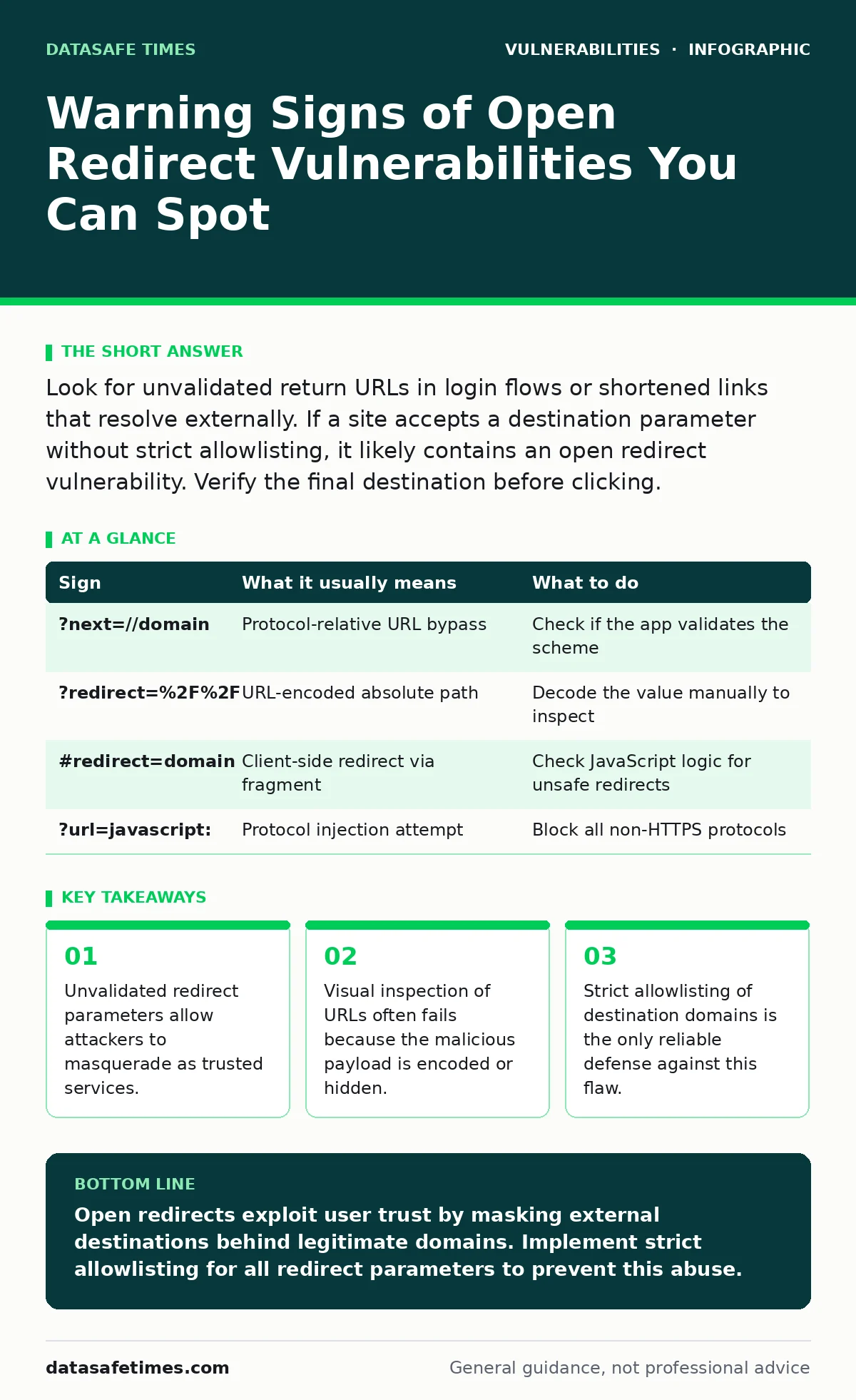
Look for unvalidated return URLs in login flows or shortened links that resolve externally. If a site accepts a destination parameter without strict allowlisting, it likely contains an open redirect vulnerability. Verify the final destination before clicking.
The Visible Parameter Trap
The first sign of an open redirect is often a URL parameter that explicitly dictates where the browser should go next. You see this in login pages, single sign-on flows, or OAuth callbacks. The parameter might be named return, next, redirect, url, or dest. If you change the value of that parameter to an external domain and the browser obeys, the application is vulnerable.
This behavior is not inherently malicious. Applications use these parameters to send users back to the page they were viewing before authentication. The problem arises when the application trusts the user-supplied value without verification. It assumes the destination is safe because it originated from a request to the application itself.
The Encoded Deception
Attackers rarely use plain text for the malicious destination. They encode the URL to bypass basic input filters. You might see a string like %2F%2F or \/\/ in the parameter value. These sequences represent // in standard URL encoding. When the browser decodes the string, it interprets the result as an absolute URL pointing to an external site.
Suppose a login page accepts ?next=/dashboard. An attacker changes it to ?next=//evil.com. The application sees a value starting with a slash and assumes it is a relative path. The browser, however, sees //evil.com and treats it as a protocol-relative URL. You land on the attacker's site, but the address bar still shows the legitimate domain until the redirect completes. This split-second confusion is enough to trick many users.
The Fragment Obfuscation
A harder sign to spot involves the URL fragment, also known as the hash. This is the part of the URL after the # symbol. Browsers do not send the fragment to the server. It stays client-side. Some applications use the fragment to determine the redirect target on the client side using JavaScript.
If the application reads the fragment and performs a window location change, it creates an open redirect that server-side scans might miss. The server never sees the malicious destination. It only sees the initial page load. The redirect happens entirely in the browser. You might see a URL like login.com/#redirect=evil.com. This looks like a standard anchor link, but it executes a full page navigation to an external host.
The Double Decode Risk
Some applications decode input twice before using it. This creates a secondary channel for injection. You might see a parameter value that looks like gibberish or a double-encoded string. For example, %252F%252F decodes once to %2F%2F, and then decodes again to //.
This edge case often slips past simple validation logic. The application checks the first decoded value, sees it is safe, and then decodes it again before redirecting. The second decode reveals the malicious payload. This is a classic case where the usual advice to "validate input" fails because the validation happens at the wrong stage of processing.
The Protocol Bypass
Attackers also use obscure protocols to bypass filters that block http and https. You might see javascript:, data:, or ftp: in the redirect parameter. These protocols allow the browser to execute code or load data from a string. While modern browsers have tightened restrictions on these, older applications or specific browser configurations might still allow them.
If you see a redirect parameter containing a colon followed by a protocol name, treat it as suspicious. The application should only allow https or relative paths. Any other protocol is a red flag. This is particularly relevant in internal tools that might not have the latest browser security patches.
See also: Botnet Attack Myths Debunked: What Operators Actually Do · Private Browsing Mode: What It Actually Hides and What It Keeps
Mitigation Through Allowlisting
When you identify a potential open redirect, the immediate action is to verify the behavior. Do not click the link. Instead, examine the URL structure. If you are a developer, you must implement strict allowlisting. This means maintaining a list of approved domains and paths. The application should only redirect to destinations on this list.
Reject any redirect attempt that does not match an allowed entry. Do not rely on blacklisting, which tries to block known bad patterns. Blacklists are always incomplete. Attackers will find new encoding schemes or protocols to bypass them. Allowlisting is tedious but effective. It forces you to think about every possible destination.
| Sign | What it usually means | What to do |
|---|---|---|
?next=//domain | Protocol-relative URL bypass | Check if the app validates the scheme |
?redirect=%2F%2F | URL-encoded absolute path | Decode the value manually to inspect |
#redirect=domain | Client-side redirect via fragment | Check JavaScript logic for unsafe redirects |
?url=javascript: | Protocol injection attempt | Block all non-HTTPS protocols |
The Phishing Vector
The real danger of an open redirect is not the redirect itself. It is the trust it exploits. Users see the legitimate domain in the address bar during the initial request. They assume the subsequent page is also safe. This allows attackers to host phishing pages on external domains while leveraging the trusted domain's reputation.
This technique is often combined with session fixation attacks. The attacker tricks the user into logging in on the phishing site, which then captures the session token. The open redirect is the bridge that makes the phishing attempt credible. Without the redirect, the user would see a completely different domain and likely abort the login.
Validation Layers
To secure your application, you need multiple layers of validation. First, validate the input on the server. Check that the destination is relative or matches an allowed list. Second, validate on the client. Ensure that JavaScript redirects only go to approved locations. Third, monitor for anomalies. Look for redirects to unusual domains or with high entropy in the parameter values.
These measures do not guarantee complete protection. Attackers are creative. But they significantly raise the cost of exploitation. They force the attacker to find a new vector rather than reusing a known pattern. This is the core principle of defense in depth. You assume that one layer will fail, so you add another.
Key takeaways
- Unvalidated redirect parameters allow attackers to masquerade as trusted services.
- Visual inspection of URLs often fails because the malicious payload is encoded or hidden.
- Strict allowlisting of destination domains is the only reliable defense against this flaw.
Open redirects exploit user trust by masking external destinations behind legitimate domains. Implement strict allowlisting for all redirect parameters to prevent this abuse.
Frequently asked questions
How do I test for open redirects?
Use penetration testing tools to fuzz redirect parameters with various encoding schemes and protocols. Verify if the application redirects to external domains.
Are open redirects always dangerous?
No, but they are often used in phishing campaigns. The risk depends on the context and the sensitivity of the application.
Can browser extensions fix open redirects?
Extensions can warn users about suspicious redirects, but they cannot fix the underlying vulnerability in the application code.
Is this related to XML external entity (XXE) attacks?
No, XXE attacks target XML parsers, while open redirects target URL handling logic. Both are input validation issues, but they affect different components.
How this guide was produced: written by the DataSafe Times editorial team with AI assistance, checked against the public references listed below, and reviewed when the facts change. See our editorial policy or report an error.