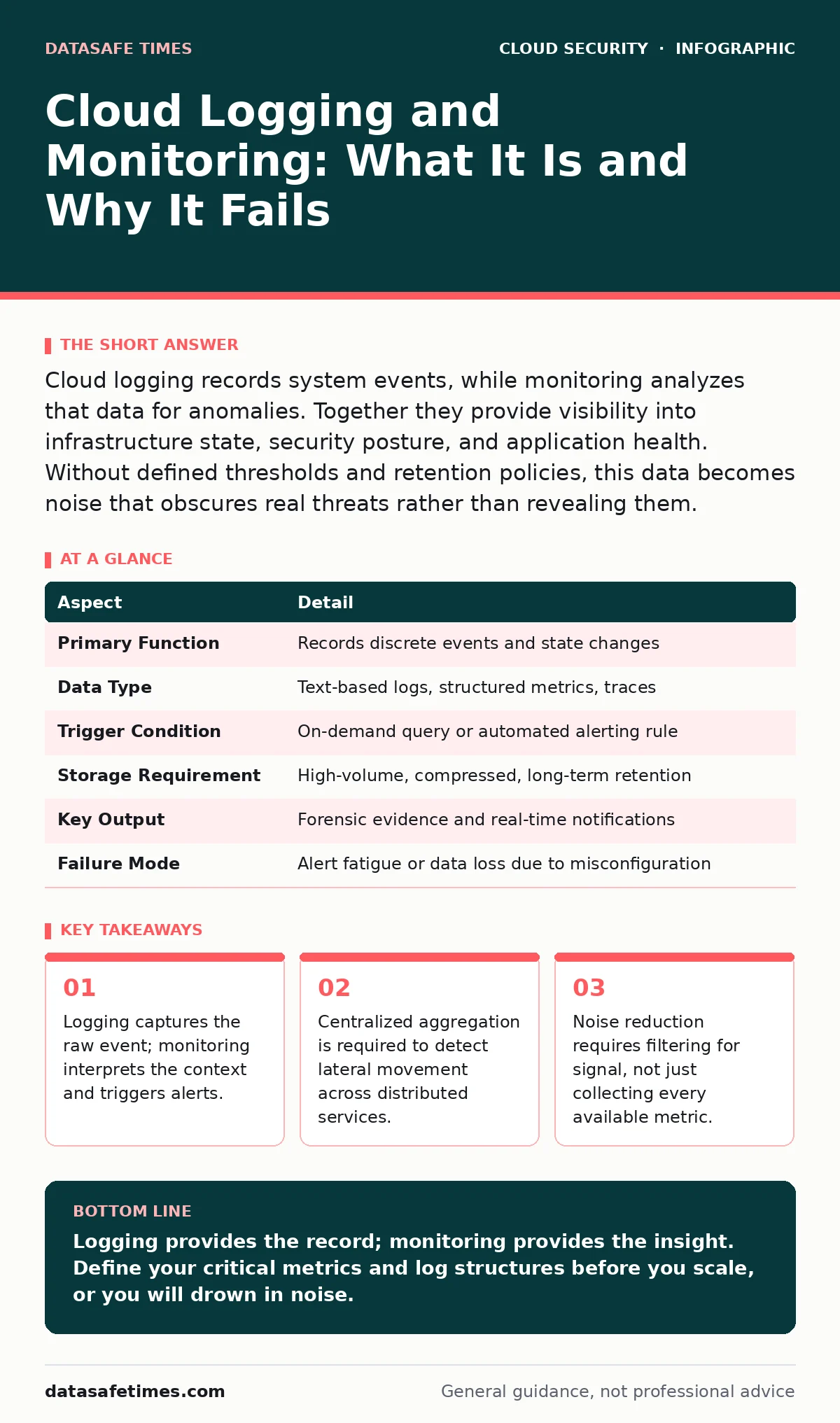
Cloud logging records system events, while monitoring analyzes that data for anomalies. Together they provide visibility into infrastructure state, security posture, and application health. Without defined thresholds and retention policies, this data becomes noise that obscures real threats rather than revealing them.
The Library of Every Action
Imagine a library where every movement of every book is recorded on a slip of paper. A patron checks out a novel, returns it, and shoves a magazine into the wrong slot. The slips pile up in a room at the back. This room is your log server. The librarian who reads the slips to find the missing magazine is your monitoring system.
In cloud environments, the library is vast and distributed. Servers spin up and down in seconds. Containers restart without warning. If you do not have a system to collect these slips and a process to read them, you are flying blind. You cannot see what is happening, only that something has changed.
Defining the Mechanism
Cloud logging is the automated recording of events generated by infrastructure, applications, and users. These events are discrete data points. A successful login is one event. A failed database query is another. Logging answers the question of what happened.
Cloud monitoring is the continuous observation of system metrics and log streams to detect deviations from expected behavior. It answers the question of whether things are working correctly. Monitoring tools ingest logs and metrics, apply rules or machine learning models, and generate alerts when thresholds are crossed.
The distinction matters because logging without monitoring is a graveyard of data. Monitoring without logging provides context without detail. You need both to reconstruct an incident or optimize performance.
| Aspect | Detail |
|---|---|
| Primary Function | Records discrete events and state changes |
| Data Type | Text-based logs, structured metrics, traces |
| Trigger Condition | On-demand query or automated alerting rule |
| Storage Requirement | High-volume, compressed, long-term retention |
| Key Output | Forensic evidence and real-time notifications |
| Failure Mode | Alert fatigue or data loss due to misconfiguration |
The Problem of Invisible Failure
In a traditional data center, a server goes down, and a light turns red. In the cloud, a service might degrade silently. A database connection pool might exhaust itself, causing requests to hang rather than fail. A configuration change might allow an attacker to read sensitive data without triggering a traditional firewall alarm.
This invisibility is the core problem. Cloud infrastructure is ephemeral. Resources are created and destroyed automatically. If you do not log the creation and destruction of these resources, you lose the audit trail. You cannot prove who created a resource, when, or why it was deleted.
This gap creates a blind spot for security and operations. You may know that a service is slow, but you will not know why. You may know that data was accessed, but you will not know by whom. Logging and monitoring close this gap by providing a persistent record of transient events.
The Three Pillars of Observability
Effective cloud monitoring relies on three distinct data types. Logs are the first. They are discrete records of events. They provide the narrative of what happened.
Metrics are the second. They are numerical values measured over time, such as CPU usage or request latency. Metrics provide the trend. They show you how the system is performing relative to its baseline.
Traces are the third. They track a single request as it flows through multiple services. Traces provide the path. They show you which service caused a delay or error.
Most teams focus heavily on logs and metrics but neglect traces. This is a mistake. In a microservices architecture, a failure in one service can cascade through others. Without traces, you spend hours correlating logs from different services to find the root cause. Traces give you the map of the request flow immediately.
Where It Fits in Defense
Logging and monitoring are not a perimeter defense. They do not stop an attack. They detect it and help you respond. They fit into the broader security architecture as the detection layer.
Firewalls and identity providers prevent unauthorized access. Logging and monitoring tell you when those controls fail. They are the sensors that feed into your incident response process. Without them, your incident response is reactive and slow. With them, it can be proactive and targeted.
This layer works in tandem with other controls. For example, cloud audit logs provide a high-level view of administrative actions, while application logs provide granular detail of user actions. You need both to understand the full scope of an event.
See also: Insider Threat Mistakes That Expose Your Data and How to Fix Them · Immutable Infrastructure: Definition, Mechanics, and Common Pitfalls
What People Usually Get Wrong
The most common mistake is collecting everything. Teams assume that more data is better. They enable verbose logging for every service, every container, and every database. This creates a massive volume of noise. The cost of storage and processing increases linearly with the volume of data.
The second mistake is alerting on everything. Teams set up alerts for every minor anomaly. Soon, they receive hundreds of alerts a day. They begin to ignore them. This is alert fatigue. When a real incident occurs, it gets lost in the noise.
The third mistake is assuming logs are secure. Logs often contain sensitive information, such as user identifiers or partial credentials. If you do not encrypt logs at rest and in transit, or if you do not restrict access to them, you create a new attack surface. An attacker who gains access to your logging system can see the history of your entire environment.
The Hidden Cost of Context
Logs are useless without context. A log entry that says "Error 500" tells you nothing. A log entry that says "Error 500 on payment-service for user-id 12345 due to timeout on database-connection-pool" tells you everything.
The hidden cost of logging is the effort required to structure this context. You must define what fields are important. You must ensure that every service logs these fields consistently. If one service logs user IDs as integers and another logs them as strings, you cannot correlate events across services.
This requires discipline and standardization. You must define a logging schema that all teams follow. You must enforce this schema through code reviews or automated checks. Without this consistency, your monitoring system cannot aggregate data effectively. You end up with silos of data that you cannot join.
Integrating With Other Controls
Logging and monitoring do not exist in a vacuum. They must integrate with other security controls to be effective. For instance, MFA for cloud accounts generates logs that indicate successful and failed authentications. Monitoring these logs can detect brute-force attacks or compromised credentials.
Similarly, access key rotation is a process that generates events. If you do not log these events, you cannot verify that keys are being rotated as required. You may have stale keys that are no longer secure.
For teams using containers, Kubernetes network policies define traffic flow. Logging and monitoring can verify that these policies are working as intended. If you see traffic that should be blocked, your policies are misconfigured.
Finally, secrets managers provide a central place for sensitive data. Logging access to these managers is critical. You need to know who is accessing secrets and when. This helps you detect insider threats or compromised service accounts.
Key takeaways
- Logging captures the raw event; monitoring interprets the context and triggers alerts.
- Centralized aggregation is required to detect lateral movement across distributed services.
- Noise reduction requires filtering for signal, not just collecting every available metric.
Logging provides the record; monitoring provides the insight. Define your critical metrics and log structures before you scale, or you will drown in noise.
Frequently asked questions
Do I need separate tools for logging and monitoring?
Not necessarily. Many modern platforms combine both functions, allowing you to query logs and visualize metrics in a single interface. However, ensure the tool can handle high-volume ingestion without significant latency.
How long should I keep my logs?
Retention depends on your compliance requirements and investigative needs. Short-term retention (weeks) is sufficient for operational debugging. Long-term retention (years) is required for forensic analysis and legal compliance.
Can monitoring replace manual security reviews?
No. Monitoring detects anomalies based on predefined rules or models. It cannot understand intent or complex logic flaws. Manual reviews are still necessary to validate configurations and code quality.
What is the difference between cloud audit logs and application logs?
Cloud audit logs record administrative actions on the cloud platform itself, such as creating a user or changing a security group. Application logs record events generated by your software, such as user logins or transaction errors.
How this guide was produced: written by the DataSafe Times editorial team with AI assistance, checked against the public references listed below, and reviewed when the facts change. See our editorial policy or report an error.