
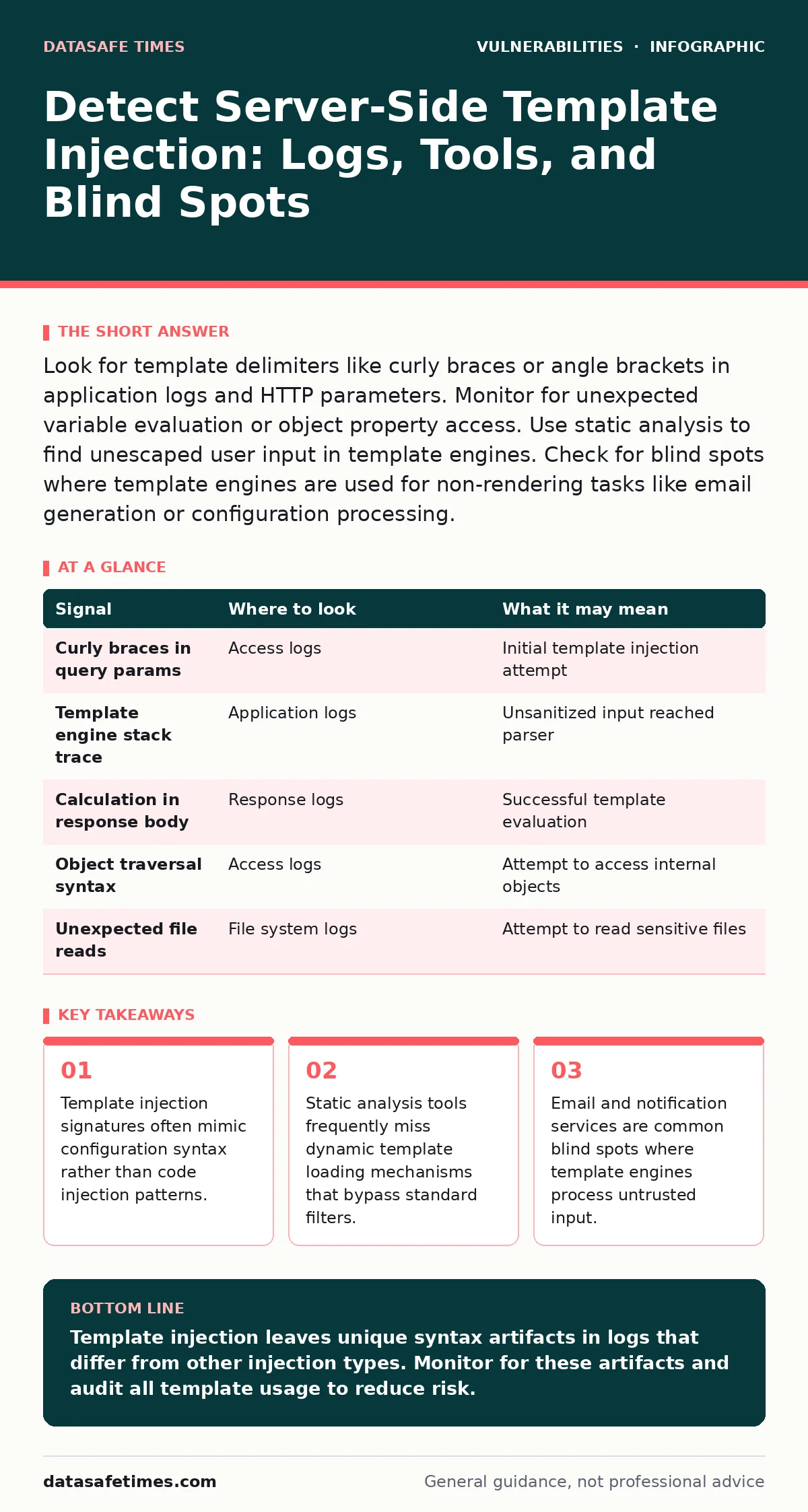
Look for template delimiters like curly braces or angle brackets in application logs and HTTP parameters. Monitor for unexpected variable evaluation or object property access. Use static analysis to find unescaped user input in template engines. Check for blind spots where template engines are used for non-rendering tasks like email generation or configuration processing.
Identifying Template Syntax in Access Logs
Server-side template injection (SSTI) occurs when user input is interpreted as part of a template engine’s syntax. The first sign of this vulnerability appears in access logs. You will see requests containing specific delimiters that template engines use to separate logic from content. These characters are not typical in standard web requests. A request containing {{77}} or ${77} suggests an attacker is testing for template evaluation. The presence of these patterns in query parameters or headers indicates the application may be passing raw input to a template parser. This behavior differs from SQL injection, which relies on quotes and semicolons. It also differs from cross-site scripting, which focuses on script tags. Template injection seeks to execute logic within the rendering engine. You should flag any request containing these delimiters for further review. The specific delimiter depends on the template engine in use. Jinja2 uses double curly braces. Twig uses similar syntax. Mustache uses double curly braces. Velocity uses dollar signs and parentheses. Identifying the engine helps narrow the scope of the investigation.
Analyzing Application Logs for Evaluation Errors
Application logs reveal whether the template engine actually executed the injected code. When a template engine encounters unexpected syntax, it often throws an exception. These exceptions contain stack traces that reference the template engine’s internal classes. Look for errors mentioning "template", "render", "compile", or "parse" in the stack trace. The error message may also include the raw user input that caused the failure. This confirms that the input reached the template engine. If the input is sanitized before reaching the engine, no error will occur. However, a successful injection might not produce an error at all. In that case, look for unexpected output in the response logs. If the response contains the result of a calculation, such as 49 for {{7*7}}, the injection was successful. This confirms the server is evaluating user-controlled logic. You must correlate access logs with application logs to confirm the chain of events. The access log shows the request. The application log shows the processing. The response log shows the outcome. This triad provides definitive proof of SSTI.
Detecting Object Property Access Attempts
Advanced attackers move beyond simple calculations. They attempt to access internal objects and properties. This technique is known as object property access. Attackers use template syntax to traverse the object graph of the application. They might try to access a configuration object or a database connection. Look for patterns like ().__class__.__base__ or .getenv(). These patterns indicate an attempt to escalate from template evaluation to arbitrary code execution. The application logs will show errors related to attribute access or method invocation. The error messages will mention the specific class or method that was accessed. This provides insight into the application’s internal structure. You can use this information to understand the attack surface. The presence of these patterns in logs is a high-severity indicator. It suggests the attacker has moved past detection and is exploring the environment. You should treat this as an active compromise. Immediate investigation is required to determine the extent of the access.
Utilizing Static Analysis for Detection
Static analysis tools can identify potential SSTI vulnerabilities in source code. These tools scan the codebase for unsafe template rendering functions. They look for places where user input is passed directly to the template engine. The tools flag these instances as potential vulnerabilities. However, static analysis has limitations. It may miss dynamic template loading mechanisms. It may also miss vulnerabilities where the template engine is used indirectly.
For example, a library might render a template internally. The static analysis tool may not detect this usage. You should combine static analysis with manual code review. Manual review allows you to understand the context of the template usage. You can identify cases where the static analysis tool missed the risk. This combination provides a more thorough assessment of the codebase. You should also check for vulnerable third-party libraries that might introduce template rendering risks.
| Signal | Where to look | What it may mean |
|---|---|---|
| Curly braces in query params | Access logs | Initial template injection attempt |
| Template engine stack trace | Application logs | Unsanitized input reached parser |
| Calculation in response body | Response logs | Successful template evaluation |
| Object traversal syntax | Access logs | Attempt to access internal objects |
| Unexpected file reads | File system logs | Attempt to read sensitive files |
Identifying Blind Spots in Template Usage
Not all template usage is obvious. Developers often use template engines for tasks other than rendering web pages. Email generation is a common use case. Configuration files are another. Notification messages are also common. These areas are often overlooked in security reviews. Attackers know this and target these blind spots. An attacker might inject code into an email template. The code executes when the email is generated. This can lead to data exfiltration or remote code execution.
You should audit all template usage in the application. This includes email templates, PDF generation, and configuration files. Look for places where user input influences these templates. Even if the input is not directly rendered, it might affect the logic. For example, a user’s name might be used in a greeting. If the name is not sanitized, it could contain template syntax. This syntax could be executed when the template is rendered. You must treat all template rendering as a potential risk. Do not assume that non-web templates are safe.
See also: Insider Threat Mistakes That Expose Your Data and How to Fix Them · Cloud Logging and Monitoring: What It Is and Why It Fails
Correlating with Related Vulnerabilities
SSTI often co-occurs with other vulnerabilities. Understanding these relationships helps in detection. For example, path traversal vulnerabilities can be combined with SSTI. An attacker might use path traversal to read a template file. They can then modify the template to include malicious code. This code executes when the template is rendered. This combination increases the severity of the attack. You should monitor for both path traversal and SSTI indicators.
Another related vulnerability is XML external entity (XXE) attacks. Both vulnerabilities involve processing untrusted data. The detection strategies are similar. You should look for unexpected data processing in logs. Parameterized queries are not relevant to SSTI. They protect against SQL injection, not template injection. You should not rely on parameterized queries to mitigate SSTI. Instead, focus on input validation and output encoding. This ensures that user input is not interpreted as template syntax.
Implementing Continuous Monitoring
Detection is not a one-time activity. You must implement continuous monitoring. This involves setting up alerts for template injection indicators. You should monitor access logs, application logs, and response logs. The alerts should trigger on the presence of template delimiters. They should also trigger on template engine errors. This ensures that you catch both failed and successful attempts. You should also monitor for changes in the codebase. New template usage might introduce new risks.
You should review these changes for security implications. This includes reviewing pull requests and code commits. You should also monitor for new vulnerabilities in template engines. These vulnerabilities might allow bypassing existing protections. You should apply patches promptly. This reduces the risk of exploitation. Continuous monitoring helps you stay ahead of attackers. It ensures that you detect SSTI attempts early. This allows you to respond quickly and mitigate the risk.
Key takeaways
- Template injection signatures often mimic configuration syntax rather than code injection patterns.
- Static analysis tools frequently miss dynamic template loading mechanisms that bypass standard filters.
- Email and notification services are common blind spots where template engines process untrusted input.
Template injection leaves unique syntax artifacts in logs that differ from other injection types. Monitor for these artifacts and audit all template usage to reduce risk.
Frequently asked questions
How do I distinguish SSTI from cross-site scripting in logs?
SSTI uses template delimiters like curly braces, while XSS uses HTML tags and script elements. The presence of template syntax indicates SSTI.
Can static analysis tools detect all SSTI vulnerabilities?
No, static analysis tools may miss dynamic template loading and indirect template usage. Manual code review is necessary to complement static analysis.
What is the most common blind spot for SSTI?
Email and notification templates are common blind spots. They are often overlooked in security reviews and may lack proper input validation.
How do I prevent SSTI in template engines?
Use sandboxed environments for template rendering. Validate and sanitize all user input before passing it to the template engine. Avoid passing user input to template engines whenever possible.
How this guide was produced: written by the DataSafe Times editorial team with AI assistance, checked against the public references listed below, and reviewed when the facts change. See our editorial policy or report an error.