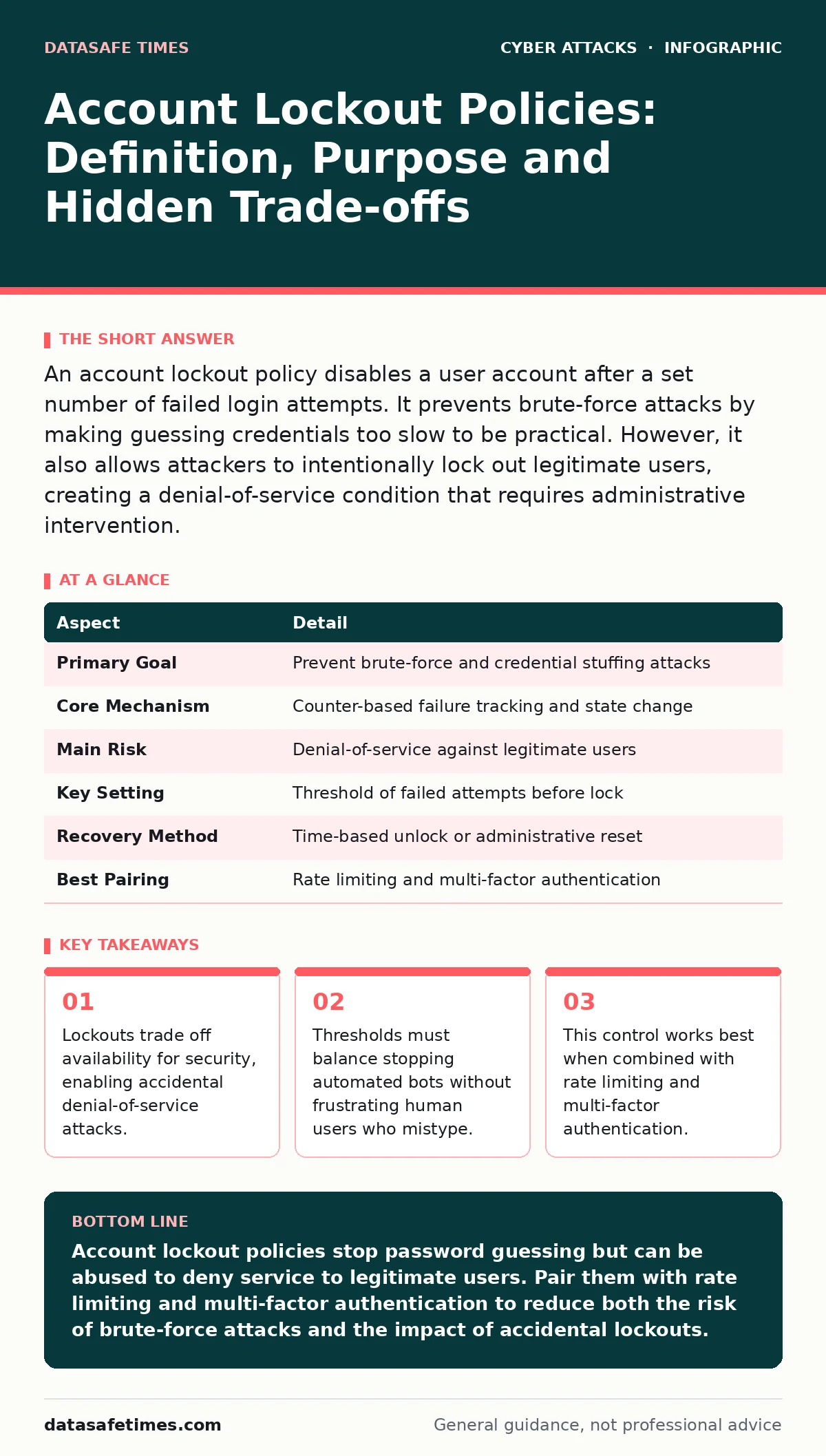
An account lockout policy disables a user account after a set number of failed login attempts. It prevents brute-force attacks by making guessing credentials too slow to be practical. However, it also allows attackers to intentionally lock out legitimate users, creating a denial-of-service condition that requires administrative intervention.
The Gatekeeper’s Dilemma
Imagine a physical door with a lock that jams after three wrong keys. The intruder cannot try more keys quickly. But if someone knows your schedule, they can try three wrong keys every morning. You arrive, turn your key, and the door remains locked. You are locked out by design, not by force.
Account lockout policies operate on this same mechanical principle. They are a control within identity and access management systems. The system counts consecutive failed authentication attempts. When the count reaches a predefined threshold, the account enters a locked state.
This state prevents further login attempts for a specified duration or until an administrator resets it. The purpose is to raise the cost of guessing passwords. It turns a rapid automated attack into a slow, noisy process.
At a Glance
| Aspect | Detail |
|---|---|
| Primary Goal | Prevent brute-force and credential stuffing attacks |
| Core Mechanism | Counter-based failure tracking and state change |
| Main Risk | Denial-of-service against legitimate users |
| Key Setting | Threshold of failed attempts before lock |
| Recovery Method | Time-based unlock or administrative reset |
| Best Pairing | Rate limiting and multi-factor authentication |
How the Mechanism Works
The system maintains a counter for each user account. Every time a login attempt fails, the counter increments. If the user logs in successfully, the counter resets to zero. This reset is critical. It distinguishes between a user who is struggling to remember a password and an attacker who is systematically trying thousands of combinations.
Most systems use a sliding window or a fixed time period. In a fixed window, the counter resets after a specific time, even if there were no successful logins. In a sliding window, the counter only resets on success. The choice affects how quickly an attacker can resume guessing after a lockout.
When the counter hits the threshold, the account status changes. The system rejects all subsequent password checks for that account. It may return a generic error message to avoid confirming that the account exists or is locked. This ambiguity helps prevent account enumeration, where attackers map valid usernames.
The Denial-of-Service Trap
The most significant flaw in lockout policies is that they are easy to trigger. An attacker does not need to guess the correct password. They only need to guess it incorrectly enough times. This allows for a targeted denial-of-service attack against specific individuals.
Suppose a high-profile executive is in a critical negotiation. An attacker sends automated requests with incorrect passwords for that executive’s account. After three failures, the account locks. The executive cannot access email or internal tools. The attacker has not gained access, but they have disrupted operations.
This risk is higher for privileged accounts. Locking out a system administrator can halt incident response. It can prevent the deployment of patches or the containment of a breach. Therefore, administrative accounts often require different policies. Some organizations disable automatic lockouts for admins, relying instead on other controls.
Balancing Thresholds and Durations
Choosing the right settings involves a trade-off. A low threshold, such as three attempts, provides strong protection against brute-force attacks. However, it increases the likelihood of locking out legitimate users who make typos. A high threshold, such as ten attempts, is more user-friendly but gives attackers more chances to guess weak passwords.
The lockout duration also matters. A short duration, like five minutes, allows users to regain access quickly. But it allows attackers to resume guessing after a brief pause. A long duration, like thirty minutes, slows attackers down significantly. It also causes more frustration for locked-out users.
Many organizations use a tiered approach. Regular users might have a moderate threshold. Privileged users might have a higher threshold or require multi-factor authentication before a lockout occurs. This reduces the impact of accidental lockouts on critical roles.
See also: Insider Threat Mistakes That Expose Your Data and How to Fix Them · Role Based Access Control vs ACL: The Structural Difference
Integration with Other Defences
Lockout policies do not work in isolation. They are one layer in a broader defence strategy. Relying solely on lockouts leaves gaps. For example, if an attacker has already stolen valid credentials, lockouts do not help. The attacker logs in successfully, resetting the failure counter.
This is where multi-factor authentication becomes relevant. Even if an attacker guesses the password, they cannot complete the login without the second factor. This reduces the effectiveness of brute-force attacks. It also makes lockouts less necessary, as the cost of guessing increases dramatically.
You should also consider rate limiting. This control limits the number of requests an IP address can send to the login endpoint. It stops attackers from trying many passwords from a single source. It complements lockouts by protecting the system infrastructure from high-volume traffic.
Another related concept is MFA fatigue attacks. Attackers may send repeated push notifications to a user’s device, hoping they approve one by mistake. While different from password guessing, it highlights the need for user-aware controls. Lockouts protect the password, but not the user’s willingness to click.
Common Misconfigurations
Many organizations configure lockout policies incorrectly. A common mistake is applying the same policy to all accounts. This fails to account for the different risks associated with regular users and administrators. Another mistake is ignoring the reset condition. If the counter does not reset on success, a single typo can lead to a permanent lockout.
Some systems allow lockouts to be bypassed by changing the password. This creates a race condition. An attacker can lock out a user, then wait for them to request a password reset. If the reset process is weak, the attacker can take over the account. This turns a denial-of-service into a full compromise.
Another issue is the lack of monitoring. Lockout events should generate alerts. A sudden spike in lockouts indicates an active attack. Without monitoring, administrators may not realize the extent of the problem. They might manually unlock accounts, inadvertently helping the attacker.
Beyond Passwords
Account lockout policies are primarily a password control. They do not protect against other types of attacks. For instance, they do not prevent session cookie theft. If an attacker steals a valid session token, they can access the account without triggering a login failure.
They also do not stop callback phishing. In this attack, the attacker calls the help desk, pretending to be the user. The help desk resets the password, bypassing the lockout entirely. The attacker then logs in with the new password. The lockout policy is irrelevant because the attacker never guessed the old password.
To address these gaps, you need a holistic approach. This includes monitoring for anomalous login locations, enforcing strong password complexity, and educating users on social engineering. Lockouts are a useful tool, but they are not a silver bullet. They are best used as part of a layered defence.
Key takeaways
- Lockouts trade off availability for security, enabling accidental denial-of-service attacks.
- Thresholds must balance stopping automated bots without frustrating human users who mistype.
- This control works best when combined with rate limiting and multi-factor authentication.
- Administrative accounts require separate, stricter policies to prevent total system lockout.
Account lockout policies stop password guessing but can be abused to deny service to legitimate users. Pair them with rate limiting and multi-factor authentication to reduce both the risk of brute-force attacks and the impact of accidental lockouts.
Frequently asked questions
Does an account lockout protect against stolen passwords?
No, lockouts only trigger on failed attempts. If an attacker has a valid password, they can log in successfully, resetting the failure counter and bypassing the lockout.
Should I lock out accounts immediately after one failed attempt?
No, a single failure is too common. Users frequently mistype passwords. A threshold of three to five attempts is typical to balance security with usability.
How do I unlock a locked account?
Most systems automatically unlock accounts after a set time. Alternatively, an administrator can manually reset the lock status or the password, depending on the system configuration.
Can attackers use lockouts to hide their activity?
Yes, by locking out legitimate users, attackers can reduce the chance of detection. Fewer active users mean fewer people who might notice unauthorized access or changes.
How this guide was produced: written by the DataSafe Times editorial team with AI assistance, checked against the public references listed below, and reviewed when the facts change. See our editorial policy or report an error.