
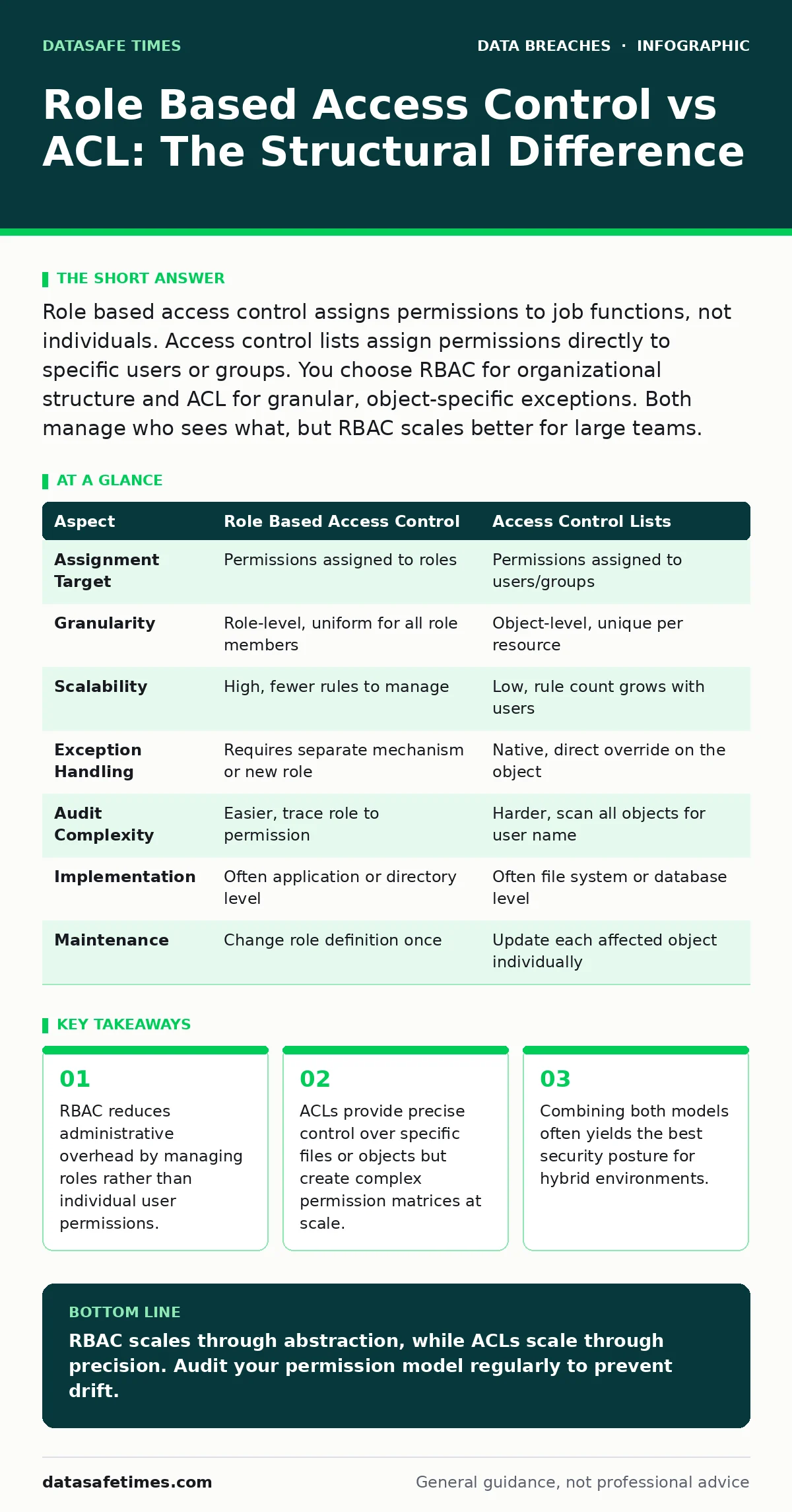
Role based access control assigns permissions to job functions, not individuals. Access control lists assign permissions directly to specific users or groups. You choose RBAC for organizational structure and ACL for granular, object-specific exceptions. Both manage who sees what, but RBAC scales better for large teams.
Role Based Access Control vs ACL Core Distinction
The fundamental difference between role based access control vs acl lies in the assignment target. RBAC ties permissions to a role, such as "Editor" or "Auditor." Users inherit those permissions by assuming the role. ACLs tie permissions directly to the user or group name on a specific object. Imagine a file cabinet. RBAC labels the drawer "Finance Only." Any finance employee opens it. ACL puts a lock on the drawer with keys labeled "Alice" and "Bob." If Carol joins finance, you must cut a new key for her and add it to the lock. RBAC changes the label; ACL changes the lock.
How RBAC Manages Identity Separation
Role based access control operates on the principle of least privilege by abstracting identity. You define a role, assign permissions to that role, and assign the role to users. This separation creates a layer of indirection. When an employee changes departments, you remove the old role and assign the new one. You do not touch the individual file permissions. This model shines in organizations with clear job hierarchies. It prevents permission creep because users only hold the rights their current role requires. The administrative burden shifts from managing thousands of user-object pairs to managing hundreds of role-permission pairs.
How ACLs Bind Rights to Objects
Access control lists are attached directly to the resource being protected. Each file, folder, or database record carries its own list of who can read, write, or execute it. ACLs are inherent to most operating systems. They allow for fine-grained exceptions. Suppose the HR role generally cannot access engineering code. An ACL allows you to grant one specific HR analyst read-only access to a single compliance script without changing the HR role definition. This precision comes at a cost. As the number of users and objects grows, the ACLs become difficult to audit. You cannot easily see all permissions a user holds across the system by looking at the user object.
Structural Comparison of Control Models
| Aspect | Role Based Access Control | Access Control Lists |
|---|---|---|
| Assignment Target | Permissions assigned to roles | Permissions assigned to users/groups |
| Granularity | Role-level, uniform for all role members | Object-level, unique per resource |
| Scalability | High, fewer rules to manage | Low, rule count grows with users |
| Exception Handling | Requires separate mechanism or new role | Native, direct override on the object |
| Audit Complexity | Easier, trace role to permission | Harder, scan all objects for user name |
| Implementation | Often application or directory level | Often file system or database level |
| Maintenance | Change role definition once | Update each affected object individually |
When to Choose RBAC Over ACL
Choose role based access control when your organization has defined job functions and stable permission sets. RBAC is ideal for enterprise applications where users move between roles frequently. It simplifies onboarding and offboarding. You assign a role, and the user gets everything that role needs. It reduces the risk of human error during permission assignment.
If you need to ensure that no developer has production write access, you create a "Developer" role without that permission. This structural guarantee is harder to maintain with individual ACLs. RBAC also supports separation of duties. You can ensure that the "Approver" role and "Requester" role cannot be held by the same user simultaneously.
See also: Identity Theft Risks and Low-Cost Protections for Small Teams · Warning Signs of Leaked Source Code and How to React
When to Choose ACL Over RBAC
Choose access control lists when you need exceptional precision or are working within a constrained environment. ACLs are necessary when permissions vary significantly between similar users. Suppose two analysts need access to different subsets of a dataset. RBAC would require two separate roles, leading to role explosion. ACLs allow you to grant access to specific rows or files directly.
ACLs are also the default for many low-level resources. If you are securing a shared network drive with irregular access needs, ACLs provide the direct control required. They are also useful for temporary access. Granting a contractor read access to a specific folder for a week is easier via ACL than creating and removing a temporary role.
Overlapping Use Cases and Hybrid Strategies
Most systems use both mechanisms. The operating system uses ACLs to enforce file access, while the application layer uses RBAC to manage user sessions. This hybrid approach leverages the strengths of each. RBAC handles the broad strokes of organizational structure. ACLs handle the edge cases and exceptions. You must be careful about precedence. Usually, explicit ACL denials override role-based grants.
This ensures that a specific restriction takes priority over a general role permission. Understanding this interaction is critical for secure data disposal procedures, as residual permissions on archived data can lead to data exfiltration if not properly revoked. Misconfigured overlaps can also facilitate insider data theft by granting broader access than intended.
Preventing Privilege Escalation in Both Models
Neither model is immune to misconfiguration. In RBAC, privilege escalation occurs if a user accumulates too many roles. This is known as role explosion. In ACLs, escalation occurs if a user gains write access to the ACL itself. You can mitigate this by using digital forensics tools to monitor permission changes. Both models require regular auditing. You should check for unused roles and stale ACL entries.
This maintenance prevents third-party data breaches caused by lingering access from former vendors. It also reduces the attack surface for identity theft by ensuring accounts have only the permissions they currently need. Proper configuration helps prevent misdirected emails by ensuring only authorized personnel can send from shared inboxes.
Key takeaways
- RBAC reduces administrative overhead by managing roles rather than individual user permissions.
- ACLs provide precise control over specific files or objects but create complex permission matrices at scale.
- Combining both models often yields the best security posture for hybrid environments.
RBAC scales through abstraction, while ACLs scale through precision. Audit your permission model regularly to prevent drift.
Frequently asked questions
Can I use RBAC for file system permissions?
Most operating systems do not support native RBAC for files. You must use ACLs for files and map RBAC roles to user groups that the ACL recognizes.
Which is more secure, RBAC or ACL?
Neither is inherently more secure. RBAC is more secure for large teams due to easier auditing. ACLs are more secure for fine-grained control of specific sensitive assets.
How do I handle temporary access in RBAC?
Create a temporary role with limited permissions and an expiration date. Assign the role to the user and remove it when the task is complete.
What is role explosion?
Role explosion occurs when too many roles are created to handle minor permission differences, making the system complex and difficult to manage.
How this guide was produced: written by the DataSafe Times editorial team with AI assistance, checked against the public references listed below, and reviewed when the facts change. See our editorial policy or report an error.