
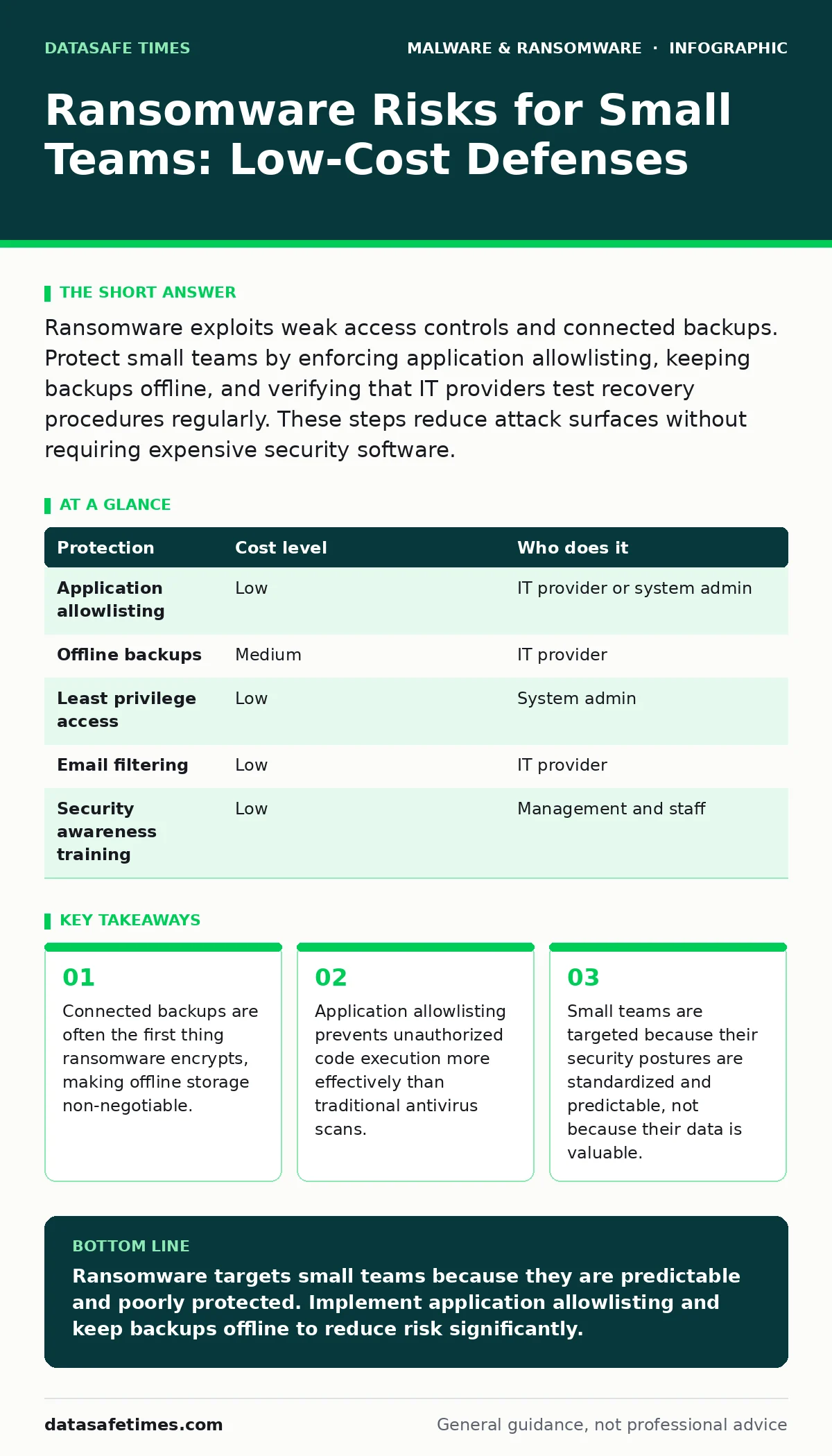
Ransomware exploits weak access controls and connected backups. Protect small teams by enforcing application allowlisting, keeping backups offline, and verifying that IT providers test recovery procedures regularly. These steps reduce attack surfaces without requiring expensive security software.
The Economics of Being Small
Ransomware operators act like rational businesses. They seek high returns with low effort. Large enterprises have complex security layers, making them difficult targets. Small organizations present a different profile. You likely use standard software configurations. You may share administrative credentials. You probably store backups on the same network as your workstations.
This predictability is your greatest vulnerability. Attackers automate their scans. They look for open ports and known vulnerabilities. They do not care about your company name. They care about how quickly they can encrypt your drives and how likely you are to pay.
Your data is not the primary asset. Your ability to pay a ransom to restore operations is the asset. This shifts the risk calculation. You are not protecting secrets; you are protecting uptime. Understanding this changes how you prioritize defenses. You must make the attack expensive and the failure to pay more painful than the ransom.
Why Standard Advice Fails
Many teams rely on perimeter firewalls and endpoint antivirus. These tools create a false sense of security. Modern ransomware often enters through legitimate channels. A user clicks a link in a seemingly normal invoice. The payload downloads a second stage. The antivirus signature database does not yet recognize the new variant.
By the time the detection triggers, the malware has already mapped your network. It seeks administrative accounts. It disables logging. It copies your data for extortion before encrypting it. This lateral movement happens fast. Traditional antivirus focuses on file signatures. It does not always stop behavior-based attacks.
You need controls that limit what can run, not just what is scanned. This requires a shift from detection to prevention. If the malicious code cannot execute, it cannot spread. This is where application control becomes your strongest defense.
The Power of Application Allowlisting
Application allowlisting, also known as whitelisting, works by permitting only known, approved software to run. Everything else is blocked by default. This reverses the usual security model. Instead of blocking known bad files, you allow known good files.
Imagine a scenario where a user downloads a malicious script. With traditional antivirus, the script might run until it is identified. With allowlisting, the script never executes. It is not on the list of approved applications. The attack stops at the door.
For small teams, this is highly effective. You have a limited set of software needs. Office suites, browsers, design tools, and development environments. You can build a baseline list. New software requires approval. This adds friction, but it prevents accidental execution of malware.
Backups Must Be Disconnected
Backups are your last line of defense. However, if your backups are connected to the network, they are part of the attack surface. Ransomware scans for mounted drives and shared folders. It encrypts anything it can reach. This includes your recovery points.
You must implement offline backups. This means storing copies of your data on a device that is not connected to your network. When you need to restore, you connect the device. You verify the data. You restore. Then you disconnect it again.
This physical separation ensures that even if your network is compromised, your backups remain clean. It also protects against cloud-based ransomware attacks that target cloud storage accounts. If the attacker gains access to your cloud credentials, they can delete or encrypt your cloud backups. Offline copies are immune to this.
Consider your recovery point objective, which defines how much data loss you can tolerate. Daily backups may not be enough for high-frequency changes. Adjust your schedule based on your business needs. Test your backups regularly. A backup you cannot restore is no backup at long.
Low-Cost Protection Matrix
You do not need expensive security suites to reduce risk. Many effective controls are built into operating systems or available through open standards. The table below outlines cost-effective measures.
| Protection | Cost level | Who does it |
|---|---|---|
| Application allowlisting | Low | IT provider or system admin |
| Offline backups | Medium | IT provider |
| Least privilege access | Low | System admin |
| Email filtering | Low | IT provider |
| Security awareness training | Low | Management and staff |
Application allowlisting uses built-in tools or low-cost open-source solutions. Offline backups require hardware and storage space, but no ongoing subscription fees. Least privilege access means giving users only the permissions they need. This limits the damage if an account is compromised.
Email filtering blocks malicious messages before they reach inboxes. Most providers include basic filtering. You should review and tighten these rules. Security awareness training helps users recognize suspicious emails. It is not a technical control, but it reduces the likelihood of initial compromise.
See also: XDR Best Practices: Aligning Data Sources for Real Threat Visibility · How Sandboxing Works: The Mechanics of Isolated Execution
What to Ask Your IT Provider
If you outsource IT, your provider is your security partner. You must ensure they follow best practices. Do not assume they are doing this work. Ask specific questions. Their answers will reveal their competence and your risk exposure.
- Do you implement application allowlisting on all endpoints?
- How often do you test backup restoration procedures?
- Are backups stored offline or air-gapped from the network?
- Do you monitor for unusual behavior, not just known threats?
- How do you manage administrative privileges and access?
If they cannot answer these questions clearly, you are at risk. A provider who relies solely on antivirus is not protecting you. You need proactive controls. You need verified backups. You need a provider who understands that ransomware is a process, not just a file.
The Human Element
Technology alone cannot stop ransomware. Users are often the entry point. Phishing emails exploit curiosity, urgency, or helpfulness. You must train your team to recognize these tactics. But training is not enough. You must design systems that do not depend on human vigilance.
Application allowlisting reduces the impact of user error. Offline backups ensure recovery even if a user clicks a malicious link. These controls create safety nets. They allow you to work efficiently without constant fear.
Beyond Immediate Recovery
Ransomware is not just about lost files. It is about operational disruption. You need a plan for continuing operations while you recover. This is part of business continuity planning. It involves identifying critical functions and how to maintain them without access to your primary systems.
You should also consider the legal and reputational impacts. If customer data is stolen, you may have notification obligations. Prepare for this scenario. Have templates and procedures ready. Speed and transparency matter.
Avoid the trap of thinking this is a rare event. It is a common business risk. Treat it like any other operational hazard. Plan for it. Test your plans. Update them as your environment changes. This discipline protects your small organization from disproportionate harm.
See also: application allowlisting; offline backups; business continuity planning; recovery point objective.
Key takeaways
- Connected backups are often the first thing ransomware encrypts, making offline storage non-negotiable.
- Application allowlisting prevents unauthorized code execution more effectively than traditional antivirus scans.
- Small teams are targeted because their security postures are standardized and predictable, not because their data is valuable.
Ransomware targets small teams because they are predictable and poorly protected. Implement application allowlisting and keep backups offline to reduce risk significantly.
Frequently asked questions
Is antivirus enough to stop ransomware?
No. Antivirus relies on known signatures and often fails against new variants. It does not prevent execution of unknown malicious code. You need application control and offline backups for effective protection.
What is application allowlisting?
It is a security method that only allows approved software to run. Everything else is blocked. This prevents malware from executing, even if it bypasses other defenses. It is highly effective for small teams with limited software needs.
How often should I test my backups?
Test them regularly, at least quarterly. A backup is only useful if you can restore from it. Testing reveals issues like corrupted files or missing dependencies. It ensures your recovery plan works when needed.
Should I pay the ransom?
Paying does not guarantee file recovery. Attackers may not provide working decryption keys. It also encourages further attacks. Focus on prevention and recovery. Offline backups allow you to restore without paying.
How this guide was produced: written by the DataSafe Times editorial team with AI assistance, checked against the public references listed below, and reviewed when the facts change. See our editorial policy or report an error.