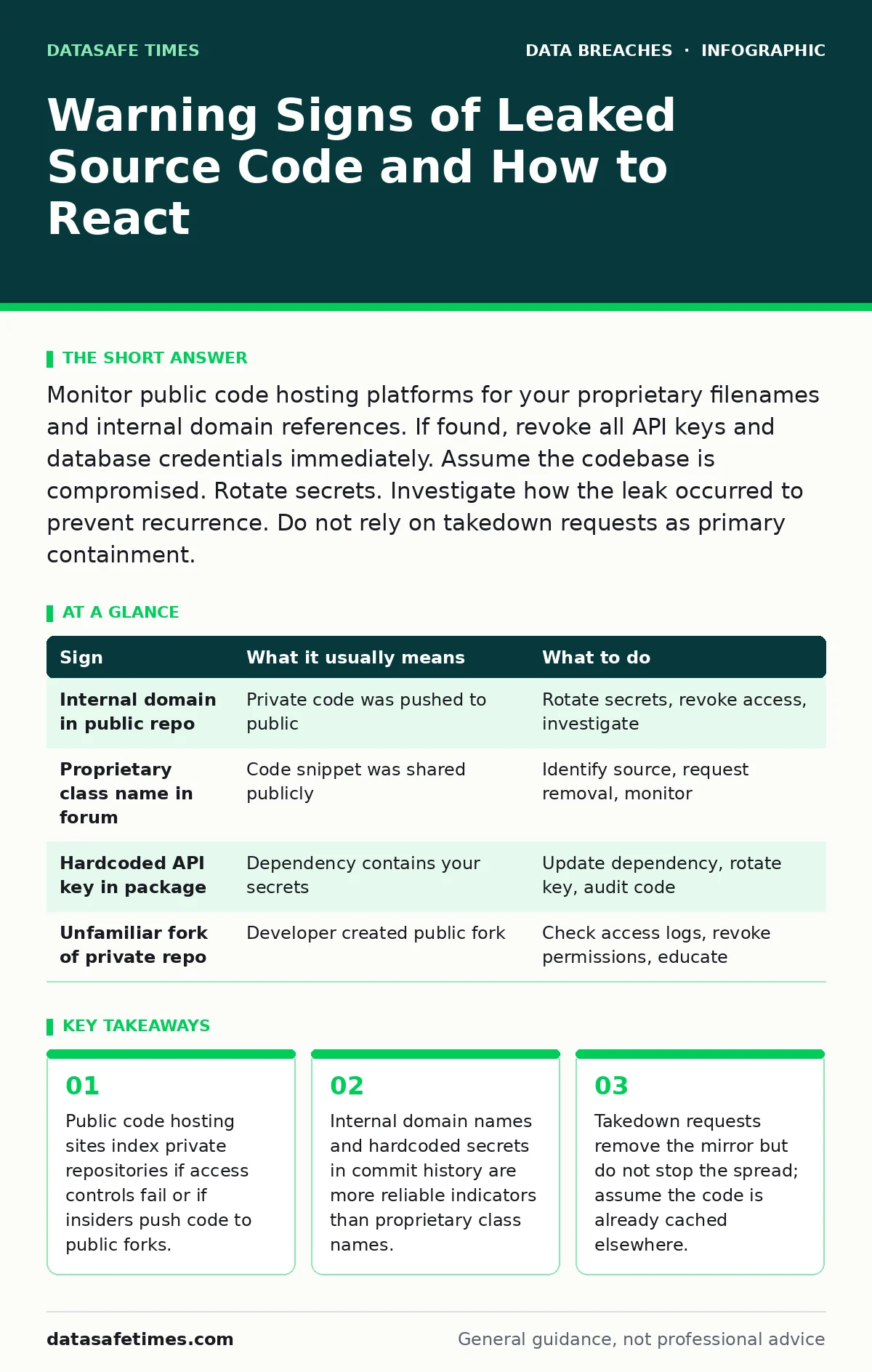
Monitor public code hosting platforms for your proprietary filenames and internal domain references. If found, revoke all API keys and database credentials immediately. Assume the codebase is compromised. Rotate secrets. Investigate how the leak occurred to prevent recurrence. Do not rely on takedown requests as primary containment.
The First Visible Indicators
You usually notice a leak when someone else points it out. A search engine returns results for your internal tools. A competitor references a feature you have not yet released. These are loud signals. They mean the code is already public.
The most common source is a developer accident. A contributor pushes a private repository to a public hosting service. They forget to remove sensitive configuration files. They include database credentials in the source tree. Once pushed, the code is indexed. It becomes searchable. It stays searchable even if you delete it from your server.
Imagine you search for a unique error message from your application. The search results show a GitHub repository. The repository contains your entire backend logic. This is not a hypothetical scenario. It happens when access controls are misconfigured. It happens when developers use personal accounts for work.
Subtle Traces in the Wild
Loud signals are easy to miss because they require active searching. Subtle traces are harder to spot. They hide in plain sight. You might see a snippet of your code on a technical forum. Someone asked for help with a bug. They pasted the offending function. That function contains your proprietary algorithm.
Another sign is a dependency package. A third-party library includes your code. The library maintainer did not know it was proprietary. They merged a pull request from a contributor. That contributor copied code from your internal repository. Now your code is in a public package manager. It is distributed to thousands of users.
Check your commit history for anomalies. Look for large blobs of data. Look for files that should not be tracked. Configuration files often contain secrets. These files are easy to miss in a code review. They are harder to miss in a leak.
The Role of Access Control Failures
Leaked code often stems from weak access controls. Developers need write access to repositories. If that access is too broad, mistakes happen. A junior developer might create a public fork of a private repository. They might not realize the fork is public. They might push sensitive code to it.
Third-party contributors can also cause leaks. They might have access to your codebase. If they leave the project, their access should be revoked. If it is not, they might copy the code. They might share it. This is why employee offboarding security matters. Access must be removed immediately.
Imagine a contractor finishes a project. They keep their account active. They download the entire repository. They upload it to a personal cloud storage account. That account is hacked. The code is leaked. The leak is not from your server. It is from the contractor’s storage.
Hardcoded Secrets and Internal References
Source code often contains secrets. These are not always passwords. They can be API keys. They can be encryption keys. They can be internal domain names. These references are unique. They are not found in open-source projects.
If you see an internal domain name in public code, assume a leak. Domain names like dev.internal.company.com are not public. If they appear in a public repository, the repository is yours. Or it belongs to a partner. Either way, it is a breach.
Hardcoded secrets are dangerous. They allow attackers to access your systems. They do not need to hack your server. They just need to read the code. This is why secrets management is critical. Secrets should not be in the code. They should be in a secure vault.
Response to Confirmed Leaks
When you confirm a leak, act fast. Do not wait for legal action. Do not wait for takedown requests. Assume the code is copied. Assume it is spread. Your first step is to rotate secrets. Change all API keys. Change all database passwords. Change all encryption keys.
Revoke access for all users. Assume their credentials are compromised. Force a password reset. Enable multi-factor authentication. Check for unauthorized access. Look for new commits. Look for new branches. Look for deleted files.
Contact the hosting platform. Request a takedown. Provide proof of ownership. They will remove the repository. But they will not delete copies. The code might be cached. It might be archived. It might be shared on social media.
See also: Role Based Access Control vs ACL: The Structural Difference · Identity Theft Risks and Low-Cost Protections for Small Teams
Investigating the Source
After containment, investigate. How did the code leak? Who pushed it? Why was it public? Check the commit history. Look for the user who made the change. Check their access logs. Check their device. Check their network activity.
If it was an accident, fix the process. Add pre-commit hooks. Add code scanning tools. Add access controls. If it was malicious, escalate. Involve legal. Involve law enforcement. Preserve evidence. Do not delete logs.
Imagine the leak came from a third-party vendor. They used your code in their product. They did not have permission. This is a third-party data breach. You must review your contracts. You must review your security requirements. You must ensure they follow your standards.
Preventing Future Leaks
Prevention requires discipline. Use file integrity monitoring to detect changes. Monitor for unauthorized uploads. Monitor for public repositories. Use automated tools to scan for secrets. Use automated tools to scan for internal references.
Train your developers. Teach them about access controls. Teach them about secrets management. Teach them about the risks. Make security part of the culture. Make it part of the process.
Review your third-party vendors. Ensure they follow security best practices. Ensure they have proper access controls. Ensure they have proper training. This reduces the risk of leaks.
| Sign | What it usually means | What to do |
|---|---|---|
| Internal domain in public repo | Private code was pushed to public | Rotate secrets, revoke access, investigate |
| Proprietary class name in forum | Code snippet was shared publicly | Identify source, request removal, monitor |
| Hardcoded API key in package | Dependency contains your secrets | Update dependency, rotate key, audit code |
| Unfamiliar fork of private repo | Developer created public fork | Check access logs, revoke permissions, educate |
The Long-Term View
Leaked code is a symptom. It shows weaknesses in your process. It shows weaknesses in your culture. It shows weaknesses in your tools. Fix the root cause. Do not just treat the symptom.
Use secure data disposal practices. Ensure old code is deleted. Ensure backups are secure. Ensure logs are protected. This reduces the attack surface. It reduces the risk of leaks.
Key takeaways
- Public code hosting sites index private repositories if access controls fail or if insiders push code to public forks.
- Internal domain names and hardcoded secrets in commit history are more reliable indicators than proprietary class names.
- Takedown requests remove the mirror but do not stop the spread; assume the code is already cached elsewhere.
Frequently asked questions
How do I know if my source code is leaked?
Search for unique internal identifiers like domain names or error messages. Check public code hosting platforms for your repository names. Monitor technical forums for snippets of your code.
Should I delete the leaked code from my server?
No. Deleting it from your server does not remove public copies. You must rotate secrets and revoke access. Deleting local copies might hinder your investigation.
Can I trust takedown requests to stop the leak?
No. Takedown requests remove the original host. They do not stop copies. Assume the code is already distributed. Focus on rotating secrets and securing access.
How do I prevent developers from leaking code accidentally?
Use pre-commit hooks to scan for secrets. Use access controls to limit write permissions. Train developers on security best practices. Monitor public repositories for your code.
How this guide was produced: written by the DataSafe Times editorial team with AI assistance, checked against the public references listed below, and reviewed when the facts change. See our editorial policy or report an error.