
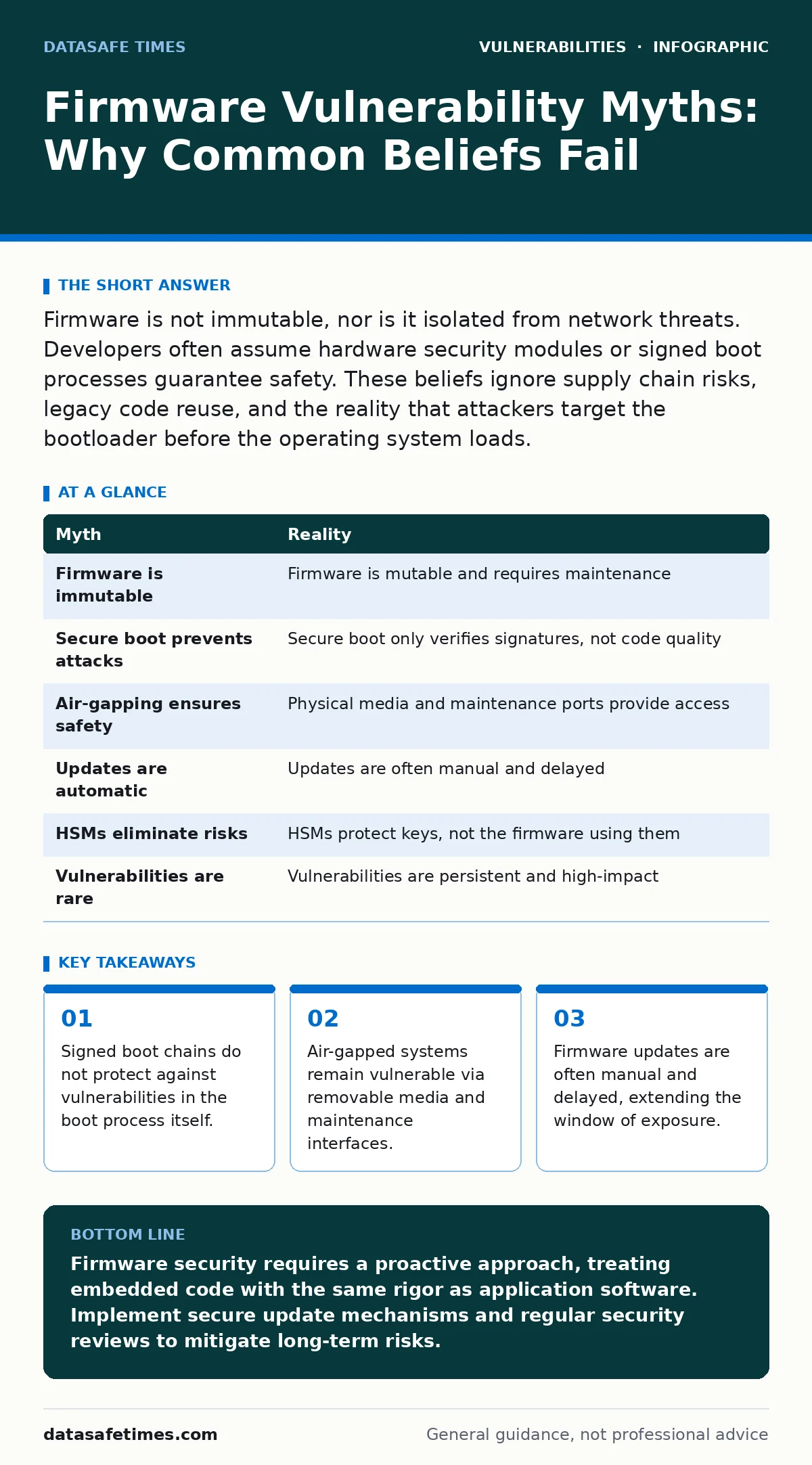
Firmware is not immutable, nor is it isolated from network threats. Developers often assume hardware security modules or signed boot processes guarantee safety. These beliefs ignore supply chain risks, legacy code reuse, and the reality that attackers target the bootloader before the operating system loads.
Myth: Firmware is immutable and therefore secure
Reality: Firmware is code, and like any code, it contains bugs. The belief that firmware is "burned in" and unchangeable stems from early embedded systems where reprogramming required physical hardware modification. Modern devices store firmware in flash memory that can be rewritten. This mutability is necessary for repairs and feature updates, but it also means the attack surface exists as long as the device is powered.
Developers often treat firmware as a static foundation. This mindset leads to neglecting security reviews during the initial development phase. Once the device ships, the code rarely undergoes the same scrutiny as application-layer software. You must treat firmware as living code that requires continuous maintenance. If you do not plan for updates, you are building a system that cannot be fixed when flaws are discovered.
The complexity of firmware is often hidden from standard application security tools. Static analysis tools designed for operating systems may not understand the low-level instructions or hardware-specific registers used in firmware. This creates a blind spot where vulnerabilities remain undetected for years.
Myth: Secure boot prevents all firmware attacks
Reality: Secure boot verifies that the code executing matches a known cryptographic signature. It does not verify that the code is free of logic errors or buffer overflows. An attacker does not need to replace the firmware to exploit it. They can trigger a vulnerability in the existing, signed code to gain control.
Imagine a device with a robust secure boot implementation. An attacker finds a stack-based buffer overflow in the UEFI network stack. The firmware is signed and valid, so secure boot allows it to run. The attacker exploits the overflow to execute arbitrary code. The signature check passed, but the security model failed. Secure boot protects against unauthorized replacement, not against flawed implementation.
This distinction is critical for threat modeling. You cannot rely on signature verification as a substitute for secure coding practices. You must also consider the integrity of the signing keys themselves. If a private key is compromised, an attacker can sign malicious firmware that passes the secure boot check. Key management is as vital as the boot process.
Myth: Air-gapped systems are safe from firmware exploits
Reality: Air-gapping refers to a system physically disconnected from untrusted networks. It does not eliminate all vectors for introducing malicious code. Firmware updates, debugging tools, and data imports often require physical media or maintenance ports. These interfaces are frequent entry points for attackers.
Suppose a manufacturing plant uses air-gapped controllers. An employee uses a USB drive to transfer firmware updates from an internet-connected laptop. If that laptop is compromised, the malware can infect the USB drive. When the drive is inserted into the controller, the malicious firmware is installed. The air gap remained intact, but the security boundary was crossed via removable media.
Maintenance interfaces like JTAG (Joint Test Action Group) or UART (Universal Asynchronous Receiver-Transmitter) ports are often left enabled for debugging. These ports provide direct access to the firmware memory. If physical access is possible, an attacker can use these ports to dump, modify, or replace firmware. You must disable or physically secure these ports in production environments.
Myth: Firmware updates are handled automatically
Reality: Unlike operating systems or applications, firmware updates are often manual processes. Many embedded devices lack a reliable mechanism to check for and install updates without user intervention. This delays patching and extends the window of exposure to known vulnerabilities.
Developers often assume that over-the-air (OTA) update mechanisms are standard. In reality, many devices require a local connection or a specific tool to flash new firmware. This friction leads to low adoption rates. Users rarely update firmware unless a critical failure occurs. The result is a large population of devices running outdated, vulnerable code.
Even when OTA updates are available, they may be disabled by default due to stability concerns. A failed firmware update can brick a device, rendering it unusable. Manufacturers prioritize stability over security, leading to conservative update policies. You must design update mechanisms that are both secure and resilient to failure. Consider the impact of a failed update on device functionality.
Myth: Hardware Security Modules (HSMs) eliminate firmware risks
Reality: HSMs are specialized devices that safeguard and manage cryptographic keys. They protect keys from extraction, but they do not protect the firmware that uses those keys. If the firmware has a vulnerability, an attacker can bypass the HSM or misuse the keys it protects.
Imagine a smart card reader with an HSM. The HSM securely stores the encryption keys. However, the firmware handling the card data has a heap overflow vulnerability. An attacker exploits this overflow to redirect execution flow. They can force the firmware to use the HSM in unintended ways, such as signing arbitrary data. The keys remain secure, but the system's integrity is compromised.
HSMs are a component of security, not a solution. They must be integrated into a broader security architecture. This includes secure coding, input validation, and least-privilege execution. Relying solely on hardware security ignores the software stack that interacts with the hardware. You must secure the interface between the firmware and the HSM.
See also: Exploitability vs Severity: Why High Scores Often Mislead Developers · Type Confusion Vulnerabilities Explained: How Data Misinterpretation Breaks Software
Myth: Firmware vulnerabilities are rare and low-impact
Reality: Firmware runs at a privileged level, often with direct access to hardware resources. A vulnerability here can compromise the entire device, including data stored on disk and network communications. These flaws are not rare; they are persistent and difficult to patch.
Because firmware is rarely updated, vulnerabilities accumulate. Legacy code is often reused across multiple product lines. A flaw in one device may exist in dozens of others. This amplifies the impact of a single discovery. Attackers target firmware because it offers persistence. Even if the operating system is wiped, the malicious firmware remains and can reinfect the system.
The long lifecycle of embedded devices exacerbates this issue. Industrial control systems may run for decades. Supporting firmware patches for such long periods is challenging. You must design for longevity. This includes using memory-safe programming languages where possible to reduce the risk of memory corruption vulnerabilities.
| Myth | Reality |
|---|---|
| Firmware is immutable | Firmware is mutable and requires maintenance |
| Secure boot prevents attacks | Secure boot only verifies signatures, not code quality |
| Air-gapping ensures safety | Physical media and maintenance ports provide access |
| Updates are automatic | Updates are often manual and delayed |
| HSMs eliminate risks | HSMs protect keys, not the firmware using them |
| Vulnerabilities are rare | Vulnerabilities are persistent and high-impact |
Key takeaways
- Signed boot chains do not protect against vulnerabilities in the boot process itself.
- Air-gapped systems remain vulnerable via removable media and maintenance interfaces.
- Firmware updates are often manual and delayed, extending the window of exposure.
- Legacy code in embedded systems introduces known flaws that persist for years.
Firmware security requires a proactive approach, treating embedded code with the same rigor as application software. Implement secure update mechanisms and regular security reviews to mitigate long-term risks.
Frequently asked questions
How do I know if my device has firmware vulnerabilities?
Check the manufacturer's security advisories and consult the CISA Known Exploited Vulnerabilities catalog for known issues.
Can I patch firmware on an air-gapped system?
Yes, but you must use a secure, verified method to transfer the update, such as a dedicated, clean USB drive.
What is the biggest risk with firmware updates?
The risk is that updates are not applied due to friction or fear of bricking the device, leaving vulnerabilities unpatched.
Should I use memory-safe languages for firmware?
Yes, memory-safe programming languages can significantly reduce the risk of buffer overflows and other memory corruption vulnerabilities.
How this guide was produced: written by the DataSafe Times editorial team with AI assistance, checked against the public references listed below, and reviewed when the facts change. See our editorial policy or report an error.