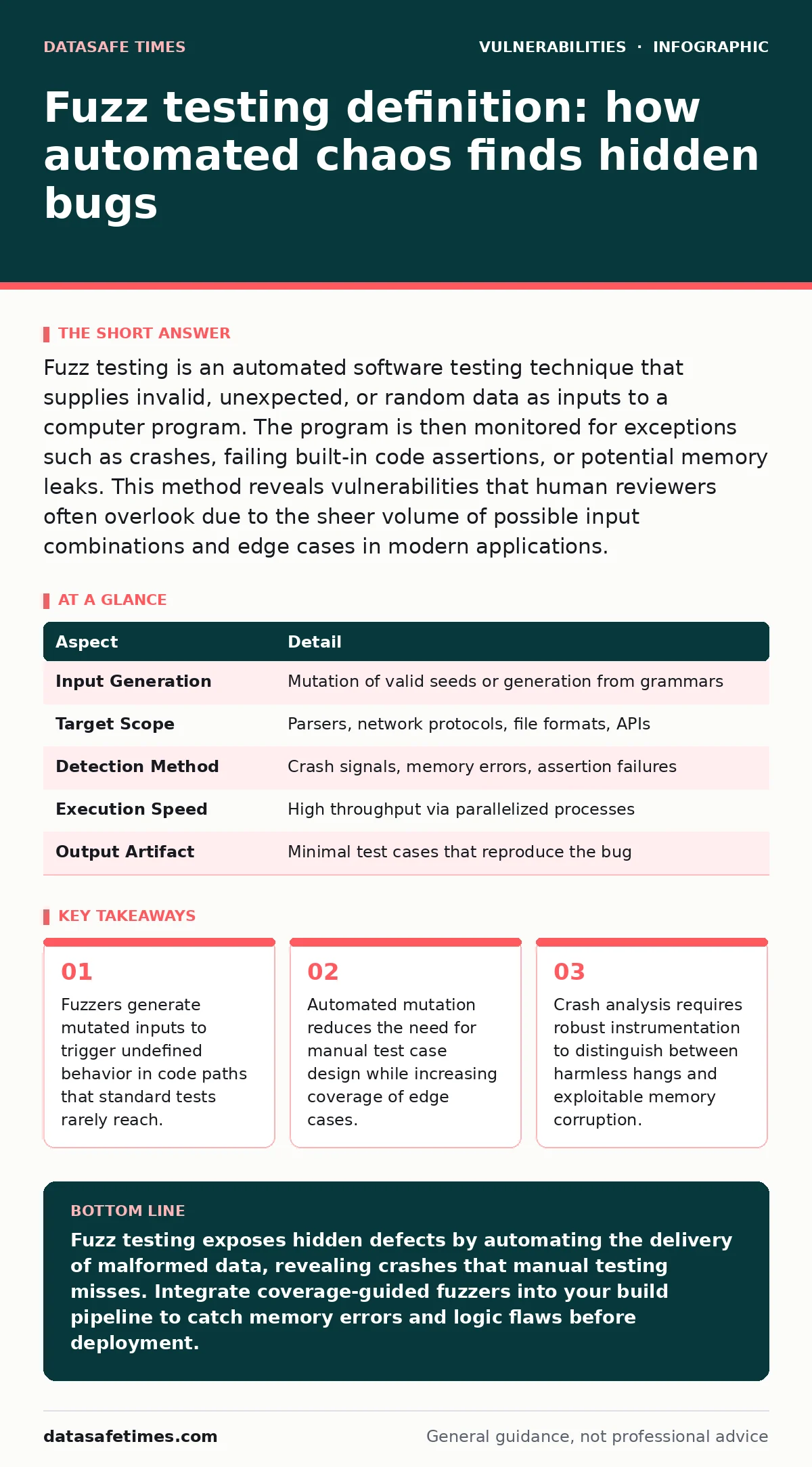
Fuzz testing is an automated software testing technique that supplies invalid, unexpected, or random data as inputs to a computer program. The program is then monitored for exceptions such as crashes, failing built-in code assertions, or potential memory leaks. This method reveals vulnerabilities that human reviewers often overlook due to the sheer volume of possible input combinations and edge cases in modern applications.
How fuzz testing works in practice
Imagine a vending machine that accepts only specific coins. A human tester might insert a quarter, a dime, and a nickel to verify correct change. A fuzzer acts like a machine that inserts bent coins, stacked tokens, and magnetic strips. The goal is not to buy a snack but to jam the mechanism. Software systems behave similarly. They expect structured data. Fuzz testing disrupts that structure.
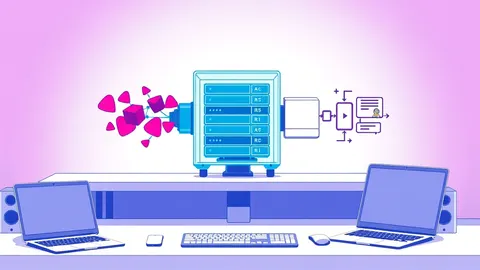
The process begins with seed inputs. These are valid examples of the data your system accepts. A fuzzer modifies these seeds through mutation. It flips bits, deletes sections, or appends random bytes. The modified data is fed into the target program. The fuzzer monitors the program’s execution. It looks for crashes, hangs, or assertion failures. When a failure occurs, the fuzzer saves the input that caused it. This allows developers to reproduce the issue.
| Aspect | Detail |
|---|---|
| Input Generation | Mutation of valid seeds or generation from grammars |
| Target Scope | Parsers, network protocols, file formats, APIs |
| Detection Method | Crash signals, memory errors, assertion failures |
| Execution Speed | High throughput via parallelized processes |
| Output Artifact | Minimal test cases that reproduce the bug |
The fuzz testing definition for developers
Fuzz testing definition centers on automation and volume. It is not a replacement for unit tests. Unit tests verify that a function returns the expected output for known inputs. Fuzz testing verifies that a function does not break when given unknown inputs. The definition implies a shift in strategy. You stop asking if the code works correctly. You start asking if the code survives chaos.
This distinction matters for complex systems. A parser for JSON might handle standard objects perfectly. It might fail when faced with a deeply nested array containing null bytes. A human might not think to test that specific combination. A fuzzer will try thousands of variations automatically. The definition includes the feedback loop. The fuzzer learns from the code paths it triggers. It focuses future inputs on areas of the code that are hard to reach. This is called coverage-guided fuzzing.
Who affects and who is affected
Fuzz testing affects any system that processes external data. This includes web servers, database engines, and image processing libraries. It also affects internal tools that parse configuration files. The threat model changes when data comes from untrusted sources. If your application accepts user input, it is a target. If it reads files from a network share, it is a target.
Developers often focus on application logic. They forget about data ingestion. A system might have secure authentication. It might still crash when processing a malformed avatar image. This crash can lead to denial of service. In worse cases, it leads to remote code execution. The impact extends beyond the immediate application. It affects the entire supply chain. If a library you use has a parsing bug, your application inherits that risk. This is why vulnerable third-party libraries require constant scrutiny. Fuzzing these libraries helps identify issues before they reach production.
What to do about it
Integrating fuzzing requires infrastructure. You need a way to run the fuzzer continuously. This is often done in a continuous integration pipeline. The fuzzer runs on every commit. It checks for new crashes. You must decide what to fuzz. Start with parsers. Parsers are the most common source of memory errors. They handle complex state machines. They are difficult to test manually.
Set up instrumentation. This allows the fuzzer to see which parts of the code are executed. Without instrumentation, the fuzzer is blind. It cannot optimize its inputs. Use tools that support address sanitizers. These tools detect memory errors at runtime. They report invalid memory accesses. This gives you precise location of the bug.
What people usually get wrong
Many teams believe fuzzing is a one-time activity. They run a fuzzer for a week. They fix the crashes they find. They assume the code is now safe. This is incorrect. Fuzzing is a continuous process. New code introduces new paths. New dependencies introduce new risks. You must fuzz continuously.
Another common mistake is ignoring hangs. Teams focus on crashes. They ignore timeouts. A hang can be just as dangerous as a crash. It can consume resources. It can prevent other requests from being processed. Configure your fuzzer to detect hangs. Set a reasonable timeout. Treat a hang as a failure.
See also: Potentially Unwanted Programs: Hidden Risks in Bundled Software · Parameterized Queries: Definition, Purpose, and Implementation Details
Example of a parsing failure
Suppose you build a tool that reads CSV files. The tool expects three columns. It splits lines by commas. A fuzzer generates a line with a comma inside a quoted field. The simple split logic breaks. The tool reads the wrong column. It might interpret a number as a command. This leads to unexpected behavior.
The fuzzer detects the deviation. It saves the malformed CSV. You analyze the code. You find the naive splitting logic. You replace it with a proper CSV parser. The bug is fixed. The fuzzer continues. It finds another issue. It finds a null byte in the filename. The tool crashes. You fix that too. This iterative process improves robustness.
Hidden costs and edge cases
Fuzzing is not free. It requires compute resources. Running fuzzers 24/7 costs money. You need servers or cloud instances. You need storage for test cases. You need time to analyze crashes. Not every crash is a bug. Some are false positives. You must triage each finding. This takes developer time.
There is also a risk of alert fatigue. If the fuzzer reports too many issues, developers ignore them. You must tune the fuzzer. You must filter out known issues. You must prioritize critical findings. This requires expertise. You need people who understand memory management. You need people who understand your codebase.
Fuzzing also has blind spots. It struggles with stateful protocols. If the system requires a sequence of messages, a simple fuzzer may not generate valid sequences. You need grammar-based fuzzing for these cases. This is more complex to set up. It requires defining the protocol structure.
Integration with secure development
Fuzzing fits into a broader security strategy. It complements code reviews. It complements static analysis. It does not replace them. Code reviews catch logic errors. Static analysis catches syntax errors. Fuzzing catches runtime errors. Together, they provide layers of defense.
Consider the role of memory-safe programming languages. These languages reduce the attack surface. They prevent buffer overflows. They prevent use-after-free errors. Fuzzing is still valuable for these languages. It finds logic errors. It finds assertion failures. It finds performance issues. It ensures the application behaves correctly under stress.
You should also consider parameterized queries for database interactions. Fuzzing can help verify that queries are properly constructed. It can detect injection attempts. It ensures that the application handles malformed SQL gracefully. This adds another layer of security.
Conclusion on automated chaos
Fuzz testing is a powerful tool. It finds bugs that humans miss. It requires investment. It requires discipline. It requires integration into your workflow. Do not treat it as an optional step. Treat it as a standard part of development. Start small. Focus on parsers. Expand to other components. Continuously improve your coverage. The goal is resilience. The goal is a system that survives chaos.
Key takeaways
- Fuzzers generate mutated inputs to trigger undefined behavior in code paths that standard tests rarely reach.
- Automated mutation reduces the need for manual test case design while increasing coverage of edge cases.
- Crash analysis requires robust instrumentation to distinguish between harmless hangs and exploitable memory corruption.
Fuzz testing exposes hidden defects by automating the delivery of malformed data, revealing crashes that manual testing misses. Integrate coverage-guided fuzzers into your build pipeline to catch memory errors and logic flaws before deployment.
Frequently asked questions
Is fuzz testing the same as penetration testing?
No. Penetration testing is a manual or semi-automated assessment of security controls. Fuzz testing is an automated technique focused on finding bugs in input handling. They serve different purposes but can complement each other.
Do I need fuzz testing if I use memory-safe languages?
Yes. While memory-safe languages prevent memory corruption, they do not prevent logic errors. Fuzzing helps find incorrect behavior, assertion failures, and performance issues in these languages.
How long should I run a fuzzer?
Run it continuously. Fuzzing is not a one-time task. New code introduces new risks. Continuous fuzzing ensures that regressions are caught early and that new vulnerabilities are identified promptly.
Can fuzz testing replace unit tests?
No. Unit tests verify expected behavior for known inputs. Fuzz testing verifies robustness against unknown inputs. Both are necessary. Unit tests ensure correctness. Fuzz testing ensures stability.
How this guide was produced: written by the DataSafe Times editorial team with AI assistance, checked against the public references listed below, and reviewed when the facts change. See our editorial policy or report an error.