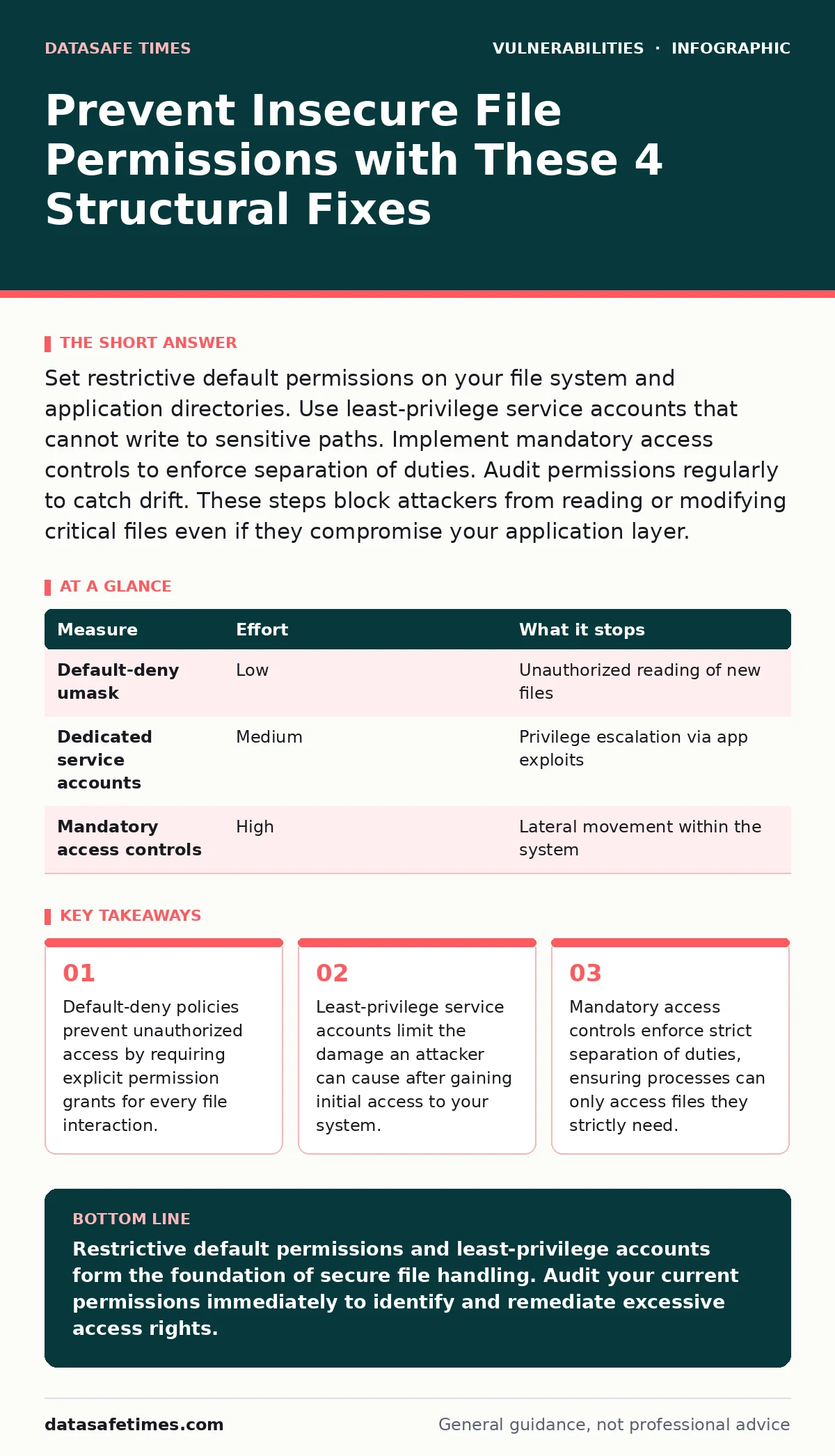
Set restrictive default permissions on your file system and application directories. Use least-privilege service accounts that cannot write to sensitive paths. Implement mandatory access controls to enforce separation of duties. Audit permissions regularly to catch drift. These steps block attackers from reading or modifying critical files even if they compromise your application layer.
Default-Deny File Policies
Default-deny file policies require explicit permission grants for every file interaction. Most operating systems allow files to be world-readable by default. This design choice creates immediate exposure when temporary files are created. An attacker who compromises a low-privilege process can read any world-readable file. You must configure your system to create new files with restrictive permissions. The umask setting on Unix-like systems controls this behavior. Setting a strict umask ensures that new files are only accessible to the owner. This single change blocks a large class of information disclosure vulnerabilities. It forces developers to explicitly grant access when needed. This explicit grant process creates a natural audit trail. You know exactly who has access and why.
Least-Privilege Service Accounts
Least-privilege service accounts limit the damage an attacker can cause after gaining initial access. Many applications run as root or with administrative privileges. This is a dangerous design pattern. If an attacker exploits a vulnerability in the application, they gain full system control. You should create dedicated service accounts for each application.
These accounts should have no login shell and no interactive capabilities. They should only have read access to configuration files and write access to log directories. This separation prevents an attacker from modifying system binaries or reading other users' data. It also simplifies auditing because you can trace actions to specific services. This approach reduces the blast radius of a compromise significantly.
| Measure | Effort | What it stops |
|---|---|---|
Default-deny umask | Low | Unauthorized reading of new files |
| Dedicated service accounts | Medium | Privilege escalation via app exploits |
| Mandatory access controls | High | Lateral movement within the system |
Mandatory Access Controls
Mandatory access controls enforce strict separation of duties. Discretionary access controls rely on file owners to set permissions. This model fails when an application is compromised. An attacker can change permissions to grant themselves access. Mandatory access controls override these settings. They are enforced by the kernel, not the application. Linux Security Modules like SELinux or AppArmor provide this capability.
You define policies that specify exactly which files a process can access. These policies are immutable by default. An attacker cannot bypass them by changing file permissions. This layer of defense is critical for high-security environments. It adds complexity but provides a strong guarantee. You must invest time in writing and testing these policies.
Secure Temporary File Handling
Secure temporary file handling prevents race conditions and symlink attacks. Applications often create temporary files in shared directories like /tmp. These directories are world-writable by design. An attacker can predict the filename of a temporary file. They can then create a symbolic link to a sensitive file. When the application writes to the temporary file, it actually writes to the sensitive file. This is a classic attack vector. You should use functions that create files atomically. These functions ensure that the file is created with restrictive permissions. They also prevent symlink attacks by refusing to follow links. Many programming languages provide secure APIs for this purpose. Using these APIs is a quick win for your codebase. It removes a common source of insecure file permissions.
Path Traversal Mitigation
Path traversal mitigation prevents attackers from accessing files outside the intended directory. Applications often accept user input to specify file paths. If this input is not sanitized, an attacker can include ../ sequences. These sequences move up the directory tree. The application then reads or writes to unintended locations. You must validate all file paths against a whitelist of allowed directories. Reject any path that contains directory traversal sequences. Canonicalize the path before checking it. This resolves symlinks and ../ sequences. Then verify that the resulting path is within the allowed directory. This check must happen before any file operations. It is a critical layer of defense against unauthorized file access.
See also: Exploitability vs Severity: Why High Scores Often Mislead Developers · Type Confusion Vulnerabilities Explained: How Data Misinterpretation Breaks Software
Regular Permission Audits
Regular permission audits catch drift and misconfigurations. Over time, permissions can become overly permissive. Developers may grant temporary access for debugging and forget to revoke it. New files may be created with incorrect permissions. You should automate permission checks in your deployment pipeline. Use tools that compare current permissions against a baseline. Alert on any deviations. This ensures that your file permissions remain consistent. It also provides a record of changes. You can trace back to who made the change and why. This process is essential for maintaining security over time. It complements the other measures by catching errors that slip through.
What Does Not Work
Some measures provide a false sense of security. Obfuscating file paths does not prevent access. An attacker can still discover the path through other means. Hiding files does not protect them if the process running the application has access. This is a common misconception. Security through obscurity is not a valid defense. You must rely on strong authentication and authorization mechanisms. These mechanisms enforce access controls regardless of whether the attacker knows the file path. Relying on obfuscation leaves you vulnerable to determined attackers. They can use fuzzing or other techniques to discover hidden files. You should focus on structural defenses instead.
Integration with Other Security Practices
Insecure file permissions often interact with other vulnerabilities. For example, path traversal vulnerabilities can be exploited to read sensitive files. If those files have restrictive permissions, the attack fails. This shows the value of defense in depth. You should also consider memory corruption vulnerabilities. If an attacker can exploit a buffer overflow, they may gain code execution.
With proper file permissions, they cannot read sensitive data. This limits the impact of the exploit. You should also review your software bill of materials (SBOM). Third-party libraries may introduce insecure file handling practices. Identifying these libraries allows you to mitigate the risk. You can replace them with secure alternatives. This holistic approach strengthens your overall security posture.
Closing Checklist
You should implement these three measures today. They provide immediate protection against insecure file permissions.
- Set restrictive default permissions on your file system using
umask. - Create dedicated service accounts for your applications with least-privilege access.
- Audit your file permissions regularly to catch drift and misconfigurations.
These steps are simple to implement but have a high impact. They reduce the risk of unauthorized file access significantly. You should also consider implementing mandatory access controls. This provides a stronger layer of defense. It requires more effort but is worth it for critical systems. You should also review your code for secure temporary file handling. This prevents race conditions and symlink attacks. These measures work together to protect your data.
Key takeaways
- Default-deny policies prevent unauthorized access by requiring explicit permission grants for every file interaction.
- Least-privilege service accounts limit the damage an attacker can cause after gaining initial access to your system.
- Mandatory access controls enforce strict separation of duties, ensuring processes can only access files they strictly need.
Restrictive default permissions and least-privilege accounts form the foundation of secure file handling. Audit your current permissions immediately to identify and remediate excessive access rights.
Frequently asked questions
How do I check file permissions on Linux?
Use the `ls -l` command to view file permissions. The output shows read, write, and execute permissions for the owner, group, and others. You can also use `stat` for more detailed information.
What is the difference between DAC and MAC?
Discretionary access controls (DAC) allow file owners to set permissions. Mandatory access controls (MAC) enforce policies defined by the system administrator. MAC is more secure because it cannot be overridden by file owners.
Can I use Windows ACLs for least-privilege?
Yes, Windows Access Control Lists (ACLs) support least-privilege principles. You can assign specific permissions to users and groups. Ensure that you remove default groups like "Everyone" from sensitive files.
How do I prevent symlink attacks?
Use atomic file creation functions that do not follow symlinks. Validate file paths before performing operations. Ensure that temporary files are created in secure, private directories. These measures prevent symlink attacks effectively.
How this guide was produced: written by the DataSafe Times editorial team with AI assistance, checked against the public references listed below, and reviewed when the facts change. See our editorial policy or report an error.