
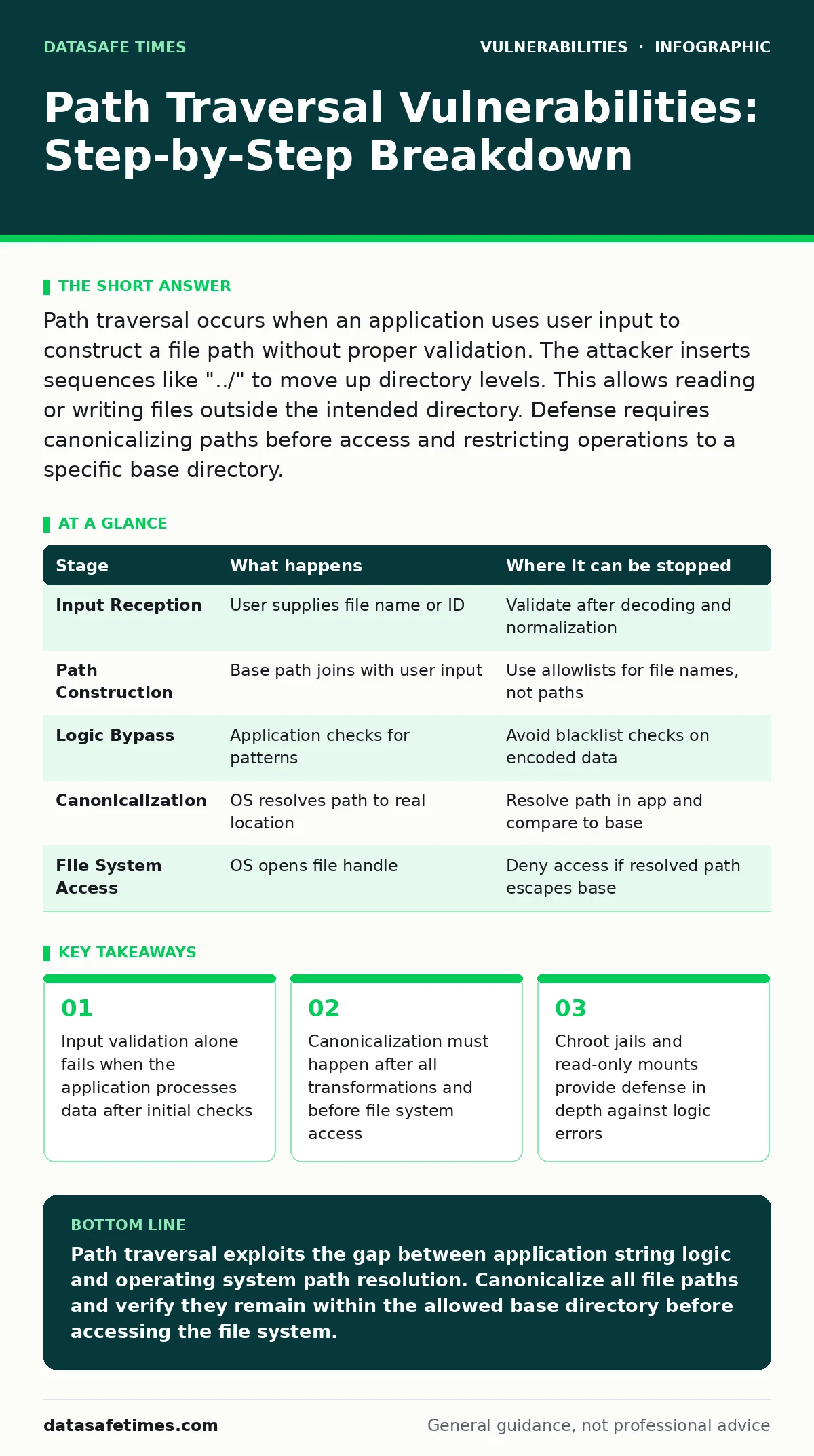
Path traversal occurs when an application uses user input to construct a file path without proper validation. The attacker inserts sequences like "../" to move up directory levels. This allows reading or writing files outside the intended directory. Defense requires canonicalizing paths before access and restricting operations to a specific base directory.
How Path Traversal Works
Path traversal vulnerabilities exploit the difference between how an application interprets a file path and how the underlying operating system resolves that path. You build a file path by combining a trusted base directory with user-supplied input. The application assumes the input stays within that base. The attacker supplies input that escapes the base by using directory traversal sequences.
The operating system then accesses a file outside the intended scope. This mismatch creates the vulnerability. The flaw exists in the logic that joins the paths, not in the file system itself. The file system does exactly what the application asks it to do. The application asks the wrong question. You must understand the resolution process to see where the control is lost.
Stage 1: Input Reception
The application receives a request containing a file name or identifier. This input might come from a URL parameter, a form field, or a JSON payload. The application treats this input as a literal string. It has not yet determined whether this string represents a safe file location. The input is often URL-encoded to bypass basic filters. The server decodes this input to retrieve the original characters. This decoding step is the first point of divergence between the filter and the file system. If the filter checks the encoded string but the file system uses the decoded string, the check is bypassed. You must validate data after all decoding and normalization steps are complete.
Stage 2: Path Construction
The application combines the trusted base directory with the user-supplied input. It uses a string concatenation or a path joining function. The resulting string is the target file path. The application assumes this path is safe because the base directory is safe. The attacker includes sequences like "../" or "..\" in the input.
These sequences tell the operating system to move up one directory level. If the input contains "../../etc/passwd", the resulting path points to the password file. The application does not yet know this. It only sees a string of characters. The structure of the path is not yet resolved. The danger lies in the unverified combination of trusted and untrusted data.
Stage 3: Logic Bypass
The application may perform checks on the constructed path. It might look for forbidden characters or specific patterns. These checks often fail because they are superficial. They look for the literal string "../" but the attacker might use Unicode equivalents or double encoding. The attacker might use a null byte to truncate the path in older systems.
The check passes because the pattern is not found in the form the check expects. The application proceeds to the next stage. This stage highlights the weakness of blacklist-based validation. You cannot list every possible way to represent a parent directory. The attack surface is defined by the encoding schemes the parser supports. A check that works for ASCII fails for UTF-8.
Stage 4: Canonicalization Failure
The application passes the path to the operating system or a library function. The OS resolves the path to its canonical form. It removes redundant slashes and resolves "../" sequences. The canonical path is the actual location on the disk. The application never sees this canonical path. It only sees the input it constructed.
If the canonical path is outside the allowed directory, the vulnerability is realized. The application trusted its own string logic over the OS resolution. This is the core failure. The application must resolve the path itself before allowing access. It must compare the resolved path to the allowed base. If they do not match, access is denied. This comparison must happen before the file handle is opened.
Stage 5: File System Access
The operating system opens the file handle. It checks permissions based on the process user. If the process has read access to the target file, the OS grants access. The application reads or writes the file content. The attacker retrieves sensitive data or modifies system files. The damage is done. The application logs the successful operation. It does not log that the file was outside the expected directory. This lack of visibility makes detection difficult. You must monitor for access to unexpected file types or locations. The file system does not care about application boundaries. It only cares about OS-level permissions. The application must enforce its own boundaries.
Where Control Is Lost
The vulnerability relies on the application failing to validate the final resolved path. It assumes that input validation is sufficient. It assumes that the base directory is enough protection. These assumptions are incorrect. The attacker relies on the difference between the string representation and the filesystem reality. You can interrupt this process at multiple stages.
The most effective interruption happens before the file handle is opened. You must canonicalize the path and verify it stays within the allowed directory. This requires using system calls that resolve the path. You must check the result of that resolution. If the resolved path does not start with the base directory, you reject the request. This is the only reliable defense.
| Stage | What happens | Where it can be stopped |
|---|---|---|
| Input Reception | User supplies file name or ID | Validate after decoding and normalization |
| Path Construction | Base path joins with user input | Use allowlists for file names, not paths |
| Logic Bypass | Application checks for patterns | Avoid blacklist checks on encoded data |
| Canonicalization | OS resolves path to real location | Resolve path in app and compare to base |
| File System Access | OS opens file handle | Deny access if resolved path escapes base |
Defense Mechanisms
You must implement defense in depth. No single measure is sufficient. The primary defense is path canonicalization. You resolve the full path before accessing the file. You compare the resolved path to the allowed base directory. If the resolved path is not a prefix of the base directory, you reject the request. This prevents any traversal. You must use library functions that handle edge cases.
Do not write your own path resolution logic. It is error-prone. You must handle symbolic links. A symlink inside the allowed directory might point outside. You must resolve symlinks during canonicalization. This ensures the final target is within bounds. You must also restrict the characters allowed in input. Allow only alphanumeric characters and hyphens. This reduces the attack surface significantly.
Non-Obvious Consequences
Path traversal is not just about reading files. It can be used to write files. This is more dangerous. An attacker might write a shell script or a configuration file. They might overwrite a log file to hide their tracks. They might modify a web page to inject malware. This turns a read vulnerability into a code execution vulnerability. You must restrict write operations strictly. Never allow user input to determine the destination of a write operation.
Use a fixed path for uploads. Generate random names for uploaded files. Store them in a directory with no execute permissions. This prevents the attacker from running their code. You must also consider the application's user context. If the application runs as root, the damage is total. Run the application with the least privileges possible. This limits the scope of any successful traversal.
Related Vulnerabilities
Path traversal often overlaps with other flaws. You might see it combined with open redirect vulnerabilities. An attacker redirects the user to a malicious site that then exploits the traversal. You might see it in combination with XML external entity (XXE) attacks. The XXE fetches local files via the traversal mechanism. Understanding these relationships helps you defend better. You should also consider fuzz testing for path handling code. Fuzzing helps find edge cases in your validation logic. It tests how your application handles unexpected or malformed paths.
You should maintain a software bill of materials (SBOM) to track dependencies. Some libraries have known path traversal issues. Updating these libraries is part of your defense. Automatic software updates help ensure you have the latest fixes. You should also be aware of session fixation risks. If an attacker can traverse paths, they might access session files. This allows them to hijack user sessions. WordPress page builder vulnerabilities sometimes involve path traversal. They allow attackers to upload malicious files. You must keep your plugins updated.
See also: Fuzz Testing Meaning: How Random Inputs Break Your Code · Fuzz testing definition: how automated chaos finds hidden bugs
Implementation Checklist
You must verify your implementation against common pitfalls. Check that you resolve paths before access. Check that you compare the resolved path to the base. Check that you handle symbolic links correctly. Check that you restrict input characters. Check that you run with least privileges. Check that you log access attempts. Check that you update dependencies regularly. Use static analysis tools to find potential issues. Use dynamic analysis to test runtime behavior.
Review your code for string concatenation in path construction. Replace concatenation with safe path joining functions. These functions handle separators correctly. They prevent injection of traversal sequences. You must also test with different operating systems. Windows and Unix handle paths differently. Your code must work securely on both platforms. Do not assume that what works on Linux works on Windows. The traversal sequences differ. The resolution logic differs. You must test both.
Summary of Risks
Path traversal is a persistent threat. It relies on basic logic errors. It is not a complex exploit. It is a simple mistake in path handling. You must treat user input as untrusted. You must resolve paths before access. You must verify the resolved path. You must restrict permissions. You must update your dependencies. You must test your code thoroughly. The cost of fixing this is low. The cost of a breach is high. You must prioritize this in your development process. Do not rely on framework defaults. Verify that the framework handles paths safely. Read the documentation. Test the behavior. Do not assume safety. Verify it.
Key takeaways
- Input validation alone fails when the application processes data after initial checks
- Canonicalization must happen after all transformations and before file system access
- Chroot jails and read-only mounts provide defense in depth against logic errors
Path traversal exploits the gap between application string logic and operating system path resolution. Canonicalize all file paths and verify they remain within the allowed base directory before accessing the file system.
Frequently asked questions
Does using a whitelist of allowed files prevent path traversal?
Yes, if the whitelist is checked against the resolved path and the application never uses user input to construct the path dynamically.
Can path traversal occur in cloud storage buckets?
Yes, if the application constructs object keys from user input without validating that the key stays within the intended prefix.
Is path traversal the same as directory listing?
No, directory listing exposes file names, while path traversal allows access to files outside the web root or allowed directory.
How do I test for path traversal in my code?
Use fuzz testing to send various traversal sequences and verify that the application rejects any path that resolves outside the base directory.
How this guide was produced: written by the DataSafe Times editorial team with AI assistance, checked against the public references listed below, and reviewed when the facts change. See our editorial policy or report an error.