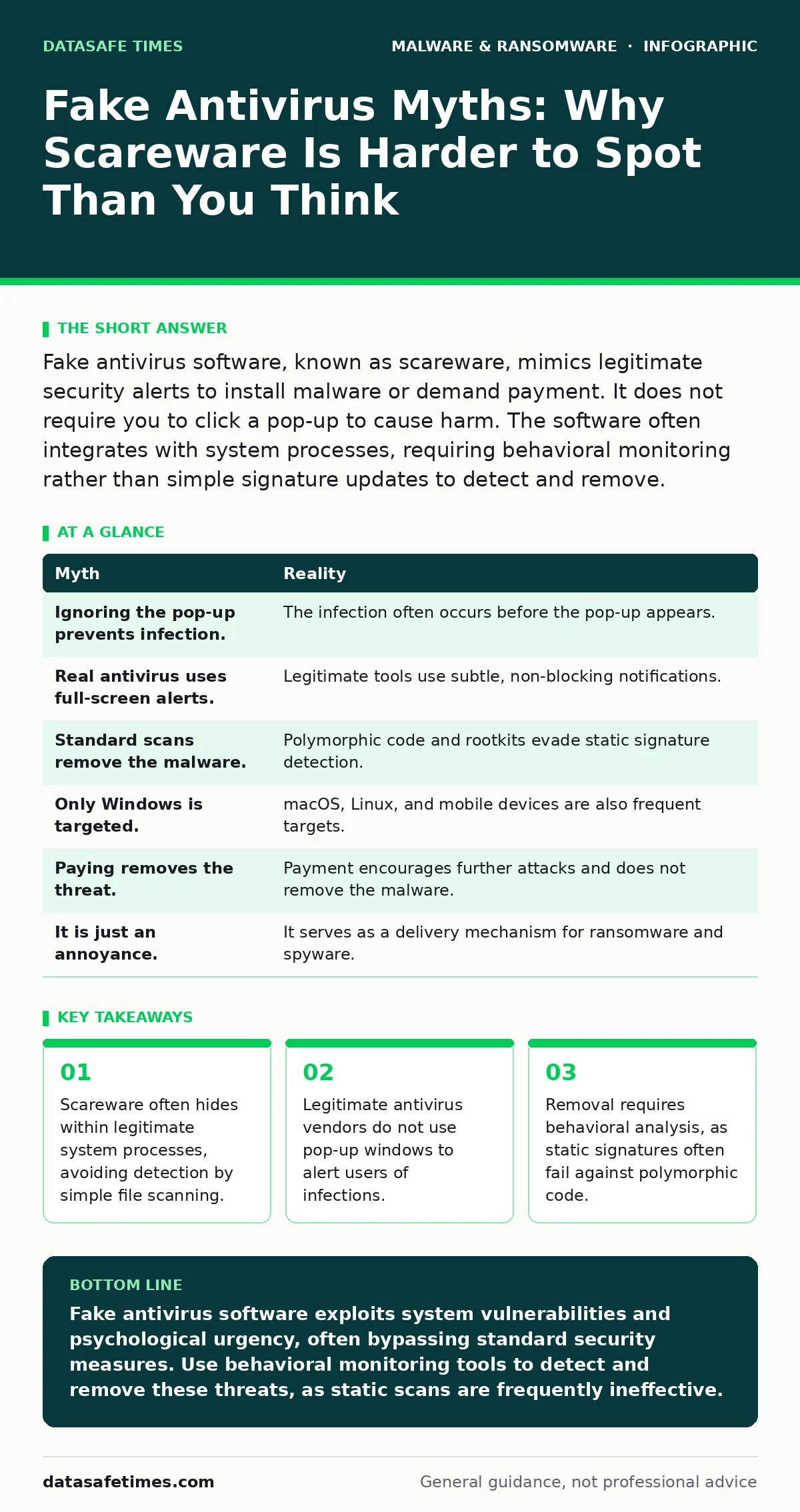
Fake antivirus software, known as scareware, mimics legitimate security alerts to install malware or demand payment. It does not require you to click a pop-up to cause harm. The software often integrates with system processes, requiring behavioral monitoring rather than simple signature updates to detect and remove.
Myth: I Am Safe If I Do Not Click the Pop-Up
Reality: The damage often occurs before you interact with the visual alert. Modern scareware campaigns use drive-by downloads or browser exploits to install the malicious payload automatically. The pop-up is merely the interface for the already-installed software, not the trigger for the infection.
Imagine a scenario where you visit a compromised website. The site contains a hidden script that exploits a vulnerability in your browser engine. This script downloads and executes the fake antivirus installer in the background. By the time you see the alarming red warning on your screen, the malicious executable is already running on your system.
This mechanism defeats the common advice to simply ignore suspicious windows. Ignoring the alert does not stop the software from modifying your system settings, installing keyloggers, or encrypting files. The initial infection vector is often the browser itself, not the user’s decision to engage with the content.
Myth: Legitimate Antivirus Software Uses Pop-Up Alerts
Reality: Reputable security vendors design their interfaces to minimize disruption and avoid panic. They use system tray notifications or dedicated dashboard messages, never modal windows that block your entire screen. A full-screen warning demanding immediate action is a hallmark of malicious software.
Legitimate products respect the operating system’s notification hierarchy. They provide context and allow you to review the alert at your convenience. Fake antivirus tools, however, rely on urgency to override your critical thinking. They create artificial crises to force a quick, unthinking response.
This design difference is a key indicator for users. If a security program prevents you from closing the window or accessing other applications, it is likely malicious. Real security software allows you to maintain control of your computer while it works in the background. The inability to close the alert is a feature, not a bug, of the scam.
Myth: Standard Antivirus Scans Will Remove It
Reality: Many fake antivirus programs are designed to evade static signature detection. They may use polymorphic code, which changes its appearance every time it is installed, or they may rootkit themselves to hide from standard file scanners. Your existing protection might see nothing wrong.
Static analysis looks for known patterns of malicious code. If the fake antivirus changes its code structure, the scanner cannot match it to its database of threats. This is why behavioral monitoring is necessary. You need a system that watches what the program does, not just what it is.
Consider the limitations of traditional endpoint protection. It may flag the initial download but miss the persistence mechanism that keeps the malware running. The fake antivirus might disable legitimate security services or modify registry keys to prevent removal. This requires a more advanced approach than a simple scan.
Myth: It Only Targets Windows Users
Reality: Fake antivirus campaigns target any operating system with a large user base and a less restrictive security model. macOS, Linux, and even mobile operating systems are frequent targets. The underlying psychology of fear works regardless of the platform.
Attackers adapt their tactics to fit the environment. On macOS, they may mimic the system’s Keychain access warnings. On mobile devices, they use fake battery optimization alerts. The core strategy remains the same: create a false sense of danger to gain privileges or install additional malware payloads.
This misconception leads to a false sense of security among non-Windows users. You must apply the same skepticism to alerts on any device. The operating system does not grant immunity against social engineering. The attacker’s goal is to exploit your trust in the system interface, not to exploit a specific OS vulnerability.
Myth: Paying the Fee Removes the Threat
Reality: Payment does not result in cleanup. It signals to the attacker that you are a compliant target. They will likely install additional malware, such as ransomware or cryptojacking tools, after receiving payment. The fake antivirus remains on your system, continuing to generate false alerts.
The business model of scareware is based on recurring revenue or data theft. Removing the software costs the attacker nothing, but keeping it installed provides ongoing opportunities for profit. They may sell your credentials or use your computing power for cryptomining.
Imagine paying the demanded fee. The attacker provides a fake "clean" certificate or a script that does nothing. Meanwhile, the malicious software persists in the background. You have lost money and gained no security. The only effective removal method is manual deletion or specialized anti-malware tools, not payment.
See also: 7 Mistakes That Leave You Open to Remote Access Trojans · Mac Malware Prevention Checklist for Secure Development Environments
Myth: It Is Just an Annoyance, Not a Security Risk
Reality: Fake antivirus software is often a delivery mechanism for more serious threats. It establishes persistence and elevates privileges, allowing attackers to deploy ransomware or spyware. The initial scareware is just the entry point for a broader compromise.
The malware may download additional modules from command-and-control servers. These modules can include data stealers that harvest passwords and banking credentials. The fake antivirus acts as a trojan, hiding these more dangerous components from your view.
This layered approach makes detection and removal difficult. The fake antivirus distracts you while the secondary payloads operate silently. You must treat any scareware alert as a critical security incident, not a minor nuisance. The risk extends far beyond the annoying pop-up.
| Myth | Reality |
|---|---|
| Ignoring the pop-up prevents infection. | The infection often occurs before the pop-up appears. |
| Real antivirus uses full-screen alerts. | Legitimate tools use subtle, non-blocking notifications. |
| Standard scans remove the malware. | Polymorphic code and rootkits evade static signature detection. |
| Only Windows is targeted. | macOS, Linux, and mobile devices are also frequent targets. |
| Paying removes the threat. | Payment encourages further attacks and does not remove the malware. |
| It is just an annoyance. | It serves as a delivery mechanism for ransomware and spyware. |
Key takeaways
- Scareware often hides within legitimate system processes, avoiding detection by simple file scanning.
- Legitimate antivirus vendors do not use pop-up windows to alert users of infections.
- Removal requires behavioral analysis, as static signatures often fail against polymorphic code.
- Fake alerts exploit psychological urgency, bypassing rational security checks.
Fake antivirus software exploits system vulnerabilities and psychological urgency, often bypassing standard security measures. Use behavioral monitoring tools to detect and remove these threats, as static scans are frequently ineffective.
Frequently asked questions
How do I know if my antivirus is fake?
Check if the alert blocks your screen or demands immediate payment. Legitimate security software uses subtle notifications and never asks for payment via pop-up windows.
Can a fake antivirus encrypt my files?
Yes, it can install ransomware modules that encrypt your data. The fake antivirus serves as the initial entry point for these more destructive payloads.
Does reinstalling the OS remove fake antivirus?
Reinstalling the operating system removes the malware, but you must ensure you do not restore infected backups. Use offline backups to restore your data safely.
Should I update my antivirus to prevent this?
Updates help, but they are not enough. You need next-generation antivirus with behavioral analysis to detect new, unsigned threats that mimic legitimate software.
How this guide was produced: written by the DataSafe Times editorial team with AI assistance, checked against the public references listed below, and reviewed when the facts change. See our editorial policy or report an error.