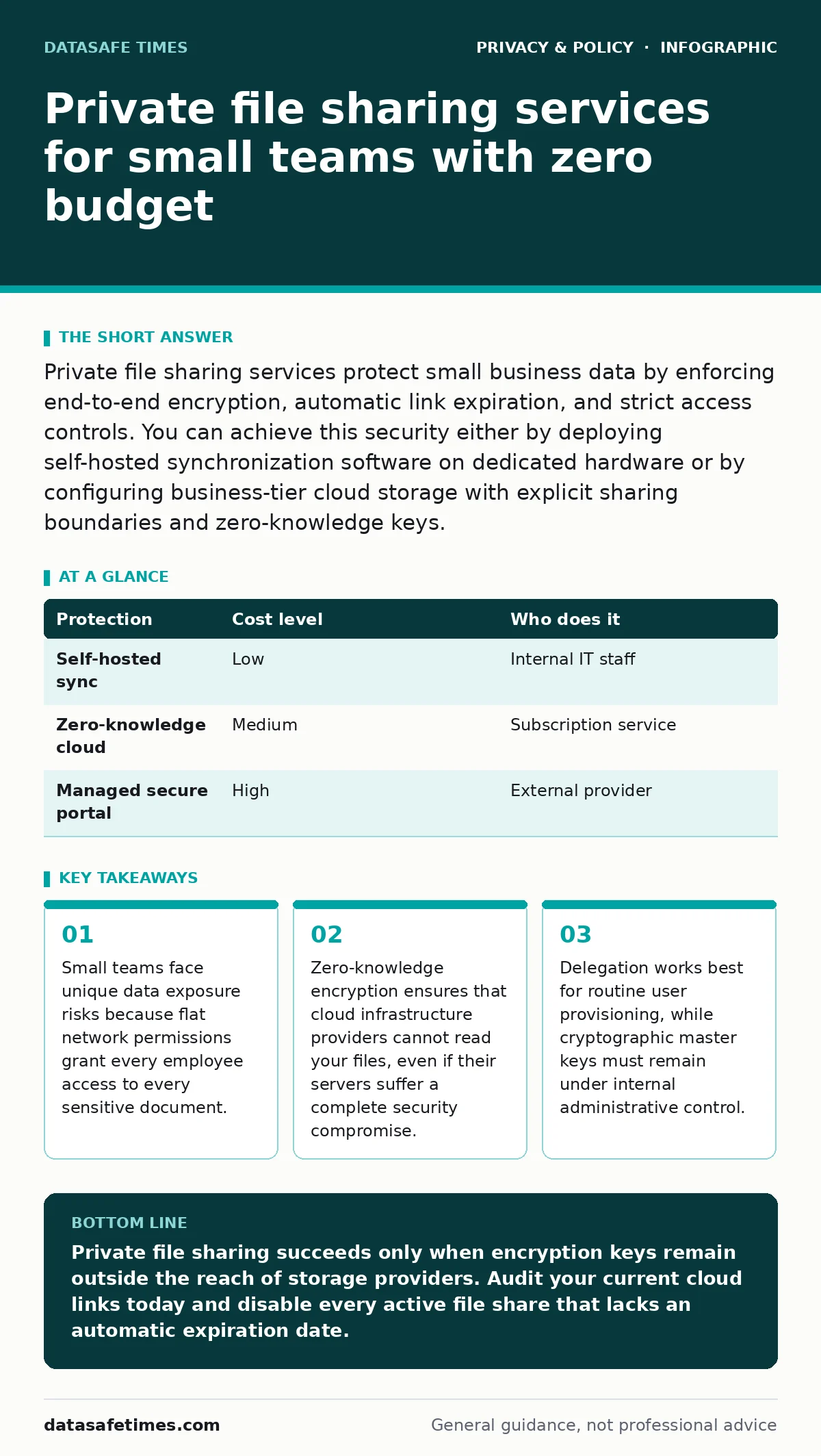
Private file sharing services protect small business data by enforcing end-to-end encryption, automatic link expiration, and strict access controls. You can achieve this security either by deploying self-hosted synchronization software on dedicated hardware or by configuring business-tier cloud storage with explicit sharing boundaries and zero-knowledge keys.
Why small teams leak sensitive data
Small businesses often treat digital storage like a digital filing cabinet where every employee holds a master key. Flat organizational structures encourage shared passwords and permanent folder links, which eliminates friction during daily collaboration. Convenience creates vulnerability when a single compromised laptop exposes payroll records, client contracts, and proprietary source code to unauthorized parties.
File sharing at a small scale requires deliberate boundaries to prevent accidental oversharing. Cloud storage platforms default to collaboration models optimized for ease of access rather than confidentiality. Team members routinely generate public Uniform Resource Locators that remain active indefinitely, indexed by search engines or shared in public chat channels.
Imagine a ten-person design agency sharing high-resolution client assets via default cloud links. One departed contractor retains an active token and downloads decades of proprietary work long after their contract ends. Proper private file sharing services prevent this exact scenario by enforcing strict lifecycle limits on every piece of transferred data.
The mechanics of zero-knowledge encryption
Zero-knowledge architecture ensures that encryption keys reside exclusively on local devices rather than remote servers. Cloud providers store only scrambled ciphertext that they possess no mathematical capability to decrypt. Service administrators cannot comply with external demands for plain text data because the underlying keys do not exist on the provider hardware.
Client-side encryption introduces specific operational friction during routine tasks like password recovery or device replacement. Losing a local cryptographic key means losing access to every file locked beneath it, with no backdoor reset option available from support staff. Balancing absolute privacy against disaster recovery demands rigorous local key backup procedures.
Network metadata often leaks even when the underlying file contents remain securely encrypted under heavy math. Observers can still record file sizes, transfer frequencies, and communication endpoints unless you pair file sharing practices with protocols like DNS over HTTPS to obscure destination domains. Operational security fails whenever metadata reveals sensitive business relationships to external network monitors.
Affordable ways to share files privately
Open-source synchronization tools allow small businesses to build private storage environments using existing hardware or inexpensive virtual private servers. These systems replicate folders directly between trusted endpoints using mutual Transport Layer Security authentication, bypassing third-party cloud intermediaries entirely.
| Protection | Cost level | Who does it |
|---|---|---|
| Self-hosted sync | Low | Internal IT staff |
| Zero-knowledge cloud | Medium | Subscription service |
| Managed secure portal | High | External provider |
Managed business tiers of major cloud providers offer a middle ground by adding administrative controls to familiar interfaces. Organizations can disable public link creation, mandate multi-factor authentication, and restrict sharing to approved domain names. These configurations reduce user error without forcing employees to adopt unfamiliar software workflows.
Cost considerations extend beyond subscription fees to include the hidden labor of maintenance and disaster recovery. Self-hosted infrastructure demands regular software updates and manual backup verification, which consumes valuable time for non-technical teams. Paying for managed security often proves cheaper than losing a week of productivity to a botched server migration.
What to delegate and what to keep internal
Technical competence dictates how much infrastructure management an organization should hand off to external service providers. Routine user onboarding, permission audits, and password resets represent safe operational tasks for reliable third-party contractors.
Cryptographic master keys and physical server access must remain strictly under internal control to maintain true privacy guarantees. External IT providers should never possess the ability to decrypt your organization's intellectual property or client records. Delegating server administration is acceptable, but delegating trust in zero-knowledge environments defeats the purpose of the architecture.
Service level agreements from external providers rarely cover losses resulting from sophisticated targeted attacks against shared infrastructure. Internal leadership must retain ultimate responsibility for data classification policies and access review schedules regardless of who manages the physical storage hardware.
Questions for your IT provider
Evaluating external support requires probing technical specifics rather than accepting broad assurances about data safety. You must interrogate how service providers handle cryptographic keys and administrative access privileges before signing any management contract.
- Where do the primary encryption keys reside during active file editing and resting storage?
- What exact mechanism revokes access when an employee leaves the organization abruptly?
- Can system administrators on your team read the contents of our stored documents?
- How do you verify the integrity of backups against ransomware modification?
See also: Digital Privacy Laws: How Rules Shape Data Collection
Hidden costs of private file sharing
Private file sharing introduces performance bottlenecks that can disrupt fast-paced business operations if configured incorrectly. End-to-end encryption calculations consume noticeable processor cycles on older employee laptops, reducing battery life and slowing down background synchronization tasks.
Collaboration friction increases when security measures prevent seamless editing across multiple simultaneous users. Version control conflicts multiply when files must be decrypted locally, edited, and re-encrypted before other team members can view the updates. Balancing security against productivity requires clear guidelines on which documents demand strict privacy controls.
Choosing the right operational model
Selecting a file sharing strategy depends entirely on your team's internal technical capacity and regulatory compliance obligations. Organizations handling strict medical or financial records cannot rely on standard consumer cloud tiers, regardless of how carefully employees configure their sharing links.
Simplicity often trumps advanced security features if the configuration complexity invites dangerous workarounds from impatient staff. Establishing clear internal policies for handling sensitive data matters more than the specific software brand you choose to deploy.
Key takeaways
- Small teams face unique data exposure risks because flat network permissions grant every employee access to every sensitive document.
- Zero-knowledge encryption ensures that cloud infrastructure providers cannot read your files, even if their servers suffer a complete security compromise.
- Delegation works best for routine user provisioning, while cryptographic master keys must remain under internal administrative control.
Private file sharing succeeds only when encryption keys remain outside the reach of storage providers. Audit your current cloud links today and disable every active file share that lacks an automatic expiration date.
Frequently asked questions
Can small businesses use consumer cloud storage securely?
Consumer cloud storage can be secure if you disable public link sharing, enforce multi-factor authentication, and encrypt sensitive files locally before uploading them.
How often should file sharing permissions be audited?
Permissions require review at least quarterly, alongside immediate revocation whenever an employee or contractor departs the organization.
What happens if an employee loses their encryption key?
Lost zero-knowledge encryption keys cannot be recovered by anyone, resulting in permanent loss of access to the associated files unless a separate backup exists.
Are self-hosted file servers safer than commercial cloud services?
Self-hosted servers eliminate third-party data access, but they introduce new risks if your team lacks the resources to apply security updates promptly.
How this guide was produced: written by the DataSafe Times editorial team with AI assistance, checked against the public references listed below, and reviewed when the facts change. See our editorial policy or report an error.