
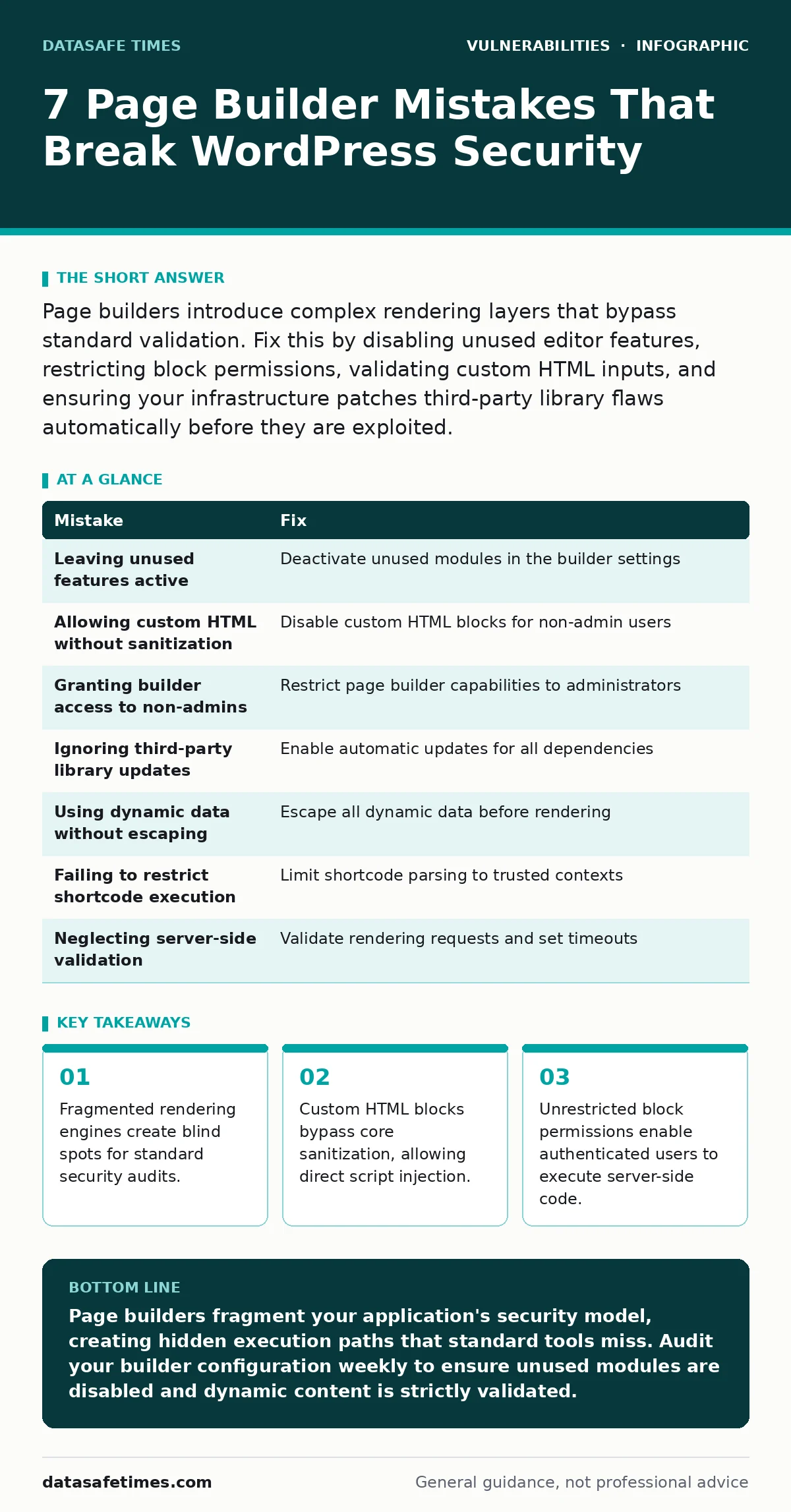
Page builders introduce complex rendering layers that bypass standard validation. Fix this by disabling unused editor features, restricting block permissions, validating custom HTML inputs, and ensuring your infrastructure patches third-party library flaws automatically before they are exploited.
Mistake 1: Leaving unused page builder features active
Page bundles install dozens of modules to satisfy every possible design need. Most of these modules remain unused in your final layout. Each active module represents a loaded code path that the server must parse and execute. Attackers scan for known vulnerabilities in these inactive components.
Why it hurts:
Unused modules increase the attack surface without adding value. A vulnerability in a rarely used slider plugin can compromise the entire site. The code exists, it is loaded, and it is accessible to anyone who can trigger the rendering engine. This creates a silent risk that standard audits often miss because the feature is not in the primary user flow.
The fix:
Deactivate modules you do not use. Many page builders offer a module manager within their settings. Toggle off every feature that is not present on your live pages. This removes the code from the execution path. If the builder does not support granular module disabling, switch to a lighter alternative or use a plugin that enforces strict module whitelisting.
Mistake 2: Allowing custom HTML blocks without sanitization
Custom HTML blocks let users paste raw code into the content area. This is useful for embedding widgets or scripts. It is also a direct bypass of the core content sanitization layer. The application assumes the input is safe because it comes from an authenticated user.
Why it hurts:
An attacker with access to a custom HTML block can inject JavaScript. This script executes in the context of the user viewing the page. If the attacker has a low-privilege account, they can steal session cookies from higher-privilege users who view the same page. This is a classic stored cross-site scripting scenario. The consequence is account takeover and full site compromise.
The fix:
Disable custom HTML blocks for all users except administrators. If developers need to embed code, use a dedicated shortcode system that validates input against a strict allowlist. Never trust user input in a code execution context. Review your block editor settings to ensure that shortcodes are the only method for injecting dynamic content. This adds a layer of validation before the code reaches the rendering engine.
Mistake 3: Granting page builder access to non-admin users
Page builders require powerful capabilities to modify layouts. Giving this power to editors or authors increases the risk of misuse. These users may not understand the security implications of changing structural elements. They may also be targeted by social engineering to install malicious blocks.
Why it hurts:
A compromised editor account can alter the site structure. They can insert malicious redirects or hide phishing forms. Because the changes come from a legitimate user account, security logs may not flag them as suspicious. This undermines the principle of least privilege. The attacker gains persistent access to the content management layer without needing administrator credentials.
The fix:
Restrict page builder capabilities to administrators only. Use role management plugins to define exactly which blocks each role can use. Editors should only have access to basic text and image blocks. This limits the damage a compromised account can do. Regularly audit user roles to ensure no unnecessary privileges have been granted over time.
Mistake 4: Ignoring third-party library updates
Page builders rely on external JavaScript libraries for functionality. These libraries are often outdated when the builder is released. Vulnerabilities in these libraries are public knowledge. Attackers exploit them before the builder maintainer can patch them.
Why it hurts:
Outdated libraries contain known flaws. A vulnerability in a dependent library can be exploited to execute arbitrary code. This is similar to dealing with vulnerable third-party libraries in any software project. The page builder acts as a wrapper, but the underlying code is still exposed. Failure to update these dependencies leaves a permanent hole in the application stack.
The fix:
Enable automatic software updates for all dependencies where possible. Monitor the release notes of your page builder for security patches. Test updates in a staging environment before applying them to production. This ensures that you are not introducing breaking changes while closing security gaps. Treat library updates with the same urgency as core application patches.
Mistake 5: Using dynamic data without proper escaping
Page builders allow you to pull data from post meta, custom fields, or external APIs. This data is then inserted into the page layout. If this data is not properly escaped, it can contain malicious payloads. The builder assumes the data is safe because it comes from the database or a trusted source.
Why it hurts:
Unescaped data can break the HTML structure or inject scripts. An attacker can manipulate the input source to include malicious code. When the page renders, this code executes. This is often harder to detect than direct injection because the payload is stored in the database. The consequence is the same: full control over the client-side environment of every visitor.
The fix:
Ensure that all dynamic data is escaped before rendering. Most modern page builders provide functions for this purpose. Use these functions consistently. If you are building custom blocks, implement strict validation and escaping logic. Never assume that data from the database is safe. Treat all external input as untrusted, regardless of its origin.
See also: Exploitability vs Severity: Why High Scores Often Mislead Developers · Type Confusion Vulnerabilities Explained: How Data Misinterpretation Breaks Software
Mistake 6: Failing to restrict shortcode execution contexts
Shortcodes are a way to embed complex functionality into simple text. Page builders often support shortcodes within blocks. If these shortcodes can be executed in any context, they become a vector for abuse. An attacker can craft a shortcode that performs dangerous actions.
Why it hurts:
Shortcodes can access server-side resources. A malicious shortcode can read files, send emails, or modify database entries. If the shortcode execution is not restricted, an attacker with content editing privileges can trigger these actions. This turns a content management tool into a remote code execution engine. The risk is amplified if the shortcode relies on vulnerable third-party libraries.
The fix:
Restrict shortcode execution to specific, trusted contexts. Disable shortcode parsing in comments and user-generated content. Limit the number of shortcode executions per page to prevent resource exhaustion. Audit your shortcodes to ensure they do not perform sensitive operations without proper authorization. This limits the potential impact of a compromised shortcode.
Mistake 7: Neglecting server-side rendering validation
Page builders generate complex HTML and CSS on the server. This rendering process must be secure. If the server does not validate the structure of the generated output, it can be manipulated. An attacker can craft a layout that causes the server to process malformed data.
Why it hurts:
Malformed rendering requests can crash the server or expose sensitive information. This is a type of denial-of-service attack. It can also lead to information leakage if the error messages reveal file paths or database structure. The server becomes unstable and unreliable. This affects all users, not just the attacker.
The fix:
Implement strict validation on the server side. Reject requests that contain malformed layout data. Set timeouts for rendering processes to prevent resource exhaustion. Monitor server logs for unusual rendering patterns. This ensures that the server remains stable and secure even when faced with malicious input.
| Mistake | Fix |
|---|---|
| Leaving unused features active | Deactivate unused modules in the builder settings |
| Allowing custom HTML without sanitization | Disable custom HTML blocks for non-admin users |
| Granting builder access to non-admins | Restrict page builder capabilities to administrators |
| Ignoring third-party library updates | Enable automatic updates for all dependencies |
| Using dynamic data without escaping | Escape all dynamic data before rendering |
| Failing to restrict shortcode execution | Limit shortcode parsing to trusted contexts |
| Neglecting server-side validation | Validate rendering requests and set timeouts |
Key takeaways
- Fragmented rendering engines create blind spots for standard security audits.
- Custom HTML blocks bypass core sanitization, allowing direct script injection.
- Unrestricted block permissions enable authenticated users to execute server-side code.
Page builders fragment your application's security model, creating hidden execution paths that standard tools miss. Audit your builder configuration weekly to ensure unused modules are disabled and dynamic content is strictly validated.
Frequently asked questions
Do page builders cause XML external entity attacks?
Page builders themselves do not typically handle XML parsing directly, but if they integrate with XML-based import features, misconfiguration can expose your site to XXE attacks. Ensure any XML processing uses secure defaults.
How do open redirect vulnerabilities affect page builders?
Some page builder features allow linking to external URLs. If these links are not validated, they can be used for open redirect attacks, leading users to malicious sites. Validate all outgoing links against a whitelist of trusted domains.
Can session fixation exploit page builder interfaces?
If the page builder interface does not regenerate session IDs after authentication, it may be vulnerable to session fixation. Ensure your application uses secure session management practices across all admin interfaces.
Does the EPSS score apply to page builder plugins?
The EPSS score provides a probability of exploitation for known vulnerabilities. It applies to page builder plugins if they have assigned CVEs. Use this score to prioritize patching efforts for the most likely targets.
How this guide was produced: written by the DataSafe Times editorial team with AI assistance, checked against the public references listed below, and reviewed when the facts change. See our editorial policy or report an error.