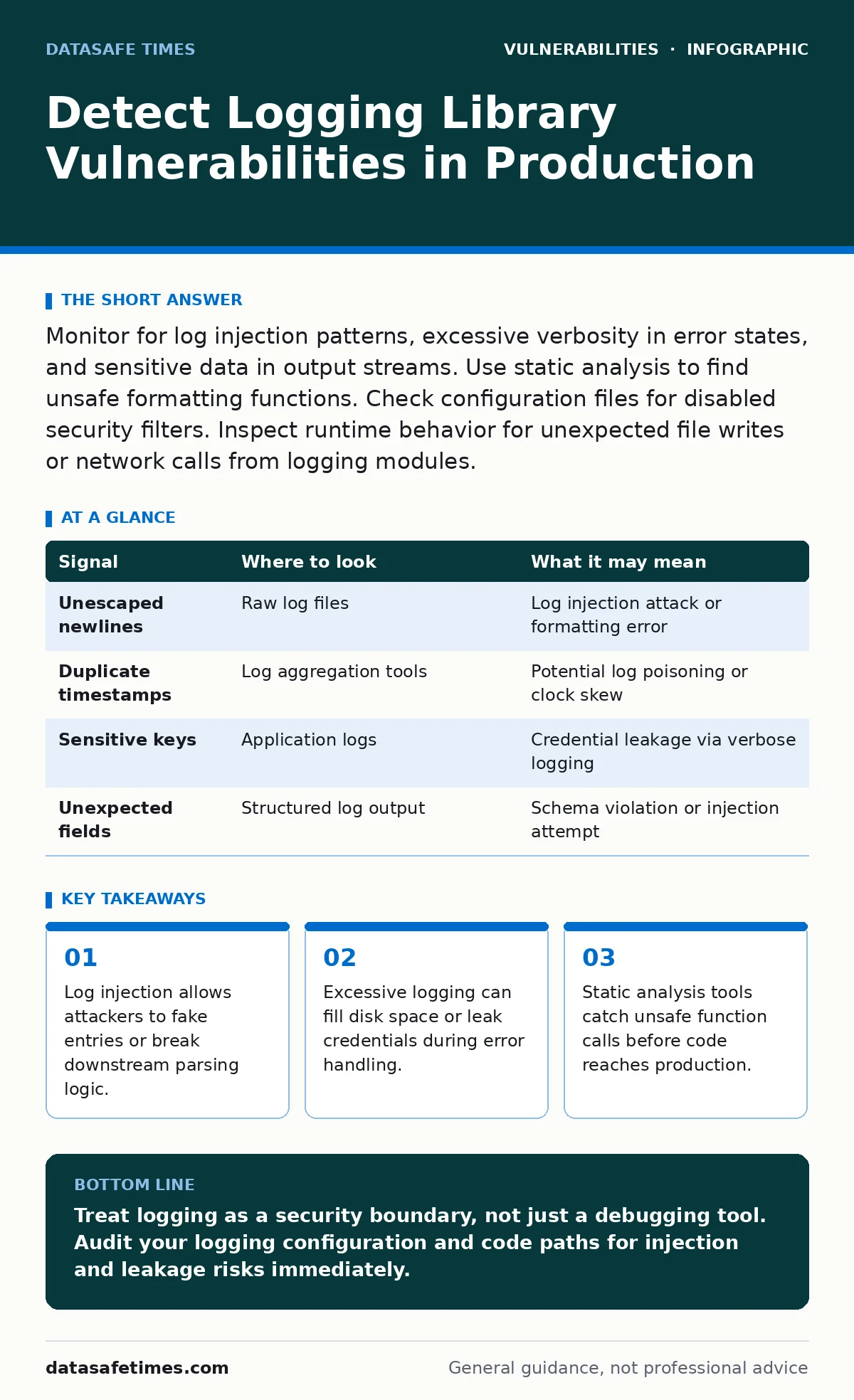
Monitor for log injection patterns, excessive verbosity in error states, and sensitive data in output streams. Use static analysis to find unsafe formatting functions. Check configuration files for disabled security filters. Inspect runtime behavior for unexpected file writes or network calls from logging modules.
Detecting Log Injection Patterns in Output
Log injection occurs when an attacker controls input that ends up in a log file. This input may contain newline characters or special sequences. The logger writes these characters literally. Downstream parsers read the fake lines as new log entries. An attacker can hide their tracks or create false alarms. You detect this by looking for unmatched quotes or unexpected line breaks in log files.
Search for patterns where user input appears without escaping. Check if the logging library sanitizes input before writing. If the library does not sanitize, the application is vulnerable. Review code that passes user strings directly to log functions. Ensure these strings are treated as data, not format instructions.
| Signal | Where to look | What it may mean |
|---|---|---|
| Unescaped newlines | Raw log files | Log injection attack or formatting error |
| Duplicate timestamps | Log aggregation tools | Potential log poisoning or clock skew |
| Sensitive keys | Application logs | Credential leakage via verbose logging |
| Unexpected fields | Structured log output | Schema violation or injection attempt |
Identifying Sensitive Data Leakage
Developers often log request headers or database queries for debugging. These logs may contain passwords, tokens, or personal data. Production systems must filter this data. You detect leakage by searching logs for known sensitive patterns. Look for fields like "password", "token", or "ssn". Check if these fields appear in clear text.
Inspect logging configuration files for exclusion rules. Verify that the logging library supports field masking. If the library lacks masking, you must mask data before passing it to the logger. Review error handlers that dump stack traces. Stack traces may include variable values. These values often contain sensitive context. Ensure error logging strips these values.
Assessing Performance and Denial of Service Risks
Logging consumes system resources. High-volume logging can fill disk space or slow down the application. Attackers may trigger verbose logging to exhaust resources. You detect this by monitoring log file growth rates. Watch for sudden spikes in log volume. Check if the application slows down when logging is active. Inspect logging levels in production. Verbose levels should be disabled. Review code for loops that log inside iterations. This pattern creates exponential log growth. Ensure the logging library supports async writing. Async writing reduces blocking time. Verify that disk space alerts are in place. These alerts warn before the system runs out of space.
Finding Unsafe Formatting Functions
Some logging functions use format strings. These strings define how data is displayed. If user input controls the format string, it is dangerous. This can lead to memory corruption or information disclosure. You detect this by scanning code for format string usage. Look for functions like printf or sprintf. Check if the format string is static.
If it is dynamic, it is risky. Use static analysis tools to find these patterns. Configure the tool to flag unsafe formatting. Review third-party libraries for similar issues. Ensure they do not expose format strings to user input. Replace unsafe functions with safer alternatives. Use parameterized logging where possible. This separates format from data.
Checking Configuration Drift and Defaults
Logging libraries often have default settings. These defaults may be insecure. For example, verbose logging might be enabled by default. You detect drift by comparing current config to a baseline. Check for changes in log levels. Look for disabled security filters. Verify that log rotation is configured. Without rotation, logs grow indefinitely. Inspect environment variables that affect logging. Attackers may change these at runtime. Ensure configuration files are read-only. Use version control to track config changes. Review deployment scripts for logging setup. Ensure they apply secure defaults every time. Do not rely on previous deployments.
See also: TOCTOU Myths: Why Standard Fixes Fail in Concurrent Code · Exploitability vs Severity: Why High Scores Often Mislead Developers
Analyzing Runtime Behavior for Anomalies
Logging libraries may perform unexpected actions. They might write to unexpected files. They might make network calls. You detect this by monitoring system calls. Look for file writes from logging modules. Check for network connections initiated by the logger. Inspect process trees for child processes. Loggers should not spawn new processes. Review memory usage of logging threads. High memory usage may indicate buffering issues. Check for unexpected permissions. Loggers should have minimal permissions. Use sandboxing to restrict logging actions. Monitor for changes to log files. Unauthorized changes may indicate compromise.
Common Blind Spots in Detection
Teams often miss logging vulnerabilities in third-party components. They assume these are secure. You must treat third-party loggers as untrusted code. Scan dependencies for known vulnerabilities. Check for outdated versions. Review the security posture of the logging library. Ensure it receives updates. Another blind spot is structured logging. Teams assume structured logs are safe. They can still be injected if the schema is not enforced. Validate log structure before processing. Do not trust the structure implicitly. Finally, teams forget to test logging in production. Staging environments may have different configs. Test logging behavior in production-like environments.
Related topics such as exploitability versus severity help prioritize which logging flaws to fix first. A low-severity leak may be highly exploitable in your context. Understanding memory corruption vulnerabilities is also relevant, as some logging flaws stem from unsafe memory handling. Consider memory-safe programming languages to reduce these risks at the source. For broader update management, see automatic software updates.
Key takeaways
- Log injection allows attackers to fake entries or break downstream parsing logic.
- Excessive logging can fill disk space or leak credentials during error handling.
- Static analysis tools catch unsafe function calls before code reaches production.
- Configuration drift often re-enables verbose modes that bypass security filters.
Treat logging as a security boundary, not just a debugging tool. Audit your logging configuration and code paths for injection and leakage risks immediately.
Frequently asked questions
How do I detect log injection in real-time?
Use a log aggregation tool that validates log structure. Alert on entries that do not match the expected schema or contain unescaped special characters.
What is the most common logging vulnerability?
Information disclosure is the most common. Developers log sensitive data like credentials or personal information by mistake or for debugging.
Can logging libraries cause denial of service?
Yes. If the library writes synchronously or generates excessive volume, it can block application threads or fill disk space, causing system failure.
Should I disable logging in production?
No. Disable verbose and debug levels. Keep error and warning logs enabled. Ensure these logs are sanitized and monitored for security events.
How this guide was produced: written by the DataSafe Times editorial team with AI assistance, checked against the public references listed below, and reviewed when the facts change. See our editorial policy or report an error.